
- From the home screen, press the Camera Key.

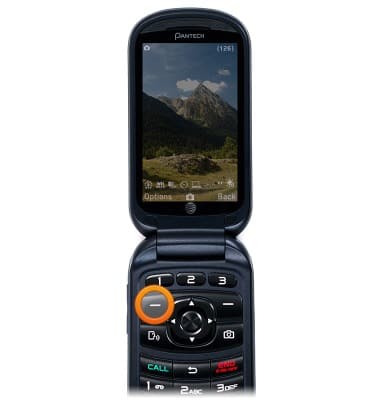
- Press the Left Soft Key to access options.
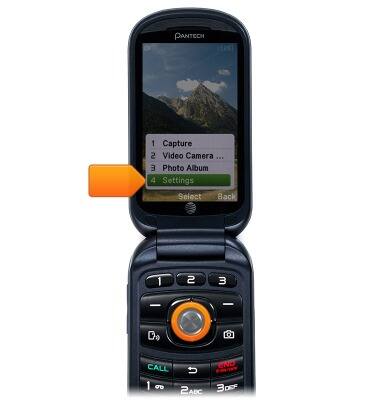
- Scroll to Settings, then press the Center Nav Key.
- Press the Right/Left nav Keys to select the desired setting.
Note: For this demonstration, select "WB."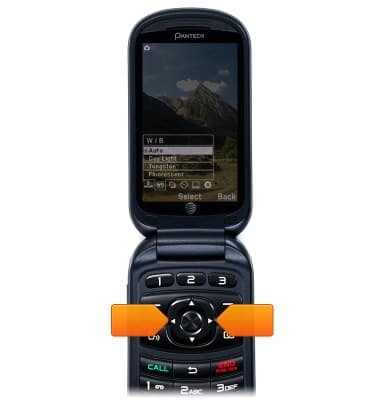
- Scroll to the desired option, then press the Center Nav Key.

Camera & video settings
Pantech Breeze IV (P2050)
Camera & video settings
How to change the camera settings.
INSTRUCTIONS & INFO