
- To view a photo or video, from the home screen, press the Right Nav Key.
Note: In Breeze Mode, press Right Soft Key > Camera > My Pictures to access. To access Breeze Mode, Press menu > Settings > Phone Mode > Breeze Mode.
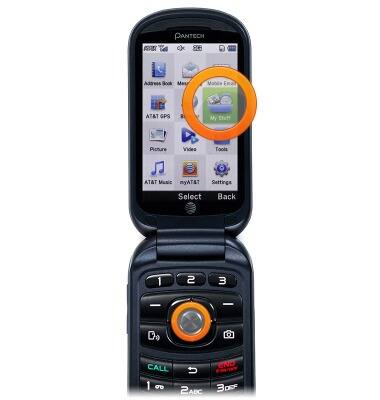
- Scroll to My Stuff, then press the Center Nav Key.
- Scroll to Picture or Video, then press the Center Nav Key.
Note: 'Picture' is selected for this demonstration.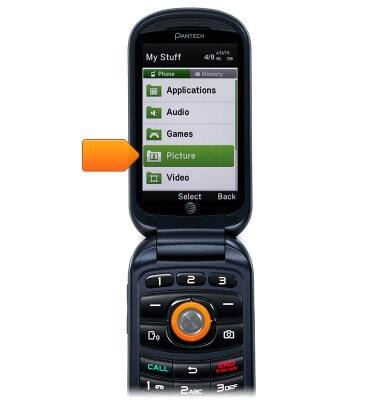
- Scroll to the desired stored location, then press the Center Nav Key.
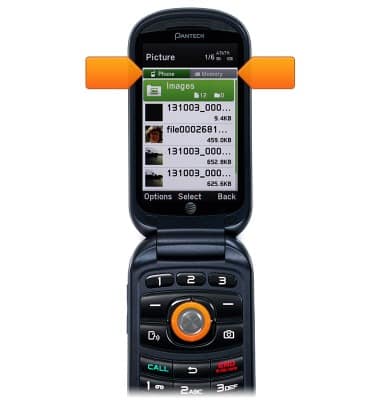
- Scroll to the desired image, then press the Center Nav Key.

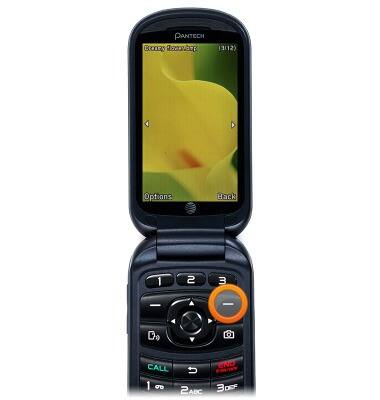
- Press the Right Soft Key to return.
- To share a photo or video, from the home screen, press the Right Soft Key.
Note: In Breeze Mode, press Right Soft Key > Camera > My Pictures > Select a picture > Left Soft Key > Send > Bluetooth or MMS to share a photo.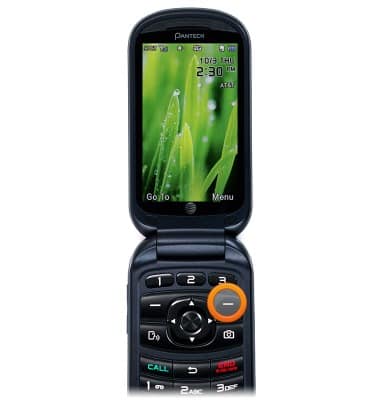
- Scroll to My Stuff, then press the Center Nav Key.
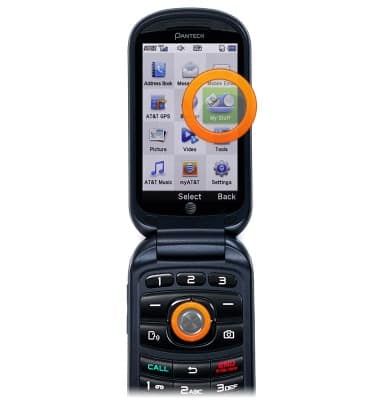
- Scroll to Picture, then press the Center Nav Key.
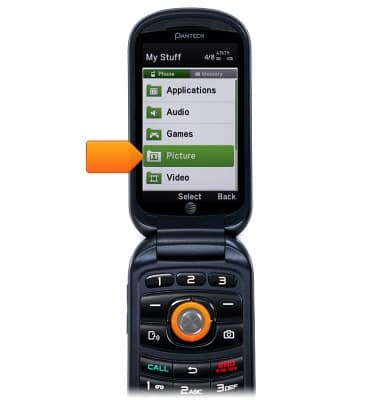
- Use the Right/Left Nav Keys to select the stored location.

- Scroll to the desired image, then press the Center Nav Key.
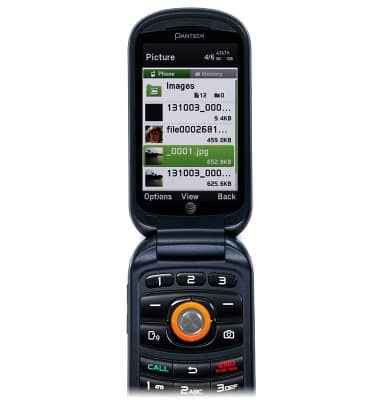
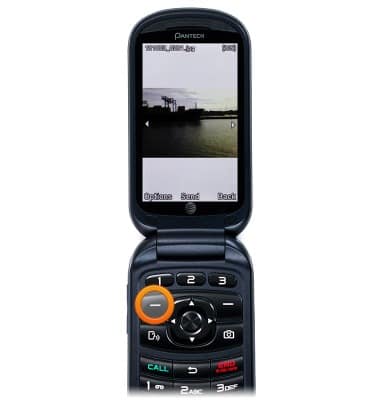
- Press the Left Soft Key.
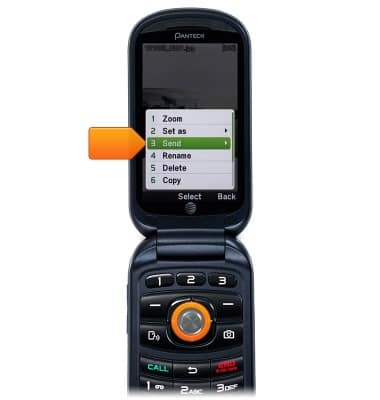
- Scroll to Send, the press the Center Nav Key.
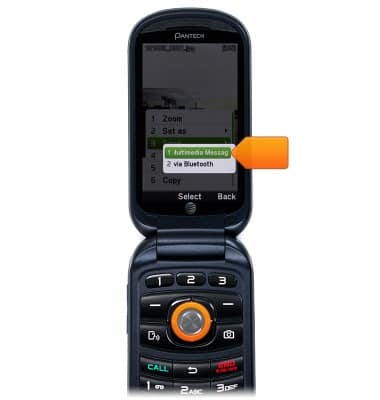
- Scroll to as Multimedia Message, then press the Center Nav Key.
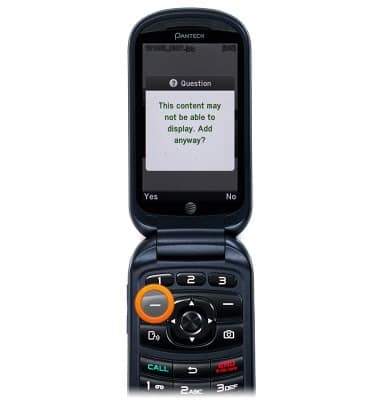
- Press the Left Soft Key.
- Scroll to Select to address, then press the Center Nav Key.
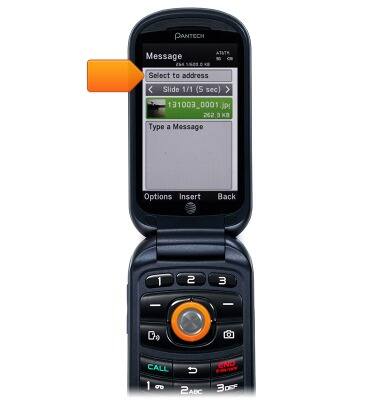
- Scroll to the desired recipient, then press the Center Nav Key.
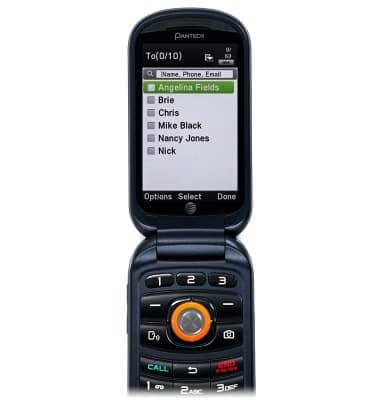
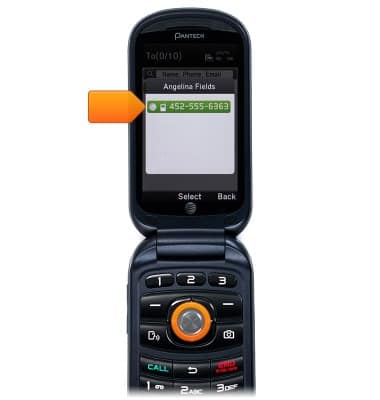
- Scroll to the desired phone number, then press the Center Nav Key.
- Press the Right Soft Key.
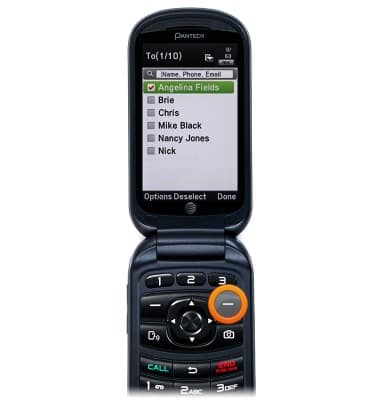
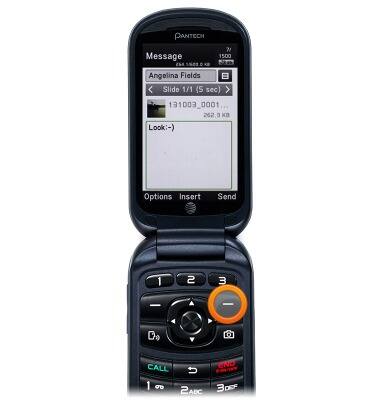
- Scroll to the message field, then enter the desired message.
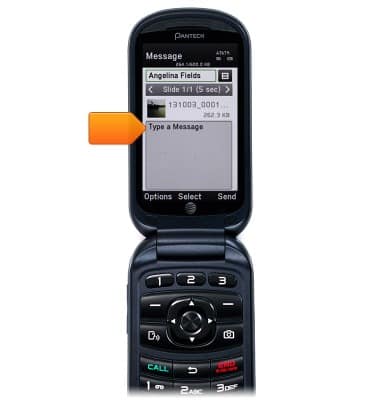
- Press the Right Soft Key to send.
View & share photos or videos
Pantech Breeze IV (P2050)
View & share photos or videos
Access, view, and share your photos and videos.
INSTRUCTIONS & INFO