
- AT&T Navigator makes your travels easier with GPS-guided maps and directions, traffic alerts, and additional navigation features that give you real-time, on-the-road coverage to help you avoid traffic, find the best routes, and more.
Note: Separate subscription may be required. Data rates apply.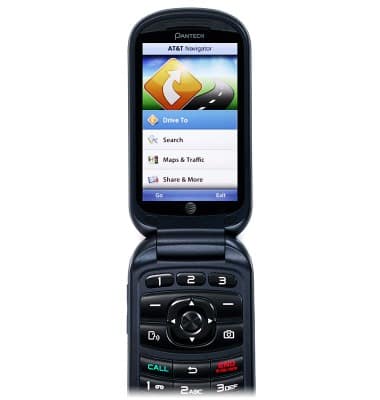
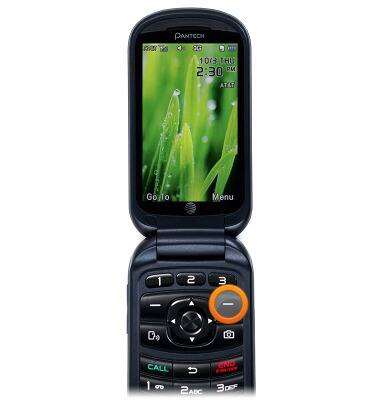
- From the home screen, press the Right Soft Key.
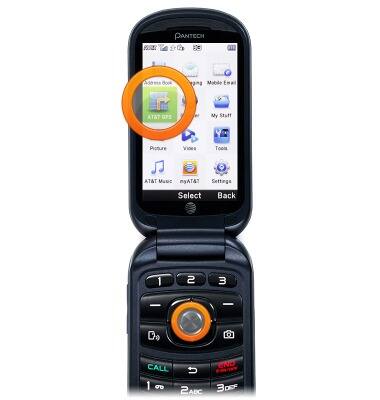
- Scroll to AT&T GPS, then press the Center Nav Key.
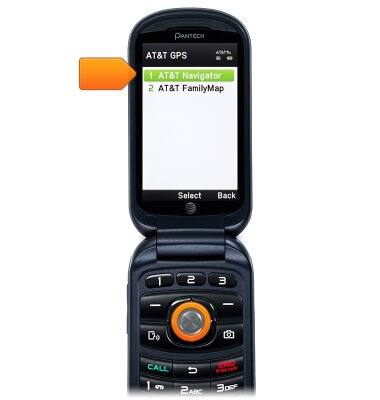
- Scroll to AT&T Navigator, then press the Center Nav Key.
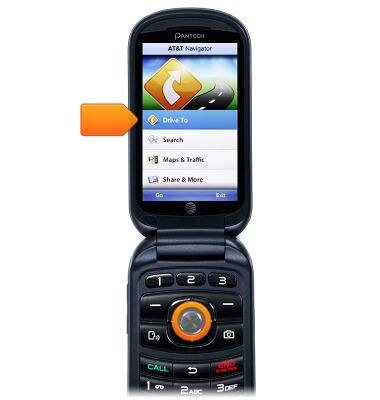
- Scroll to Drive To, then press the Center Nav Key.
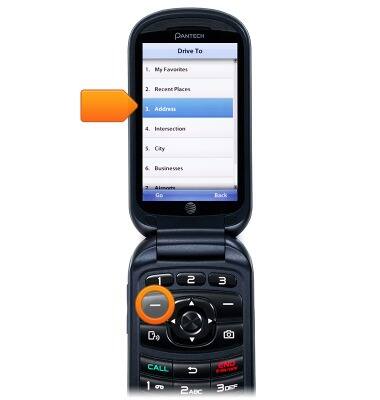
- Scroll to Address, then press the Left Soft Key.
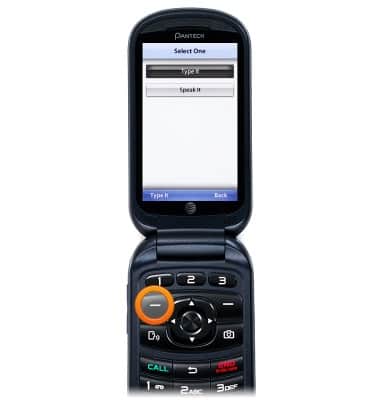
- Press the Left Soft Key to select Type It.
- Enter the desired address.
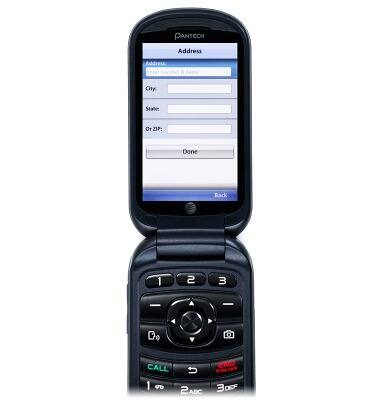
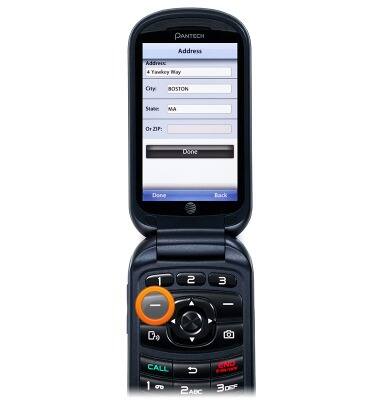
- Scroll to City, State, and Or ZIP, then enter the desired destination.
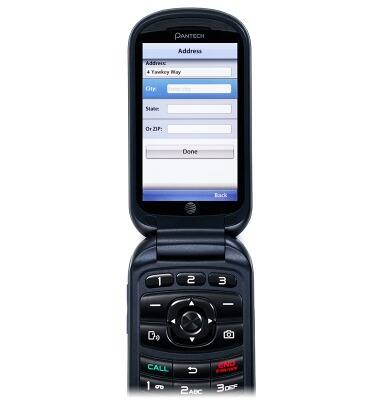
- Press the Left Soft Key to select Done.
AT&T Navigator
Pantech Breeze IV (P2050)
AT&T Navigator
How to get directions using AT&T Navigator.
INSTRUCTIONS & INFO