- From the home screen, press the Right Soft Key.
Note: This feature is not available in Breeze Mode. To access Breeze Mode, Press menu > Settings > Phone Mode > Breeze Mode.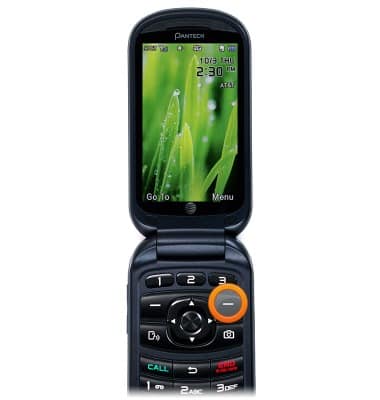
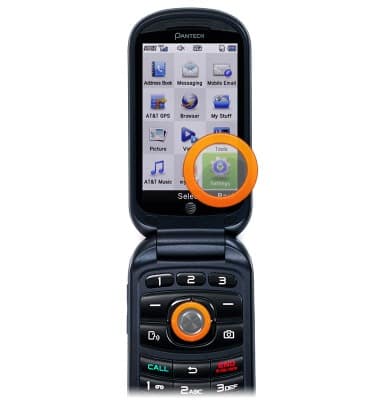
- Scroll to Settings, then press the Center Nav Key.
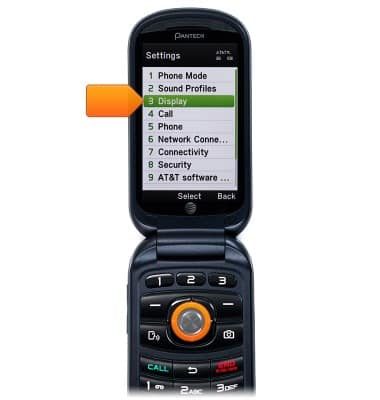
- Scroll to Display, then press the Center Nav Key.
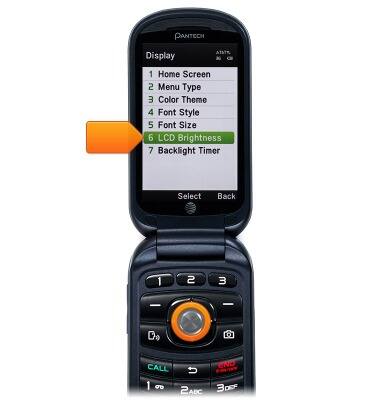
- Scroll to LCD Brightness, then press the Center Nav Key.
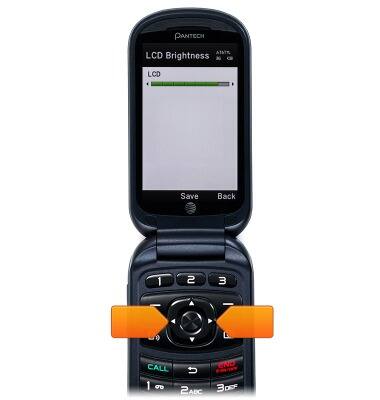
- Use the Right/Left Nav Keys to adjust the brightness of the display.
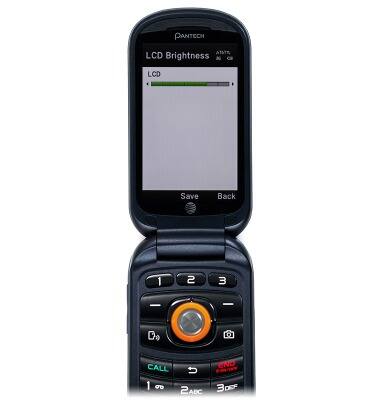
- When done, press the Center Nav Key to save.
Display
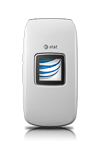
Pantech Breeze IV (P2050)
Display
Adjust the brightness manually or enable the automatic feature to give you the best brightness setting. Increasing your brightness will decrease the battery life, and vice versa if the brightness is low.
INSTRUCTIONS & INFO