
- From the home screen, press the Right Soft Key.
Note: Learn about the importance of adding a password on your device to protect your privacy as well as how to report a lost or stolen phone: Click Here.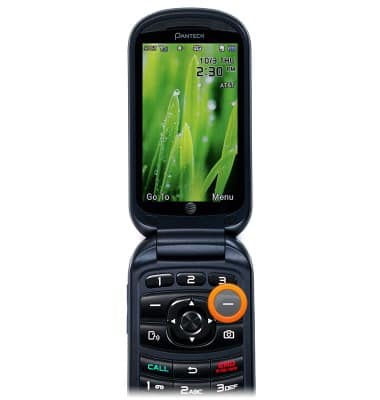
- Scroll to Settings, then press the Center Nav Key.
Note: This feature is not available in Breeze Mode. To access Breeze Mode, Press menu > Settings > Phone Mode > Breeze Mode.
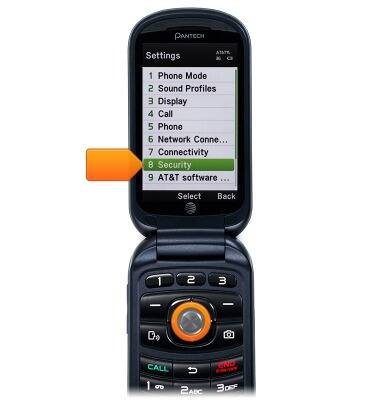
- Scroll to Security, then press the Center Nav Key.
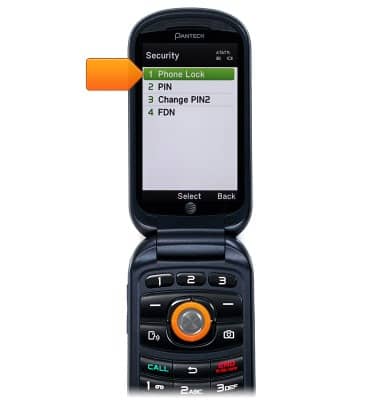
- Scroll to Phone Lock, then press the Center Nav Key.
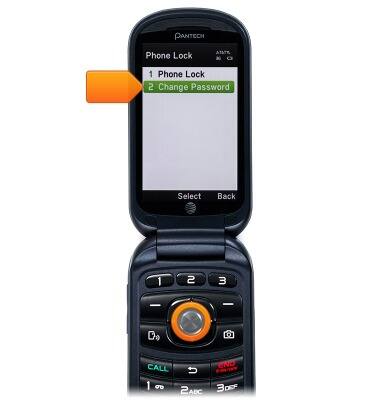
- Scroll to Change Password, then press the Center Nav Key.
- Enter the current password, then press the Center Nav Key.
Note: The default password is set to 1234.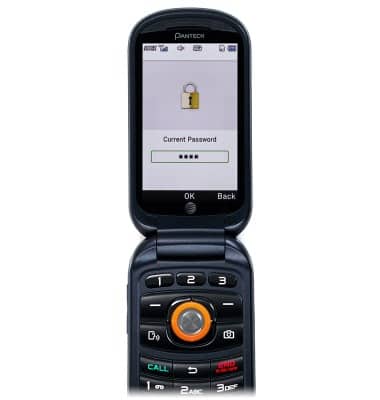
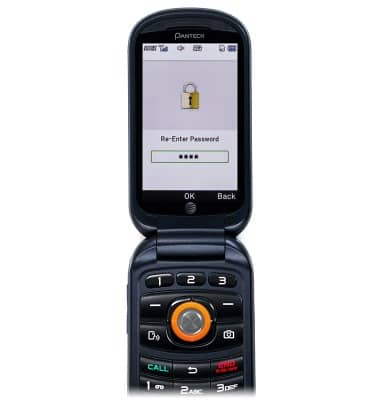
- Enter the desired password, then press the Center Nav Key.

- Re-enter the password, then press the Center Nav Key.
Set or change password security
Pantech Breeze IV (P2050)
Set or change password security
Enable or change the password on your device.
INSTRUCTIONS & INFO