
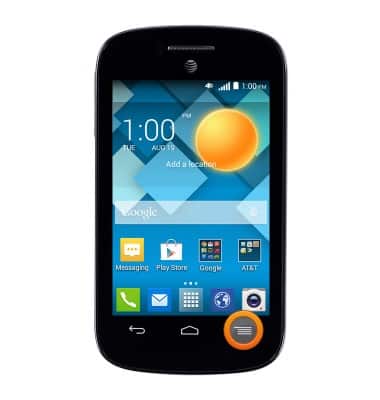
- From the home screen, press the Menu key.
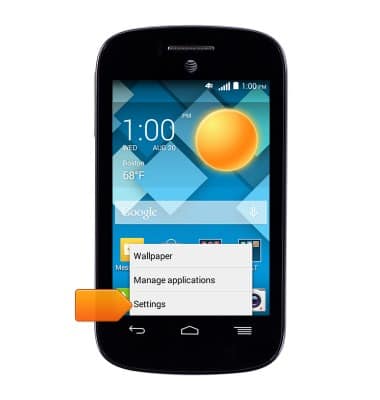
- Tap Settings.
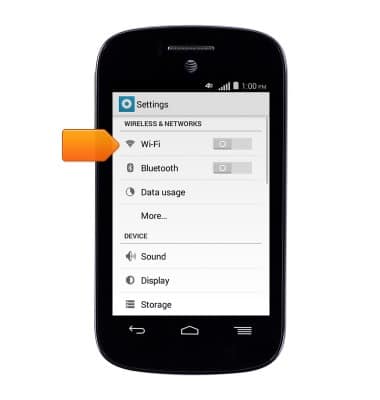
- Tap Wi-Fi.
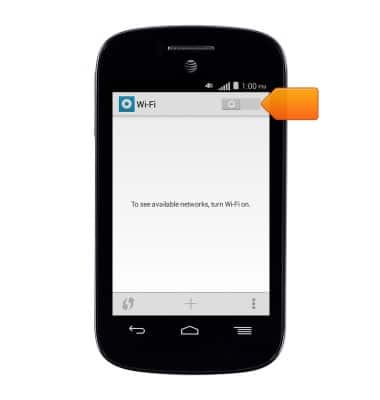
- Tap the Wi-Fi switch to turn Wi-Fi On.
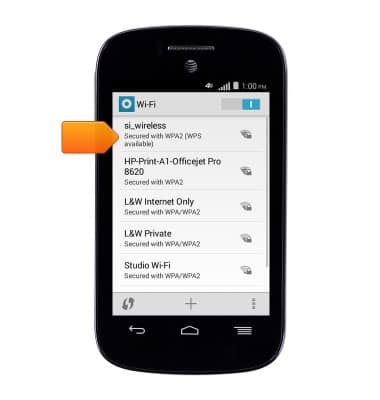
- Tap the desired Wi-Fi network.
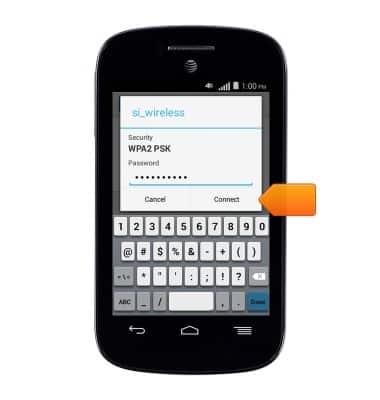
- If prompted, enter the required Wi-Fi network password, then tap Connect.
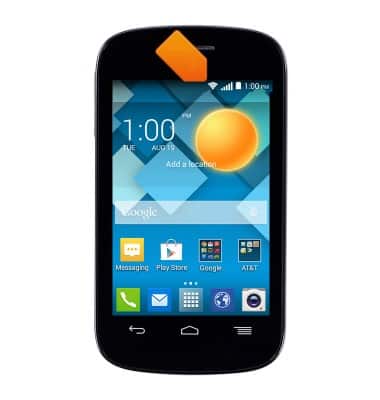
- When connected to a Wi-Fi network, the Wi-Fi icon will be displayed in the notification bar.
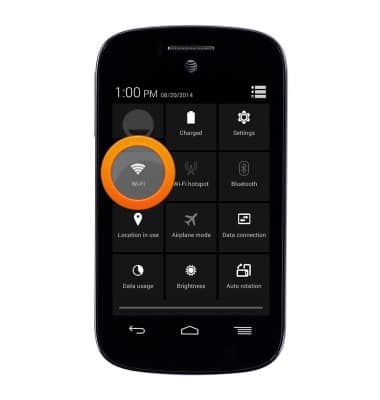
- To turn Wi-Fi Off, from the home screen, swipe down from the top of the screen with two fingers to access the Quick actions menu.
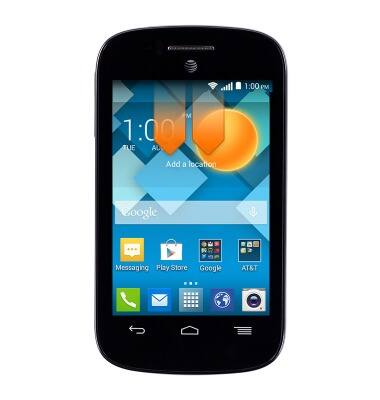
- Tap Wi-Fi.
Wi-Fi
Alcatel C1 (4015T)
Wi-Fi
How to connect your device to a Wi-Fi network.
INSTRUCTIONS & INFO