
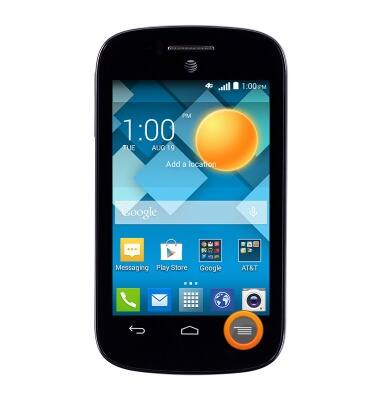
- From the home screen, press the Menu key.
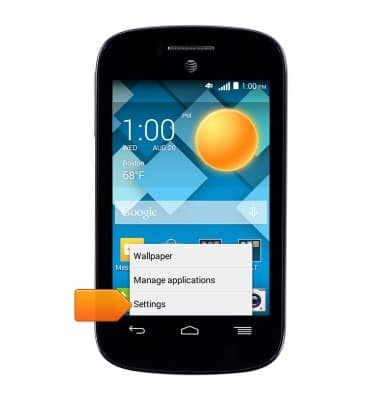
- Tap Settings.
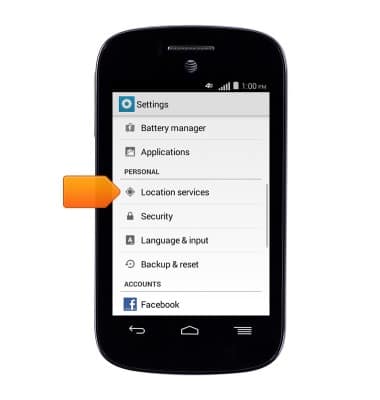
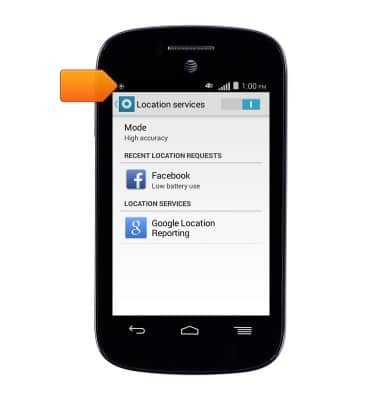
- Scroll to, then tap Location services.
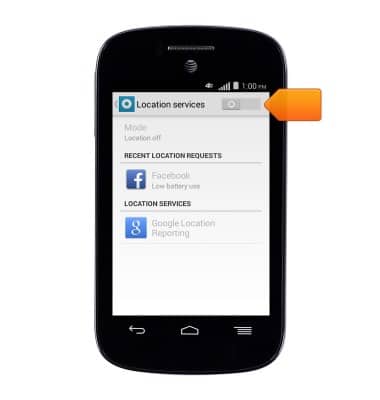
- Tap the Location services switch to turn locational services On.
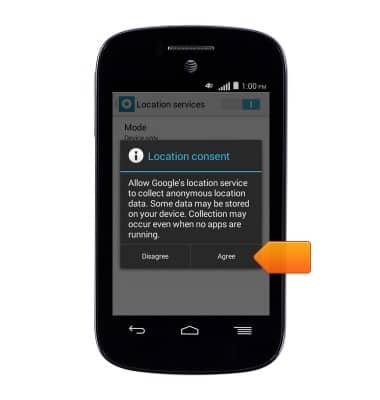
- If prompted, tap Agree.
- If prompted, tap the desired option.
Note: This tutorial selects 'Yes'.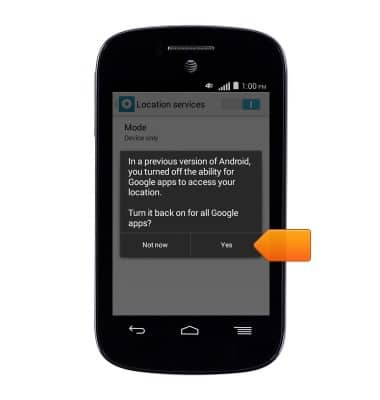
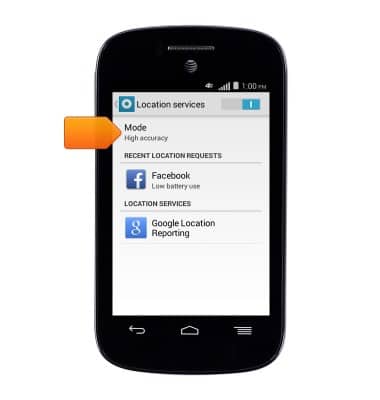
- For more options, tap Mode.
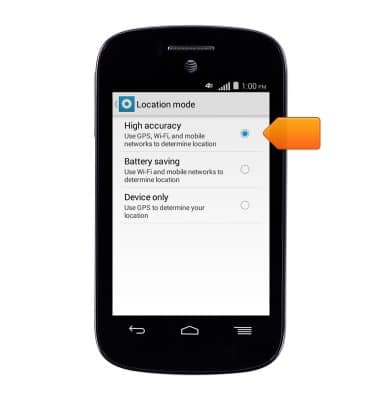
- Tap the desired option.
- When Location services is turned On, the GPS icon will be displayed in the notification bar.
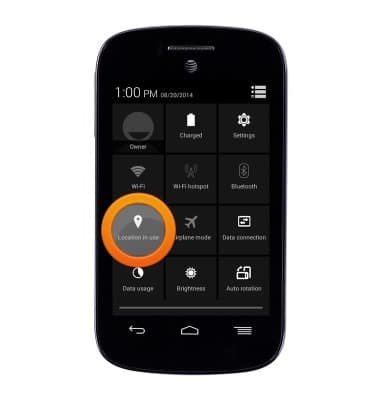
- To quickly turn Location on or off, swipe down from the top of the screen with two fingers to access the Quick actions menu, then tap the Location icon.
Location services & GPS
Alcatel C1 (4015T)
Location services & GPS
This article provides an overview of location services and GPS features.
INSTRUCTIONS & INFO