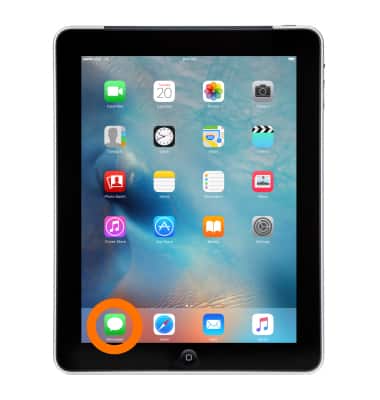
- To block a number, from the home screen, tap Messages.
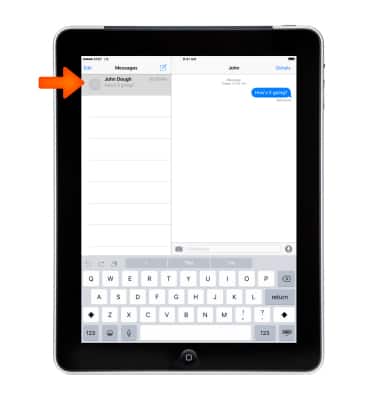
- Tap the Desired message thread.
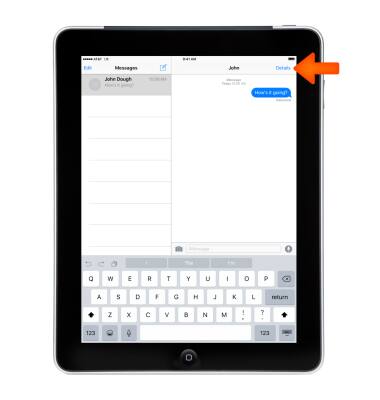
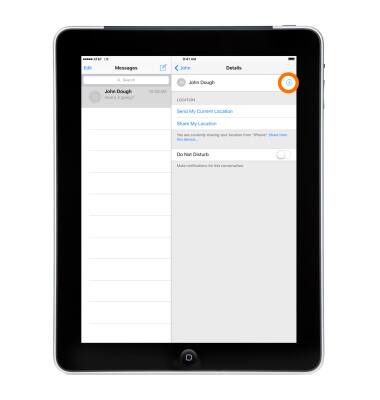
- Tap Details.
- Tap the Info icon 'i' next to the contact or phone number you want to block.
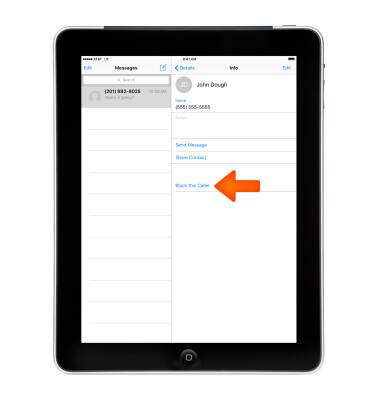
- Scroll to the bottom of the Info screen and then tap Block this Caller.
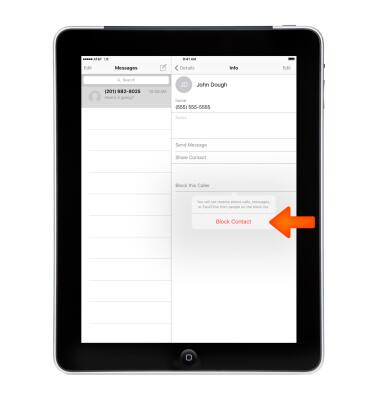
- Tap Block Contact.
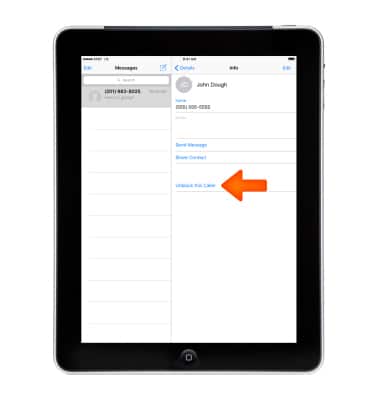
- To unblock, tap Unblock this Caller.
- You can see the contacts and phone numbers that you've blocked in Settings under Messages > Blockedor FaceTime > Blocked. You can also Add New blocked numbers and Edit (Unblock) numbers from within Settings.
Note: Learn more from Apple support article: Block or filter messages on your iPad.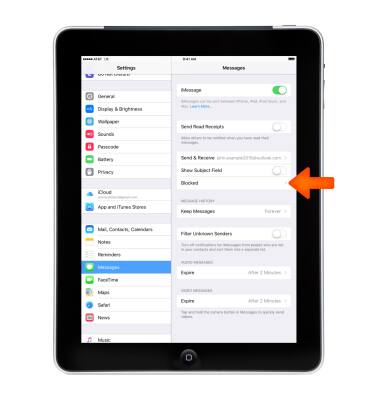
Block messages
Apple iPad 2
Block messages
Block messages from your device.
INSTRUCTIONS & INFO