- Bluetooth is a wireless technology that allows iPhone to communicate with other Bluetooth enabled devices within a few meters of each other.
Note: Bluetooth is often used for wireless headsets or to transfer media between devices.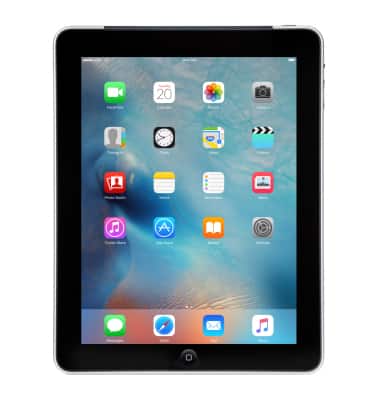
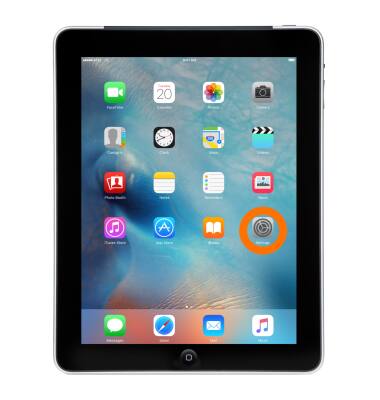
- From the home screen, tap Settings.
- Tap Bluetooth.
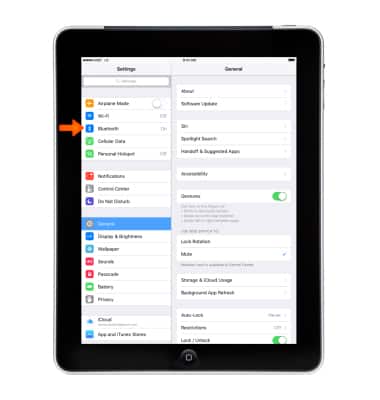
- Tap the Bluetooth switch to turn on and off. When Bluetooth is on, the Bluetooth icon will be displayed in the Notification bar.
Note: To optimize battery life, turn Bluetooth off when not in use.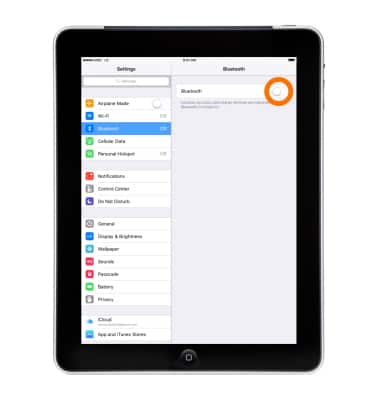
- Tap the Desired device to pair.
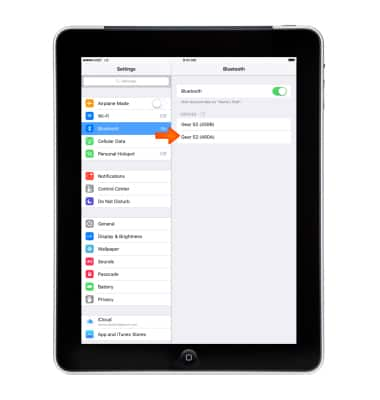
- Tap Pair.
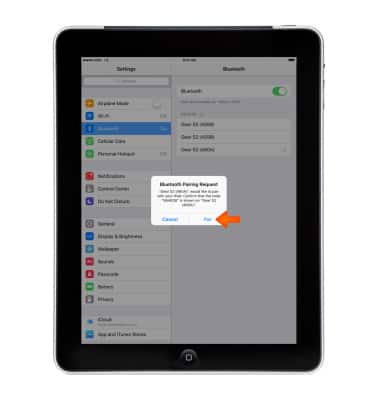
- Device will display “Connected” when successfully paired. When Bluetooth is paired, the Bluetooth paired icon will display in the Notification bar.
Note: If prompted, enter the Bluetooth pass code for the connecting device. Check your user manual for the pass code or try 0000 or 1234.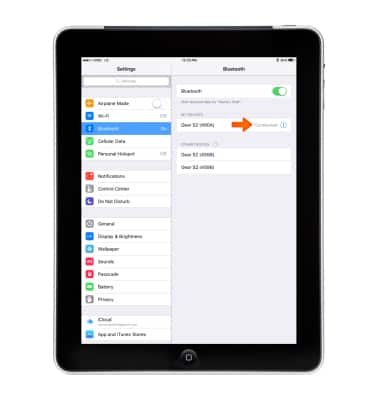
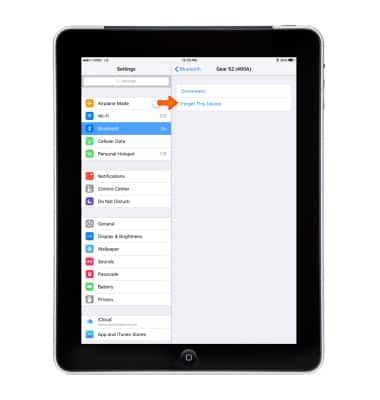
- To Disconnect (unpair) or Forget the Device, tap the Info icon 'i'.
Note: For more information see Apple support article: Set up and use third-party Bluetooth accessories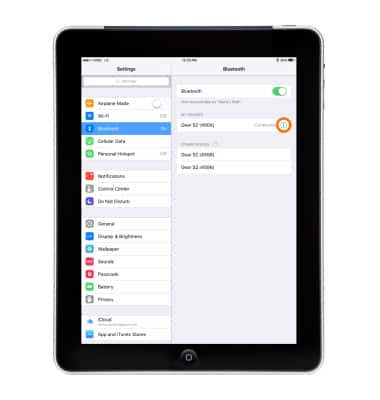
- Tap the Desired option.
Bluetooth
Apple iPad 2
Bluetooth
Turn Bluetooth on or off, scan and connect to other Bluetooth devices, and unpair a connected device.
INSTRUCTIONS & INFO