- To access the phone app, tap the Phone icon from the home screen.
Note: The call blocking feature may not affect phone calls made or received via third-party apps installed on your device. Please contact third party app developers for assistance with such applications. Turning Call blocking on does not block text messages.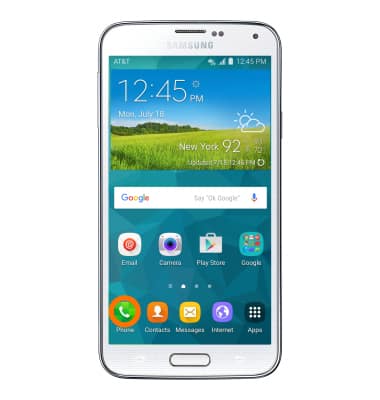
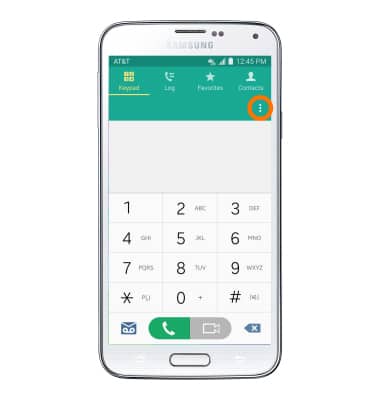
- To block calls, from the phone app, tap the Menu icon.
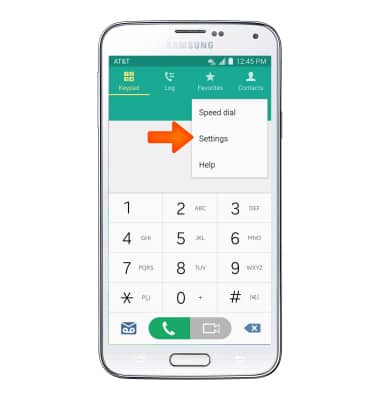
- Tap Settings.
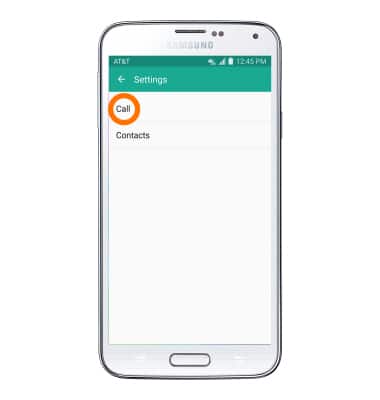
- Tap Call.
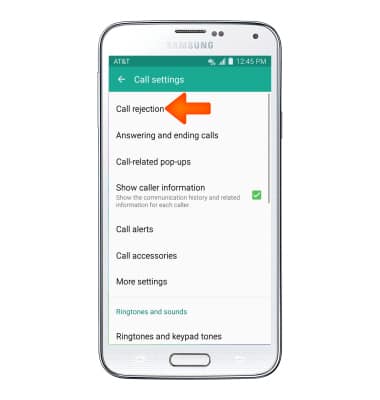
- Tap Call rejection
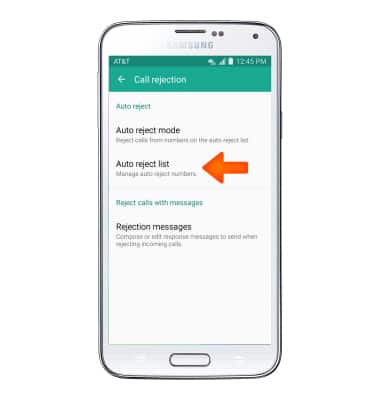
- Tap Auto reject list.
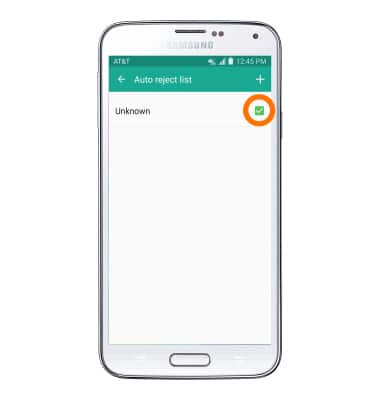
- To block or unblock unknown numbers from calling, tap the checkbox next to Unknown.
- To add a number to your block list, tap the + icon.
Note: You may also add a number from your call log. Tap and hold the Desired contact > Menu icon > Add to Auto reject list.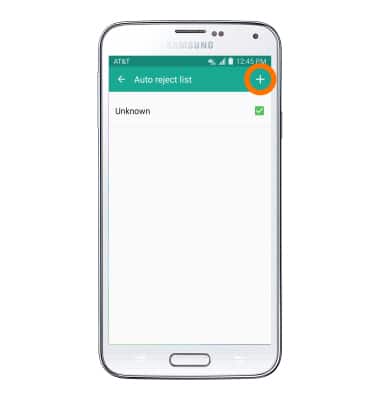
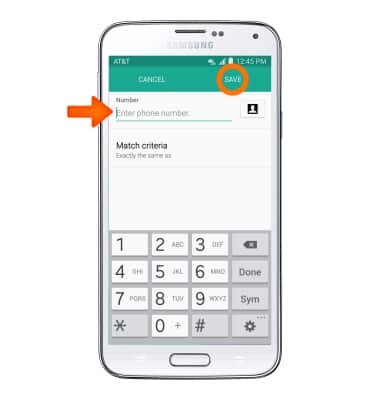
- Enter Desired phone number to block and tap SAVE.
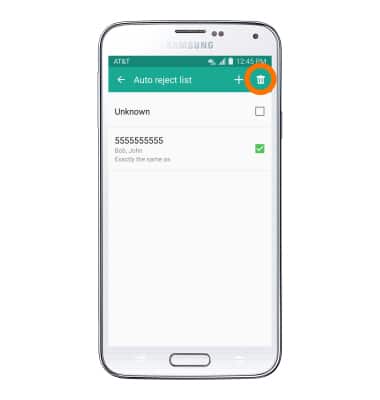
- To remove a number from your block list, tap the Delete icon.
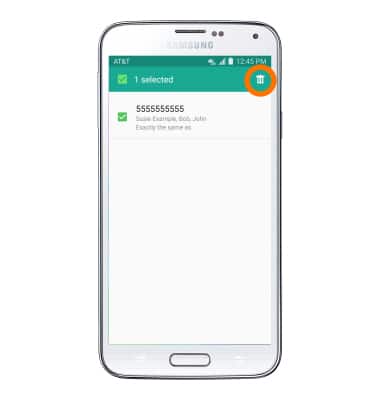
- Tap the checkbox next to Desired phone number then tap the Delete icon.
Block Calls
Samsung Galaxy S5 (G900A)
Block Calls
Block or unblock calls from your device.
INSTRUCTIONS & INFO