- From the home screen, select Settings.
Note: Airplane Mode disables the wireless features of your iPhone or iPad to comply with airline regulations.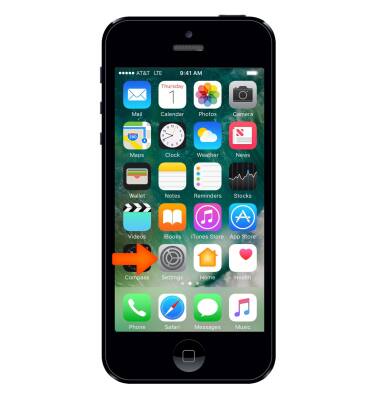
- Select the Airplane Mode switch to turn it on or off.
Note: Airplane Mode can also be accessed from the Control Center by swiping up from the bottom of the screen.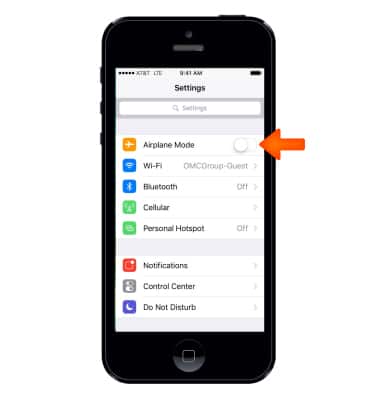
- When airplane mode is on, the Airplane icon will be displayed in the Status bar.
Note: Learn more from Apple support article: Use Airplane Mode on your iPhone.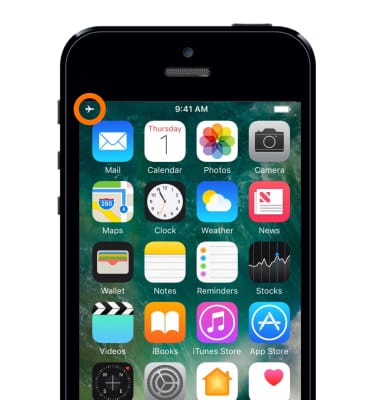
Airplane Mode
Apple iPhone 5
Airplane Mode
Turn Airplane mode on and off.
INSTRUCTIONS & INFO