- Select the Camera app from the home screen.
Note: When in "Easy" mode, only a limited amount of camera settings and modes will be available.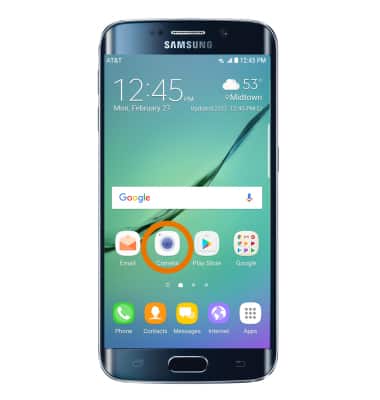
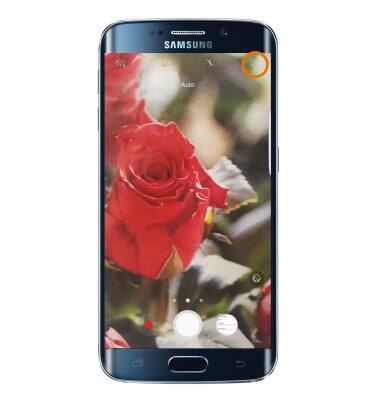
- Select the Settings icon.
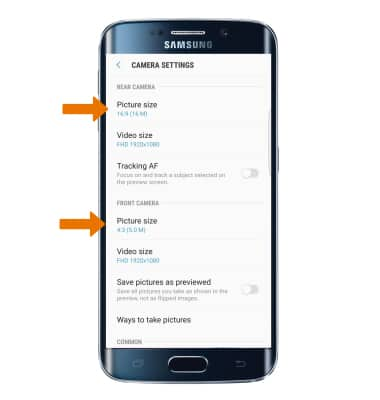
- CHANGE PICTURE SIZE: Select Picture size under REAR CAMERA to change the rear camera. Select Picture size under FRONT CAMERA to change the front camera.
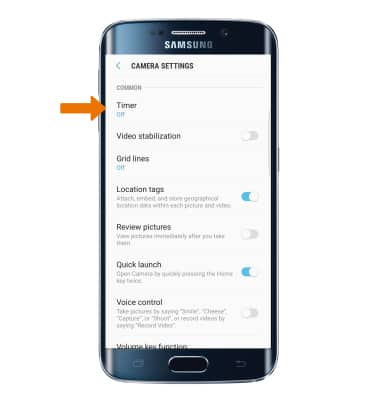
- SET A TIMER: Select Timer, then select the desired time.
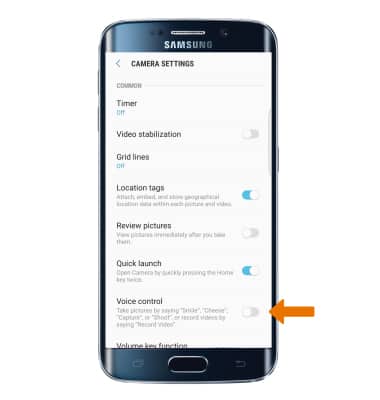
- USE VOICE COMMANDS: Select the Voice control switch to take pictures by saying "Smile," "Cheese," "Capture," or "Shoot". You can also record videos by saying "Record Video".
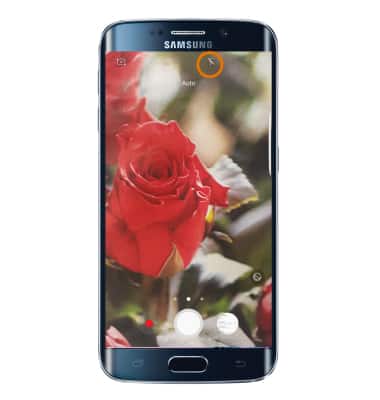
- TURN ON/OFF FLASH: Select the Flash icon to cycle through the flash options.
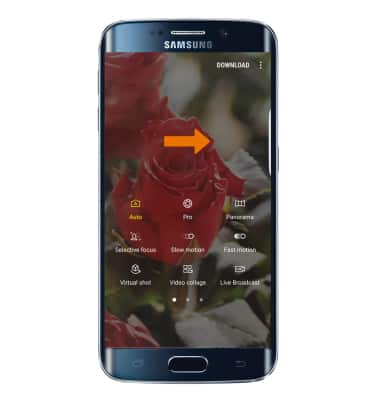
- ACCESS ADDITIONAL CAMERA MODES: Swipe right to access modes such as Slow motion, Panorama, and Hyperlapse.
Camera & Video Settings
Samsung Galaxy S6 edge (G925A)
Camera & Video Settings
Manage camera and video settings including flash, timer, voice control, recording mode, storage location, and more.
INSTRUCTIONS & INFO