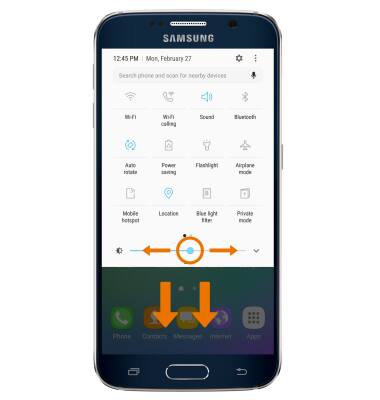
- ADJUST SCREEN BRIGHTNESS: Swipe down from the Notification bar with two fingers, then move the Brightness slider to your desired brightness.
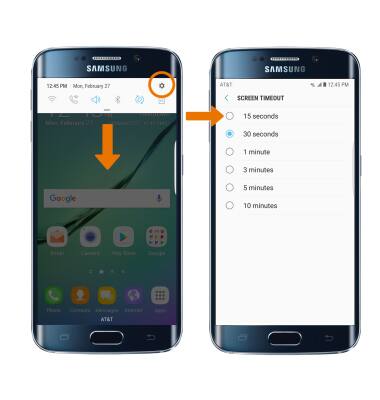
- CHANGE SCREEN TIMEOUT: From the Settings screen, select Display > Screen timeout > select the desired timeout option.
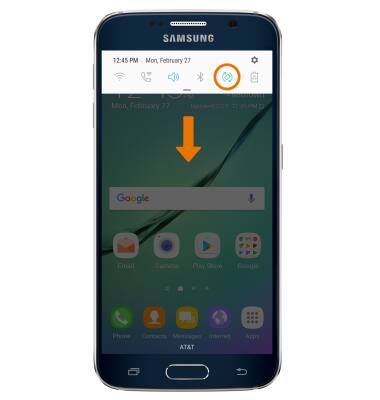
- CHANGE DISPLAY SETTINGS: Swipe down from the Notification bar, then select Auto-rotate.
Display
Samsung Galaxy S6 edge (G925A)
Display
Change the display time out, brightness and orientation.
INSTRUCTIONS & INFO