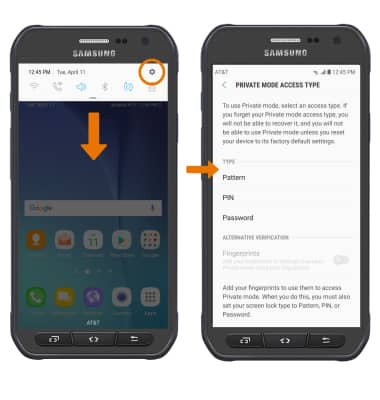
- Swipe down from the Notification bar, then select the Settings icon > Lock screen and security > Private mode > PRIVATE MODE switch > desired security login type, then follow the prompts. Private mode is now enabled.
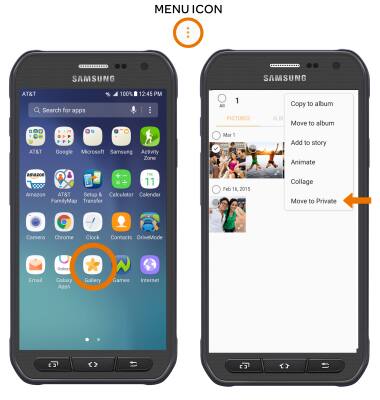
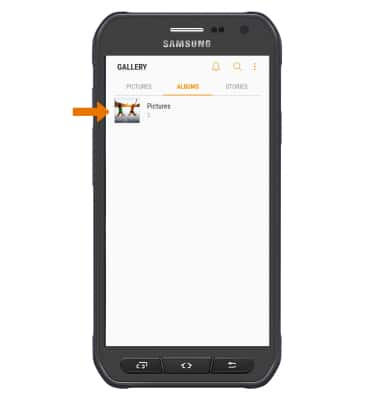
- ADD PHOTOS: From the Apps tray, select the Gallery app then select and hold the desired photo. Select the Menu icon, then select Move to Private.
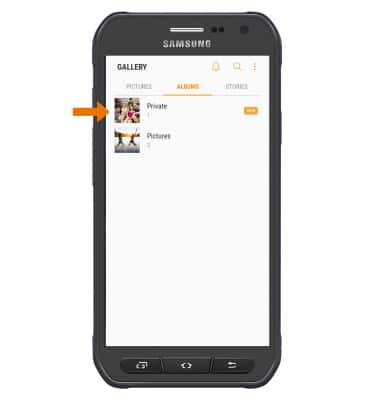
- Photos moved to Private mode will be automatically placed in the Private folder.
- HIDE FILES: From the PRIVATE MODE settings screen, select the PRIVATE MODE switch.
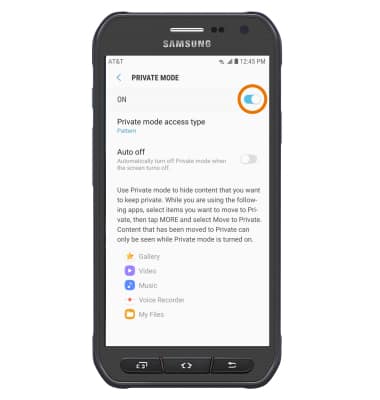
- Photos and files in Private mode will be hidden from view when Private mode is off.
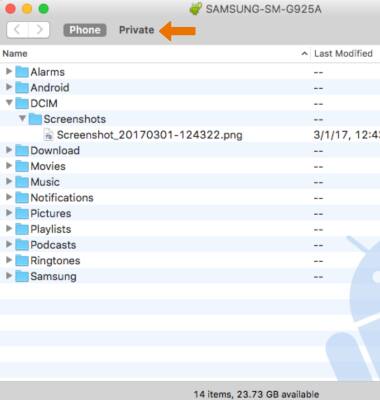
- VIEW PRIVATE MODE PHOTOS ON A COMPUTER: From the Android File Transfer app, select the Private mode tab.
Private Mode
Samsung Galaxy S6 active (G890A)
Private Mode
Private Mode lets you hide specific files within some Samsung apps so that they're no longer in view when you're not in Private Mode. It works in the Gallery, Video, Music, Voice Recorder, My Files and Internet apps.
INSTRUCTIONS & INFO