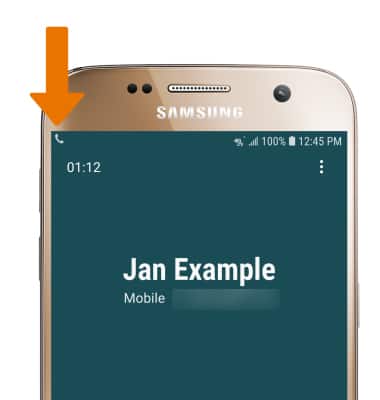
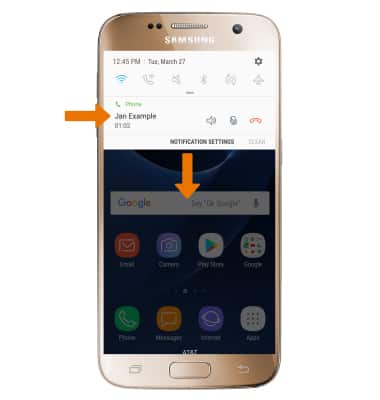
- While on an active call, the Phone icon will be displayed in the Notification bar.
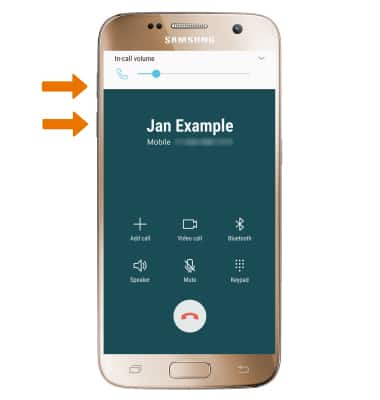
- ADJUST THE VOLUME: Press the Volume buttons on the side of the device.
- ACCESS IN-CALL OPTIONS: Select Add call to add a call. Select Speaker to turn speakerphone on or off. Select Mute to mute or unmute calls. Select Keypad to show or hide the keypad. Select Bluetooth to pair the device with a Bluetooth headset.
Note: When in "Easy" mode, you can't mute a call, place a call on hold, create a conference call, or access advanced settings.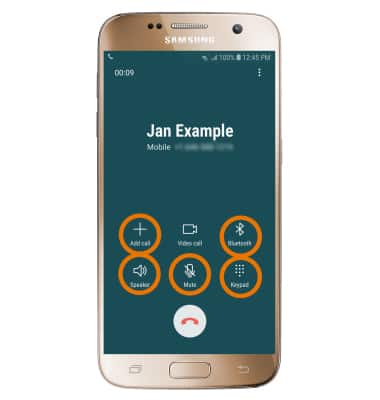
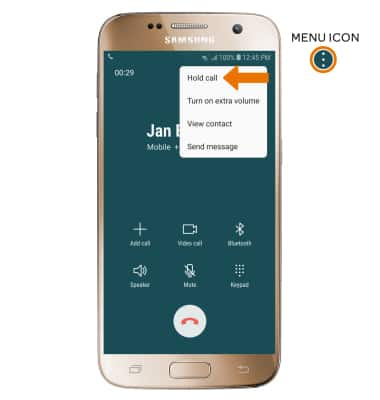
- PLACE A CALL ON HOLD: To place a call on hold, select the Menu icon then select Hold call.
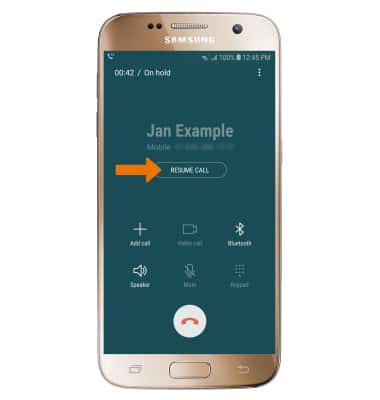
- TAKE A CALL OFF HOLD: Select RESUME CALL.
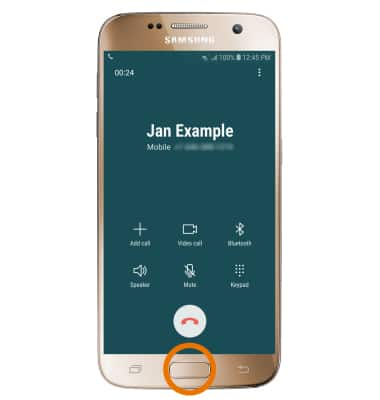
- ACCESS HOME SCREEN DURING AN ACTIVE CALL: Press the Home button.
- RETURN TO AN ACTIVE CALL: Swipe down from the Notification bar, then select the active call notification.
- ADD A CALL: Select Add call. Enter the desired number, then select the Call icon.
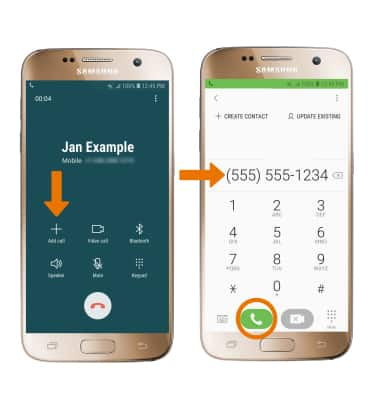
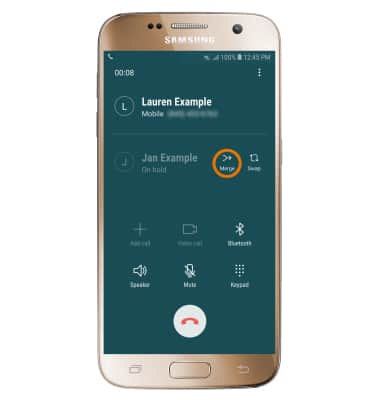
- Adding a call will place the original call on hold. To merge the two calls, select Merge.
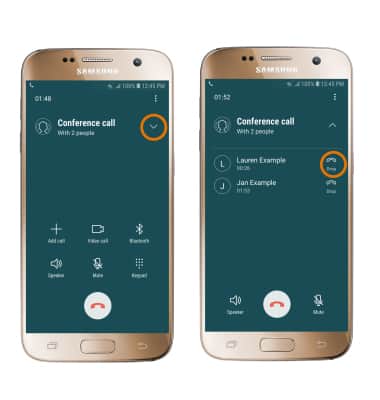
- END A CONFERENCE CALL: Select the Drop-down arrow, then select Drop next to the desired number.
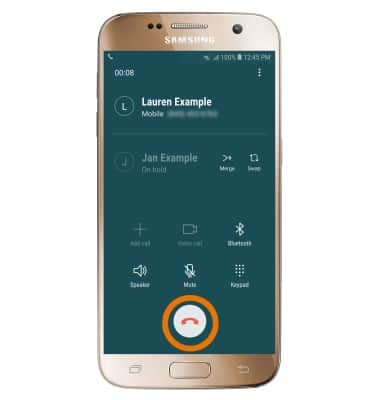
- END A CALL: Select the End call icon.
In-Call Options
Samsung Galaxy S7 (G930A)
In-Call Options
Learn what features are available while on an active call.
INSTRUCTIONS & INFO