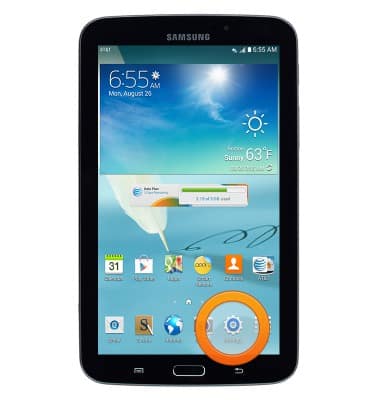
- From the home screen, tap Settings.
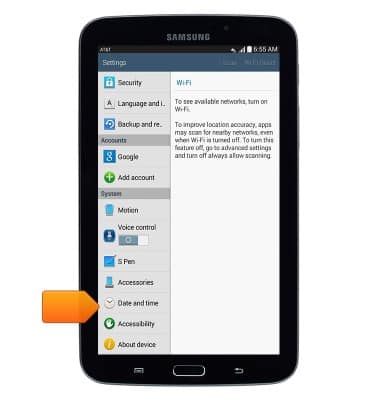
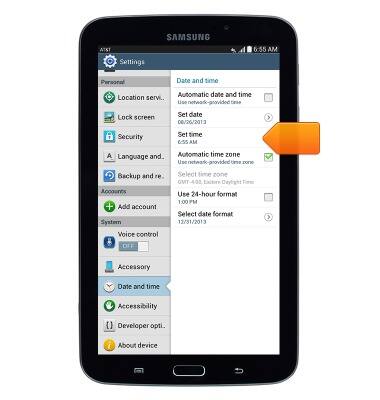
Scroll to, then tap Date and time.
Tap the Automatic date and time checkbox to disable.
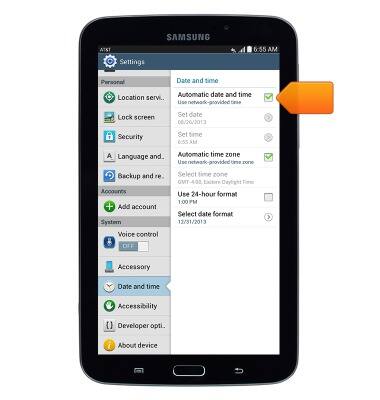
To set the time, tap Set time.
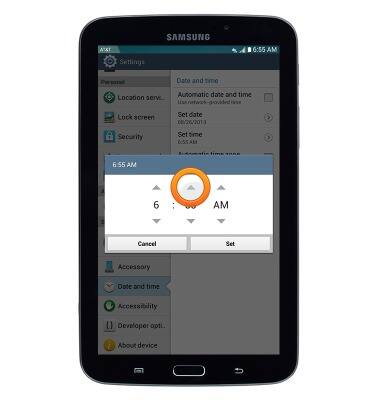
- Adjust the time as desired using the Arrow icons.
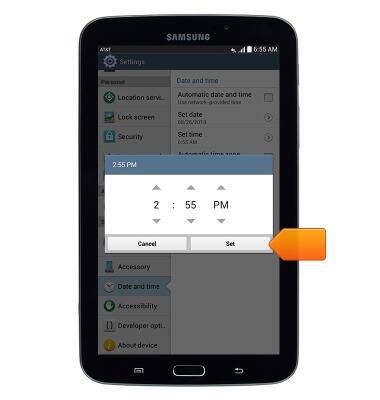
Tap Set.
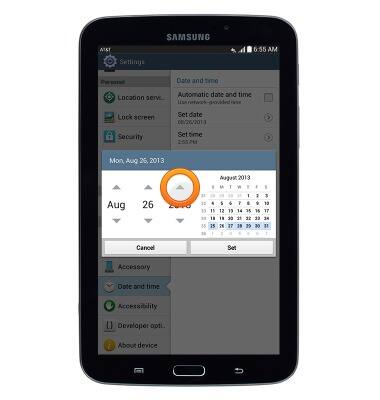
To set the date, tap Set date.
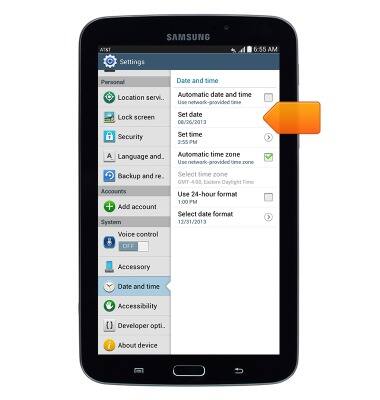
- Adjust the date as desired using the Arrow icons.
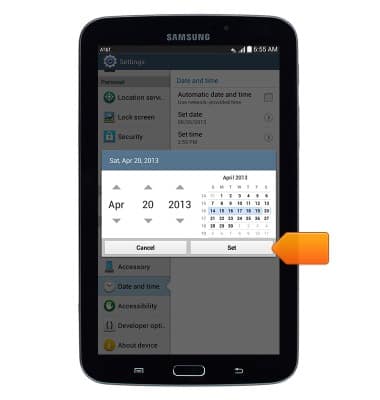
Tap Set.
Date & time
Samsung Galaxy Note 8.0 (I467)
Date & time
This article describes how to manually edit the time and date.
INSTRUCTIONS & INFO