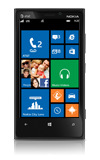
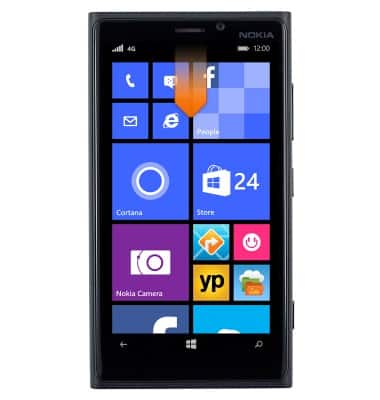
- From the home screen, swipe down from the top of the screen to reveal the Action center.
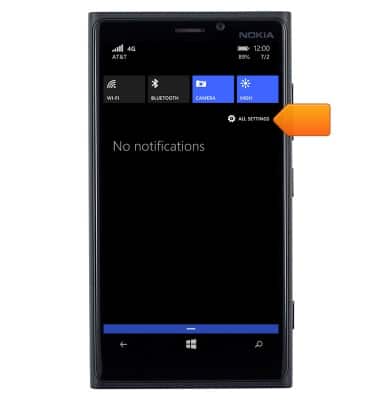
- Tap ALL SETTINGS.
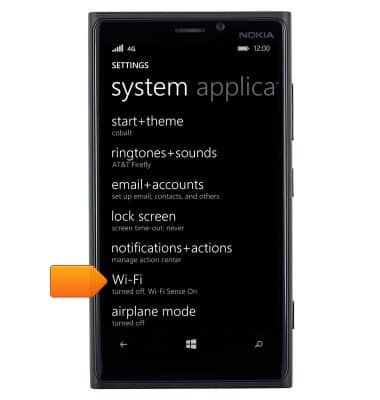
- Tap Wi-Fi.
- To enable or disable Wi-Fi, tap the Wi-Fi toggle.
Note: Turn Wi-Fi off when not in use for battery efficiency.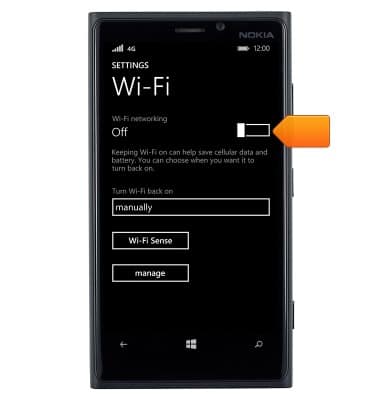
- Tap the desired Wi-Fi network.
Note: To connect to a hidden/unbroadcasted network, tap manage > Add icon and enter the desired network's information.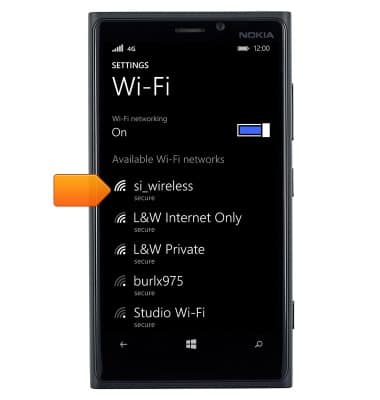
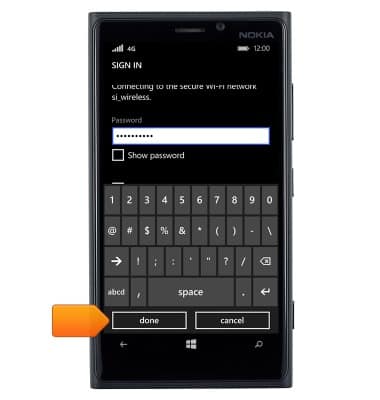
- If prompted, tap the Password field.
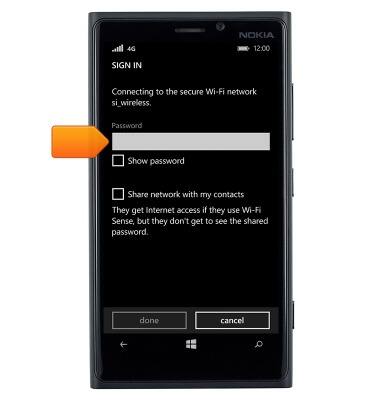
- Enter the network password.
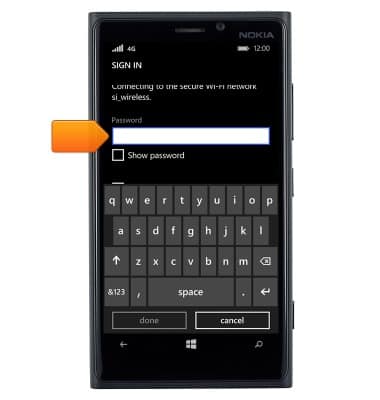
- Tap done.
- Wi-Fi is now enabled and active.
Note: When Wi-Fi is enabled and active, the Wi-Fi icon will be displayed in the notification bar.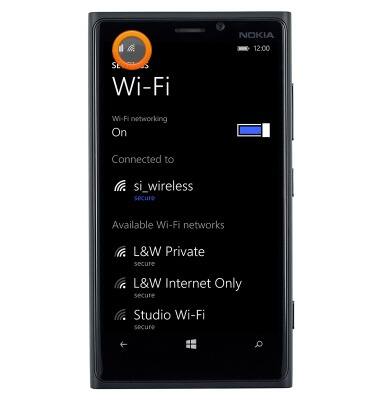
- Wi-Fi Sense enables your device to automatically connect to avalable networks, when in range, in order to save cellular data. Additionally, it can share secures Wi-Fi network access with contacts without sharing the network password.
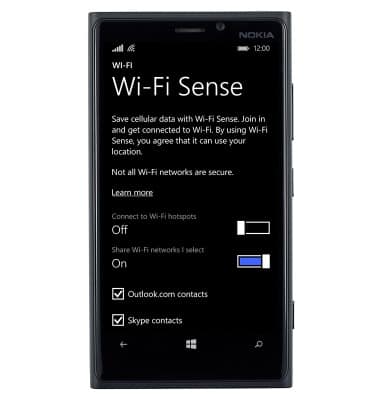
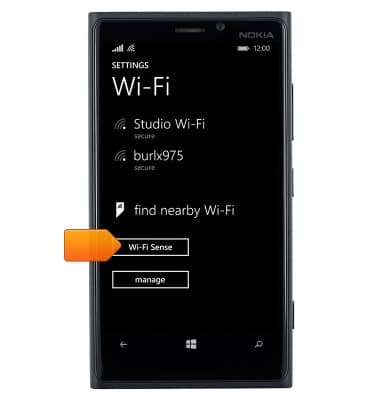
- To access the Wi-Fi Sense settings, scroll to and then tap Wi-Fi Sense.
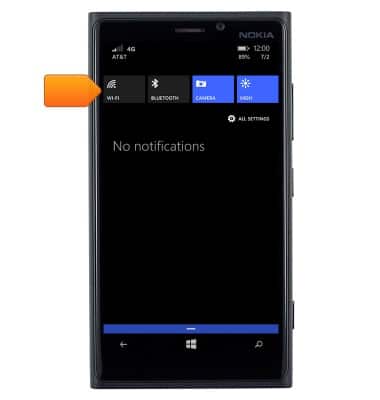
- To quickly enable or disable Wi-Fi, swipe down from the top of the screen to reveal the Action center.
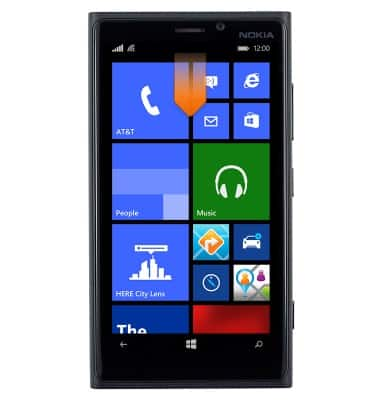
- Tap the Wi-Fi icon.
- Tap the Wi-Fi toggle.
Note: Data transmitted via Wi-Fi does not count towards your data plan.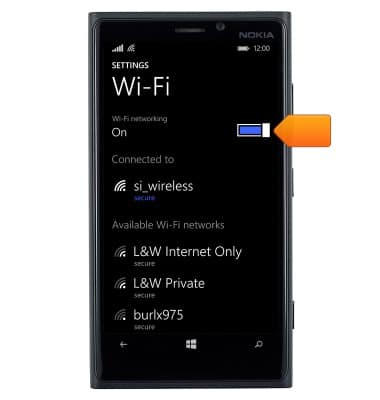
Wi-Fi
Nokia Lumia 920
Wi-Fi
How to connect your device to a Wi-Fi network.
Wi-Fi
This video describes how to enable Wi-Fi and join Wi-Fi networks.
Wi-Fi
1:23
INSTRUCTIONS & INFO