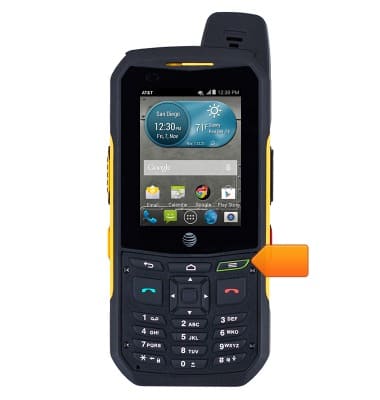
- From the home screen, press the Menu key.
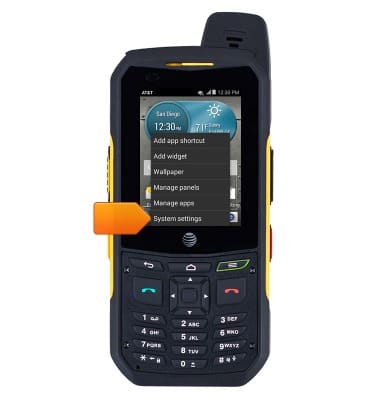
- Tap System settings.
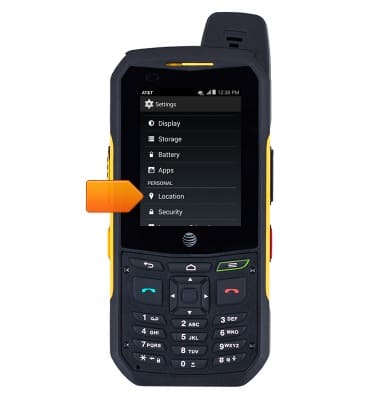
- Scroll to, then tap Location.
- Tap the Location switch to turn it on or off.
Note: To optimize battery life, turn location off when not in use.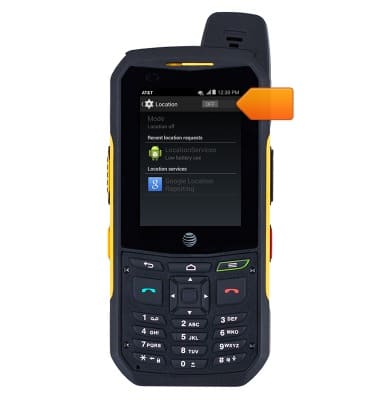
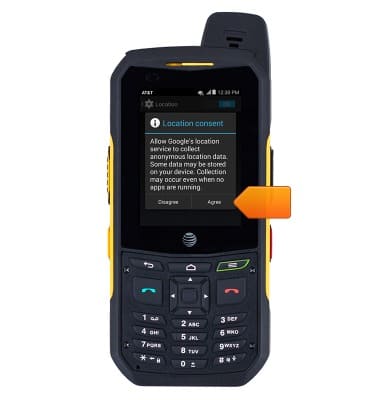
- Tap Agree.
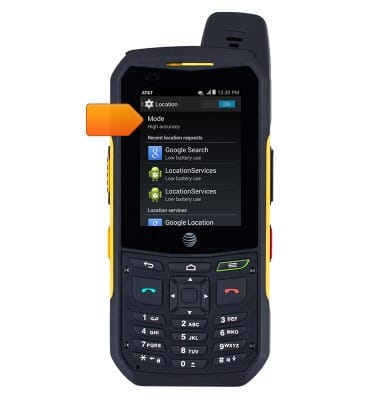
- To change the location mode, tap Mode.
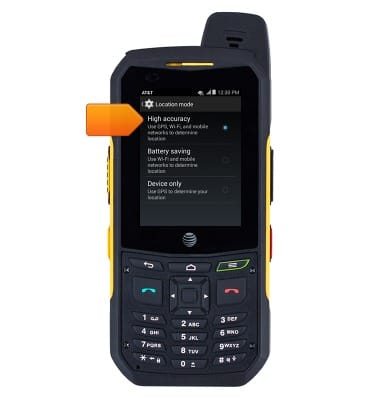
- Tap the desired option.
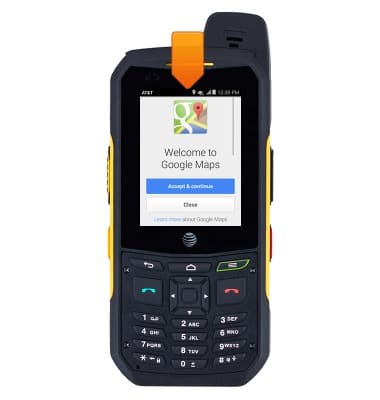
- If using an app that currently is using Location services, the Location icon will display in the notification bar.
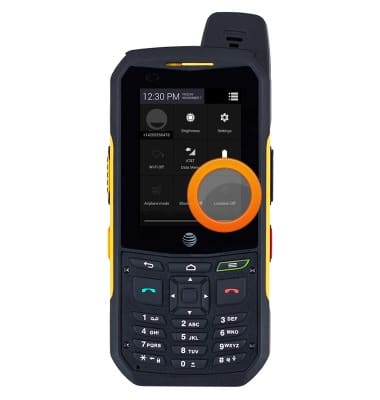
- To quickly enable or disable GPS, tap Location from the notifications menu.
Location services & GPS
Sonim XP6 (XP6700)
Location services & GPS
This article provides an overview of location services and GPS features.
INSTRUCTIONS & INFO