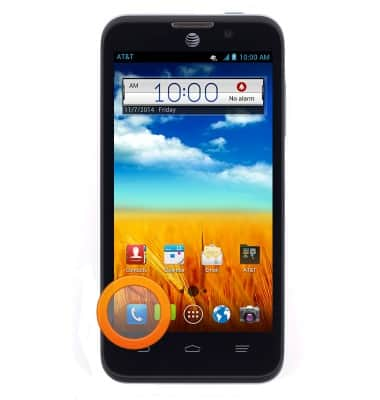
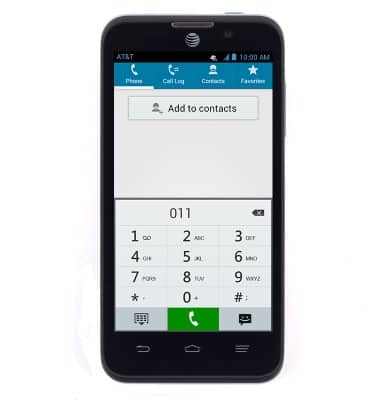
- From the home screen, tap the Phone icon.
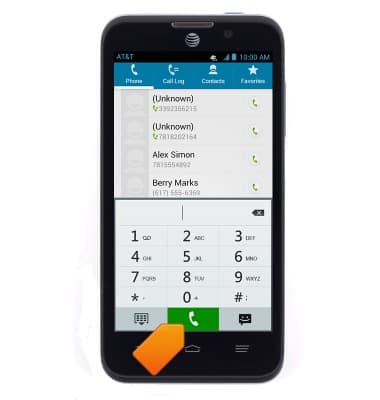
- Enter the desired number, then tap the Call icon to call.
- To answer an incoming call, drag the Answer icon towards the right of the device.
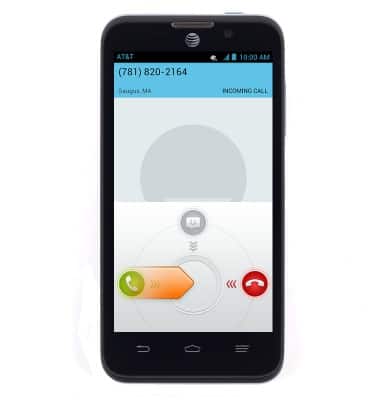
- To ignore an incoming call and forward to voicemail, drag the Ignore icon towards the left of the device.
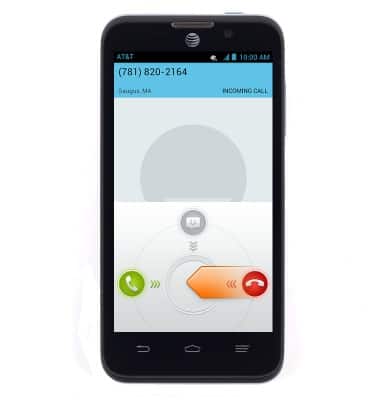
- To reject an incoming call with a message, swipe the Text icon down.
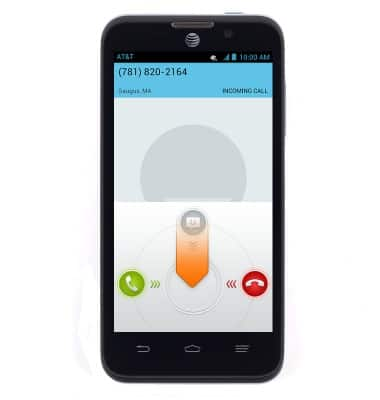
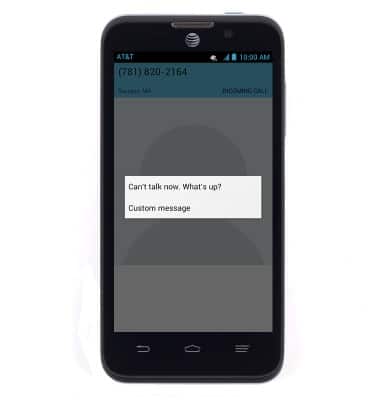
- Tap the desired message to send the caller a text message.
- Visit the AT&T International Calling website for help making calls to or roaming in another country.
Make & receive a call
ZTE Z998
Make & receive a call
Place, receive, & reject a call.
Resolve Call and Text Issues with Device Settings
Learn how to resolve issues with making and receiving calls and texts by checking device settings, such as airplane mode, call forwarding, blocked calls, functions such as Emergency Calls Only, and operating software versions.
Resolve Call and Text Issues with Device Settings
2:37
INSTRUCTIONS & INFO