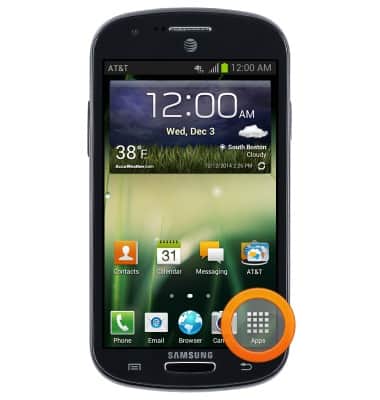
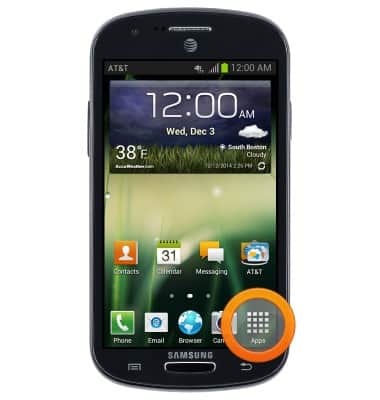
- From the home screen, tap Apps.
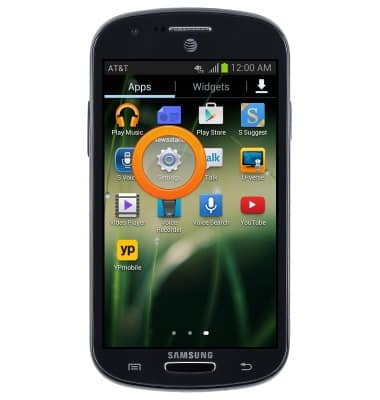
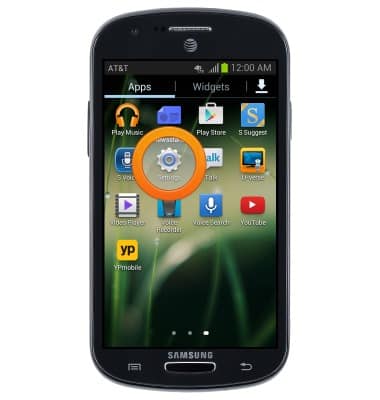
- Swipe to, then tap Settings.
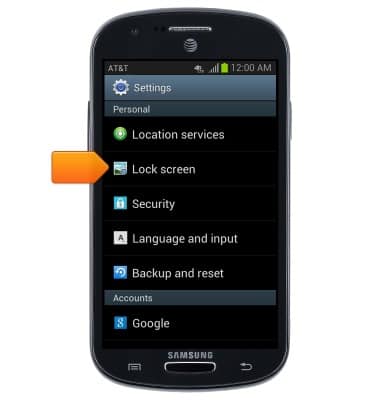
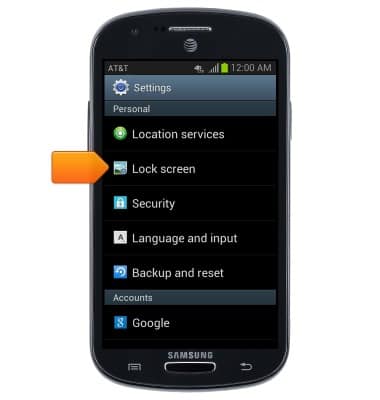
- Scroll to "Personal", then tap Lock screen.
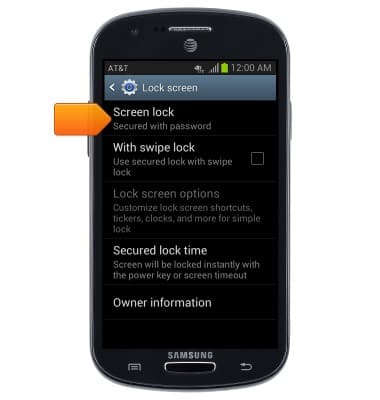
- Tap Screen lock.
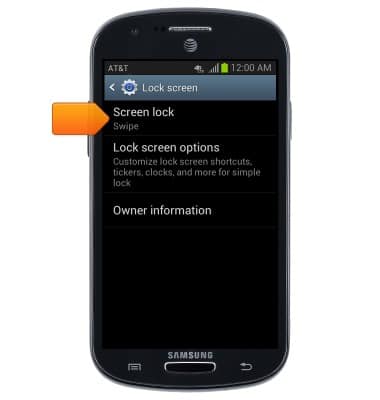
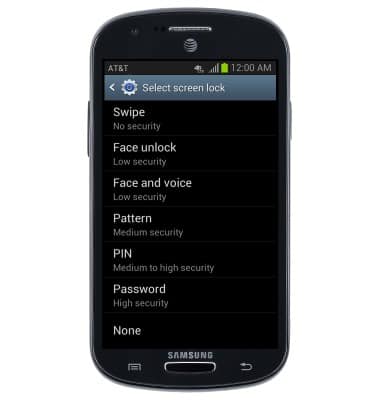
- Tap Password.
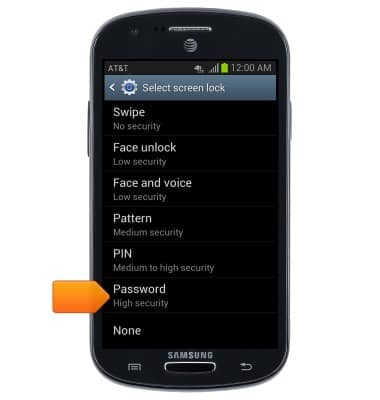
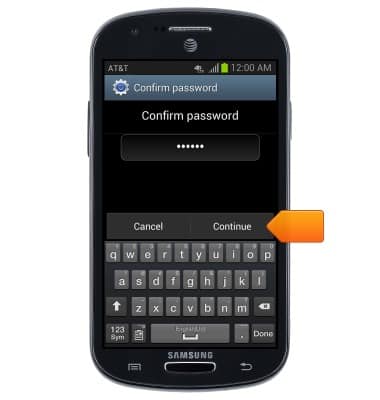
- Enter a password, then tap Continue.
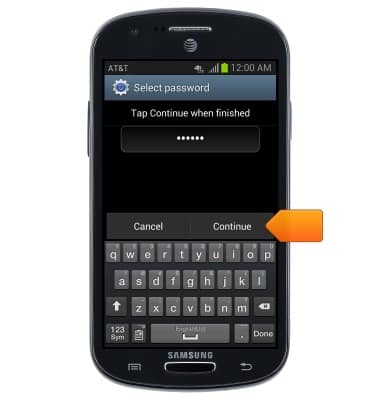
- Re-enter your password, then tap OK.
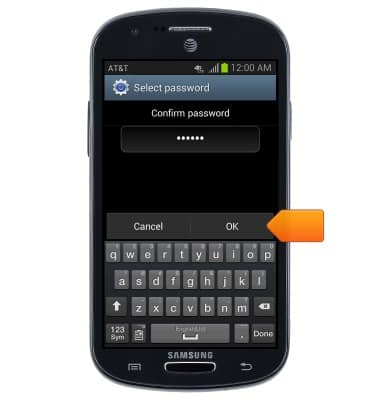
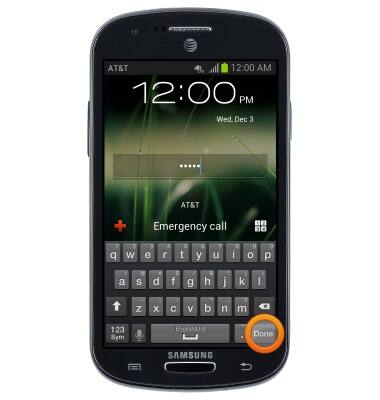
- From the lock screen, enter your password, then tap Done.
- From the home screen, tap Apps.
- Swipe to, then tap Settings.
- Scroll to "Personal", then tap Lock screen.
- To change your screen lock, tap Screen lock
- Enter your current password, then tap Continue.
- Tap the desired option to set a new lock screen.
Set or change password security
Samsung Galaxy Express (I437/I437p) OS 4.0-4.1
Set or change password security
Enable or change the password on your device.
INSTRUCTIONS & INFO