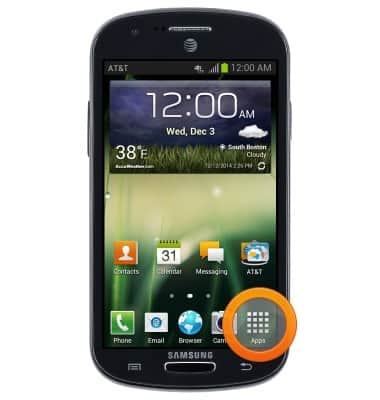
- From the home screen, tap Apps.
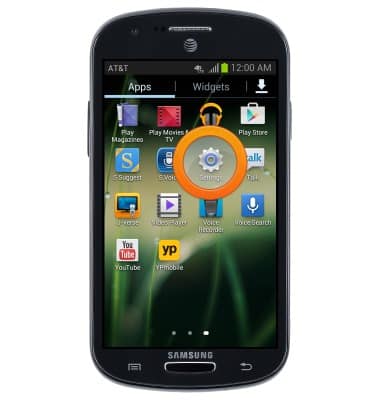
- Swipe to, then tap Settings.
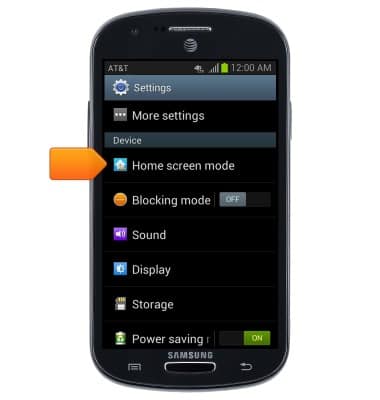
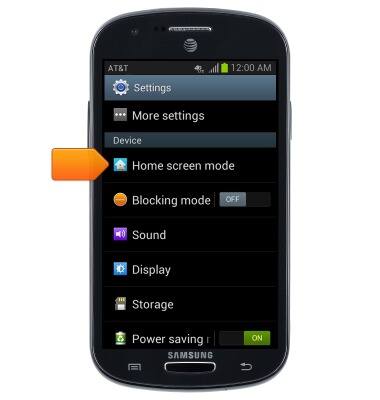
- Scroll to "Device", then tap Home screen mode.
- Tap the Easy mode tickmark to enable Easy mode.
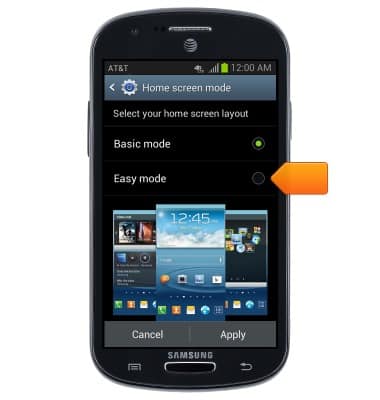
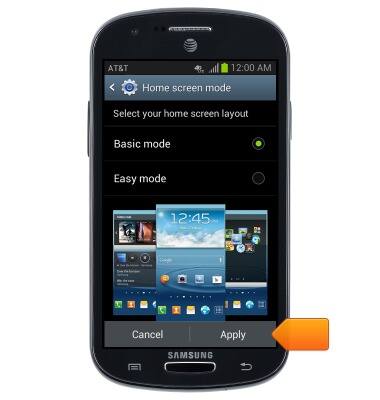
- Tap Apply.
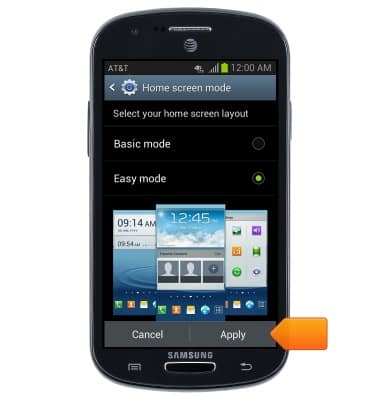
- Tap OK.
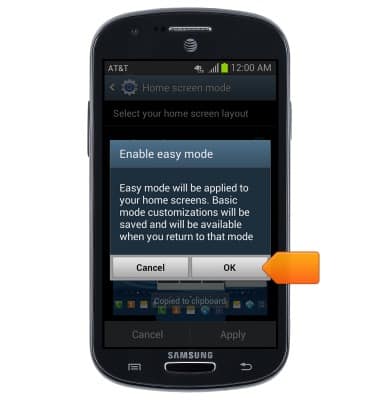
- Easy mode is now enabled. To disable Easy mode, swipe down from the top of the screen.
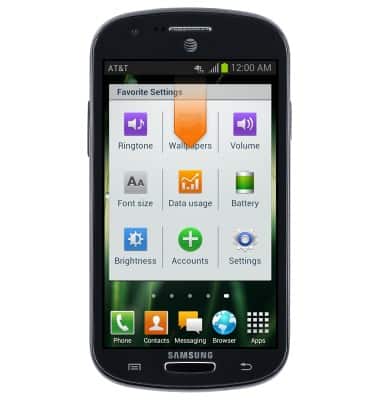
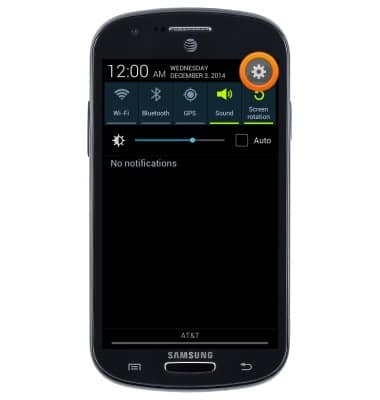
- Tap the Settings icon.
- Scroll to "Device", then tap Home screen mode.
- Tap the Basic mode tickmark to enable Basic mode, then tap Apply.
Easy Mode
Samsung Galaxy Express (I437/I437p) OS 4.0-4.1
Easy Mode
Switch between Easy mode (changes your Home screen to a more simple experience for first-time smartphone users) and Standard mode.
INSTRUCTIONS & INFO