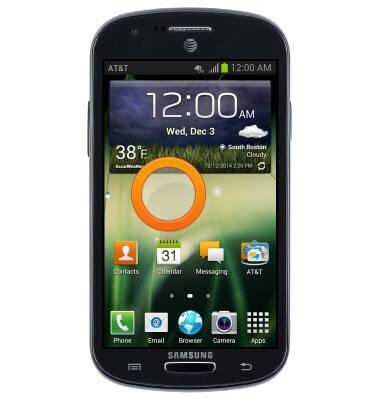
- To change the wallpaper, press and hold a free space on the home screen.
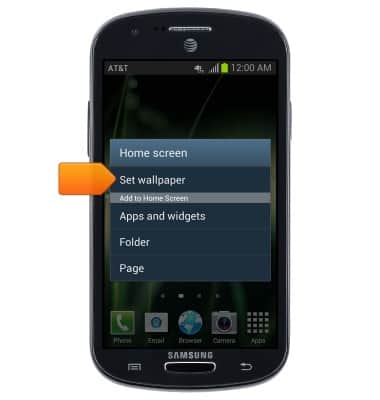
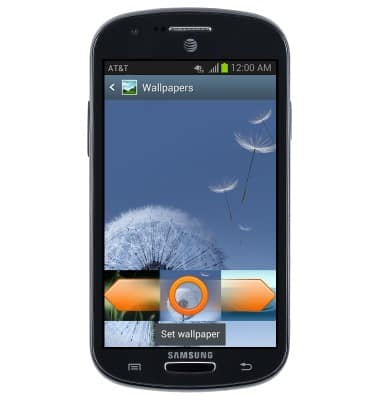
- Tap Set wallpaper.
- Tap the desired option.
Note: This tutorial selects Home and lock screen.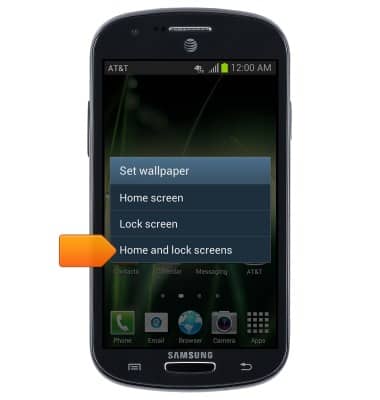
- Tap the desired wallpaper option.
Note: Live wallpapers can increase battery consumption.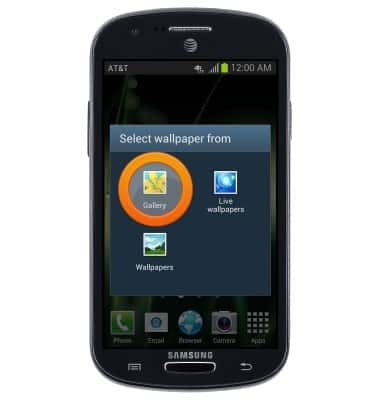
- Swipe to view the available wallpapers. Tap the desired wallpaper to set as wallpaper.
Change wallpaper
Samsung Galaxy Express (I437/I437p) OS 4.0-4.1
Change wallpaper
This article describes how to change the wallpaper, or background, of the home screens.
INSTRUCTIONS & INFO