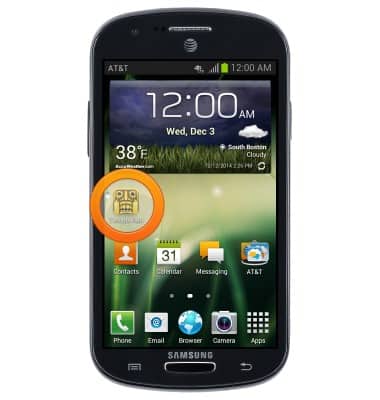
- To remove an app from your home screen, touch and hold the desired app icon.
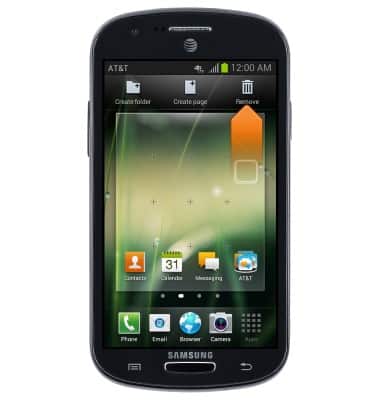
- While still holding, drag the icon to Remove.
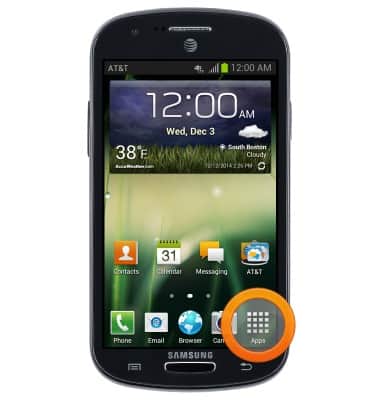
- To uninstall an app, from the home screen, tap Apps.
- Swipe to the desired app, then touch and hold the app.
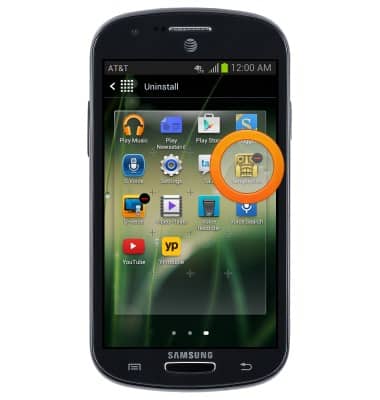
- Tap Uninstall.
Note: Some pre-installed applications cannot be uninstalled from the device, but can be disabled.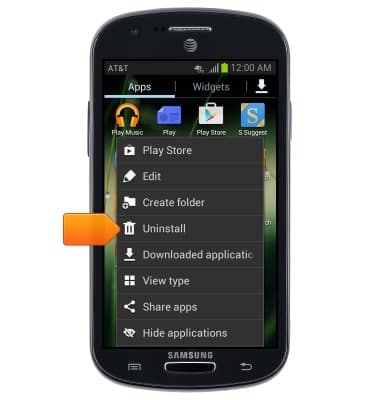
- Tap OK.
Note: Downloaded applications can be re-installed through the Google Play Store. To re-enable a pre-loaded application, go to Settings > Application manager > tap the desired app > tap Enable.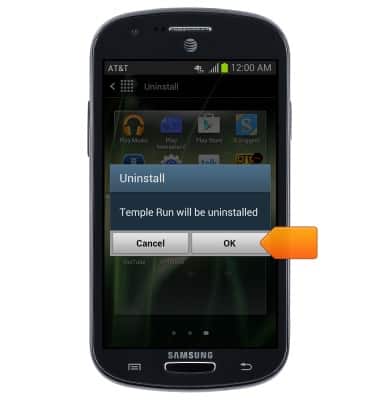
Remove an app
Samsung Galaxy Express (I437/I437p) OS 4.0-4.1
Remove an app
Remove an icon from your home screen and delete apps from your device.
INSTRUCTIONS & INFO