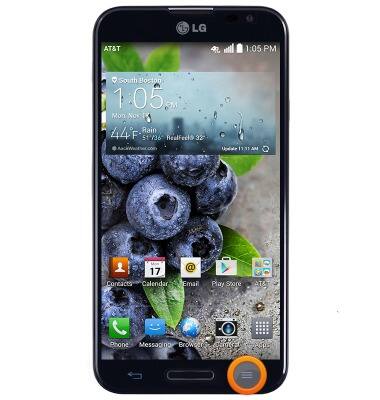
- From the home screen, press the Menu key.
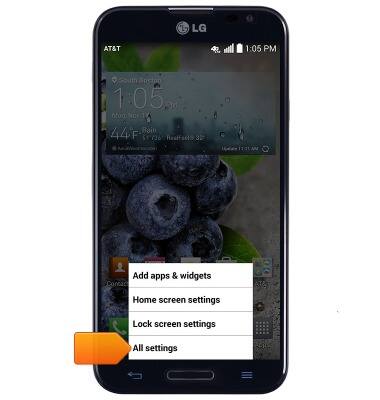
- Tap All settings.
- Under the 'General' tab, scroll to, then tap Accessibility.
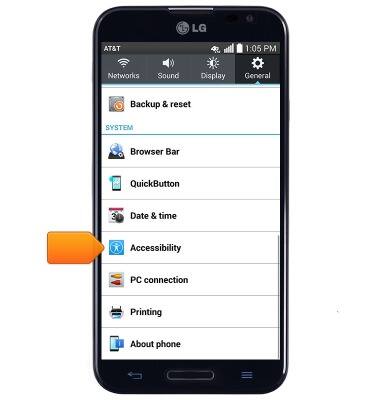
- Adjust accessibility settings as desired.
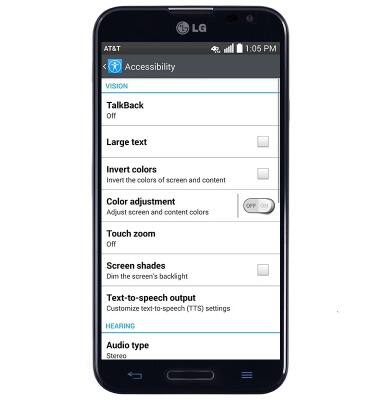
Accessibility
LG Optimus G Pro (E980)
Accessibility
Turn on features such as TalkBack, Hearing aid mode, and more.
INSTRUCTIONS & INFO