
- Your BlackBerry ID is a master key to BlackBerry products, sites, services and applications such as BlackBerry World and BlackBerry Messenger.
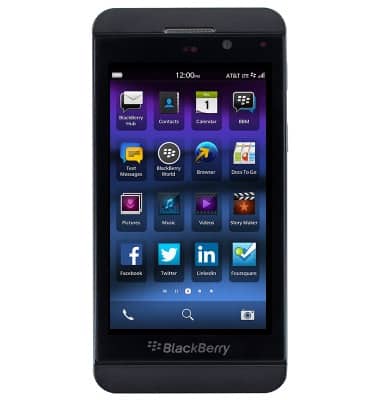
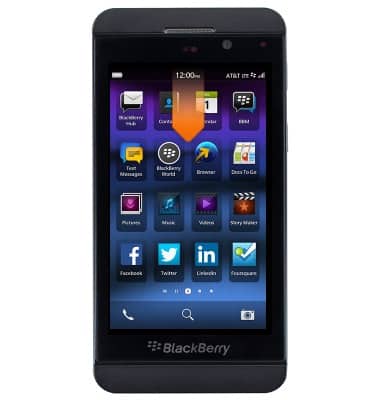
- From the home screen, swipe down from the top of the screen to reveal the Device Settings menu.
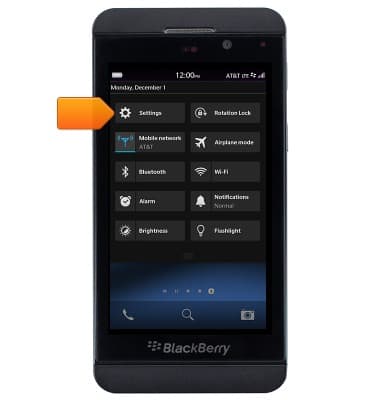
- Tap Settings.
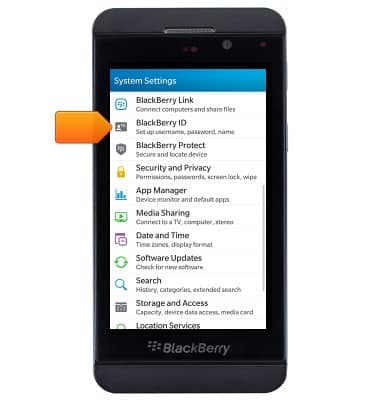
- Scroll to, then tap Blackberry ID.
- If you have a BlackBerry ID tap Sign In, if not tap Create New and follow the on-screen prompts.
Note: For this demonstration, tap 'Sign In'.
To create or manage your BlackBerry ID from a computer, go to www.us.blackberry.com.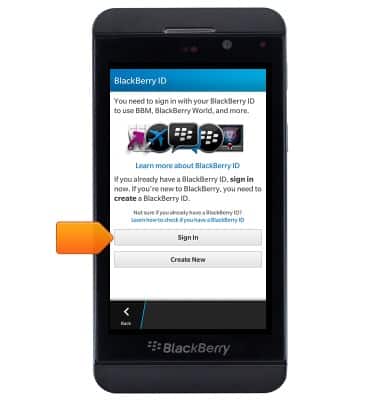
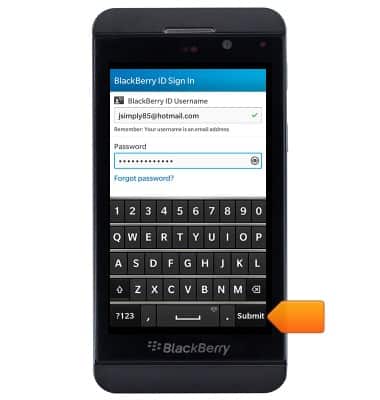
- Enter the account information, then tap Submit.
- Tap the Back icon to return to the system settings.
Note: A master reset is required to remove your BlackBerry ID from the phone. See 'Reset Device' for details.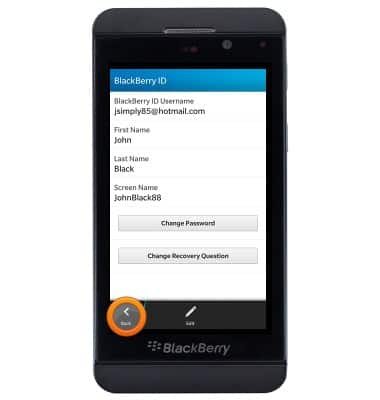
Blackberry ID sign-in
BlackBerry Z10 (STL100-3)
Blackberry ID sign-in
Use your BlackBerry ID to access BlackBerry products, sites, services and applications.
INSTRUCTIONS & INFO