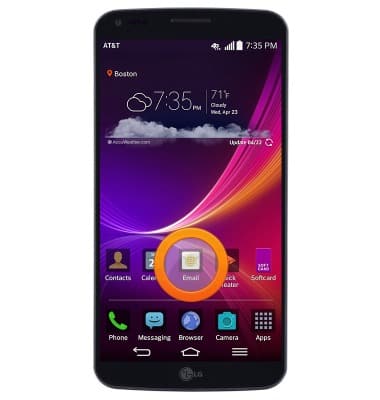
- From the home screen, tap Email.
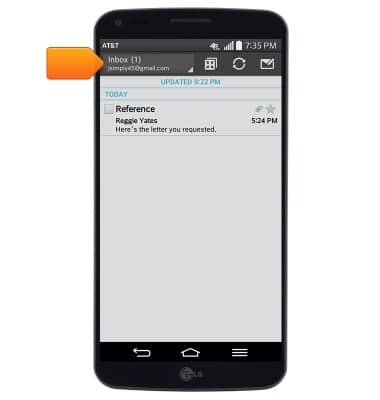
- Tap the Mailbox drop-down to change the displayed mailbox.
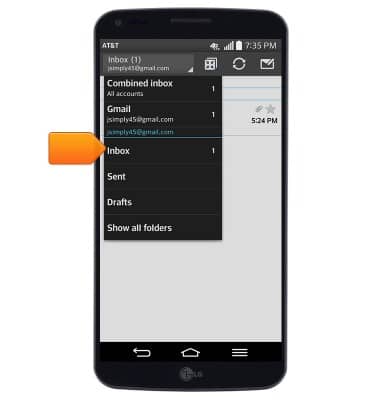
- Tap the desired mailbox.
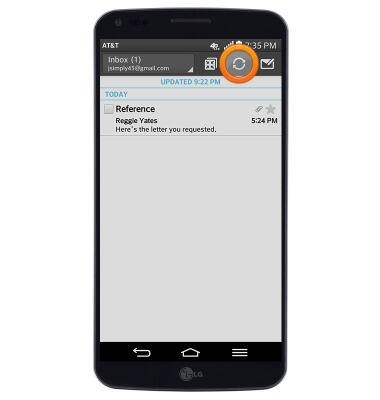
- Tap the Refresh icon to refresh the inbox.
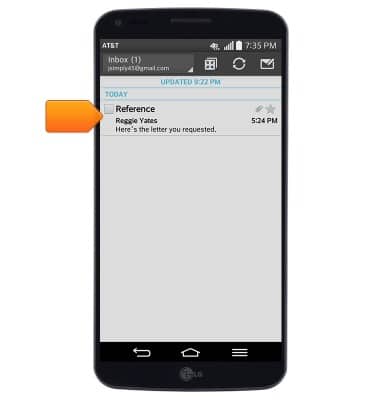
- To view an email, tap the desired message.
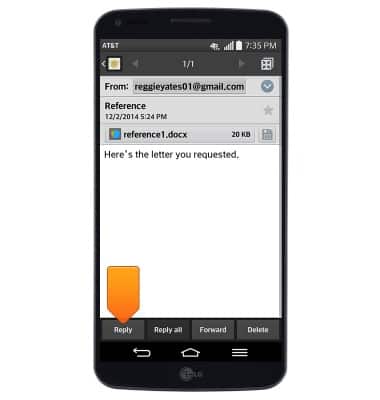
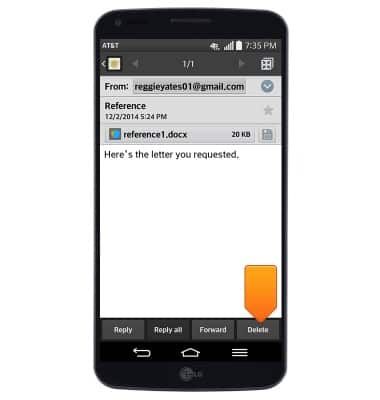
- Tap Reply to respond to the author of the displayed email.
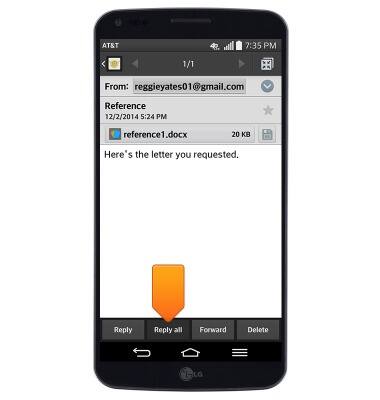
- Tap Reply all to respond to the author and all other recipients of the displayed email.
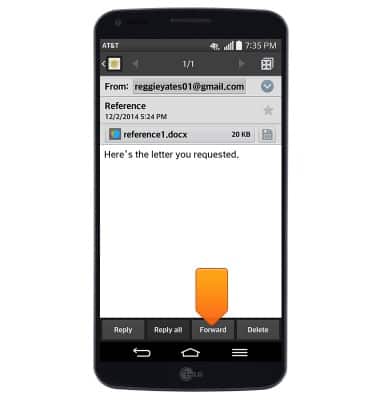
- Tap Forward to send the selected email to a new recipient.
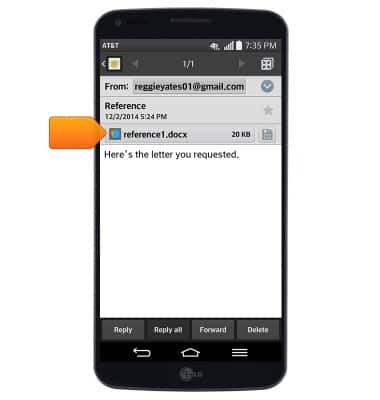
- Tap the desired attachment to view it.
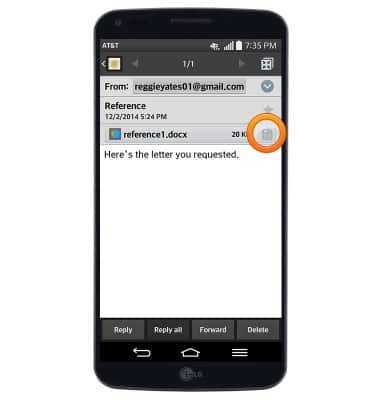
- Tap the Save icon next to the desired attachment to save it.
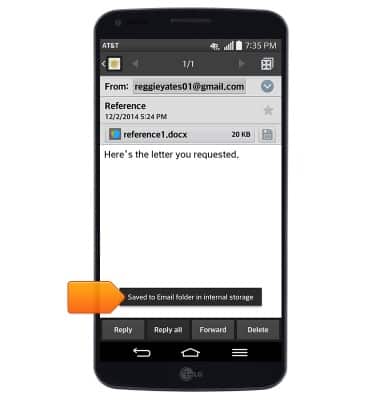
- The attachment will save to the indicated location.
- To delete the email, tap Delete.
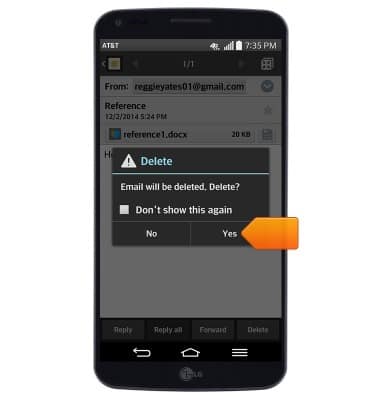
- Tap Yes.
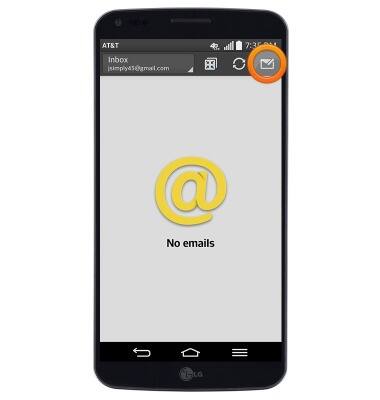
- To compose a new email, from the mailbox screen, tap the Compose icon.
- Enter the desired recipient(s), then tap the Subject field.
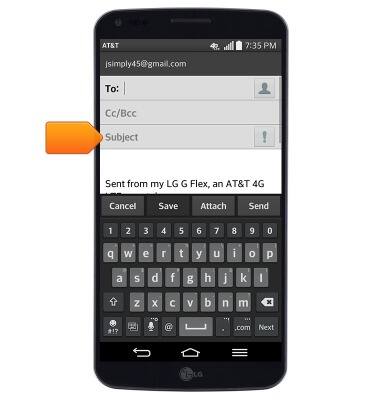
- Enter the desired subject, then tap the Message field.
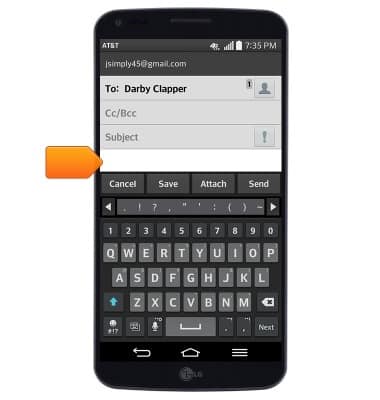
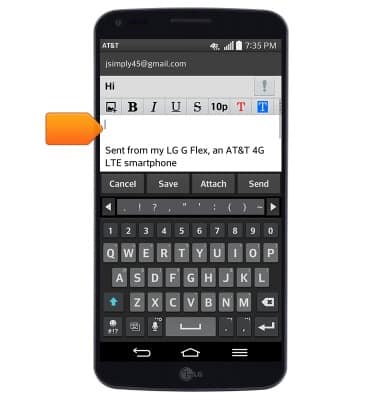
- Enter the desired message.
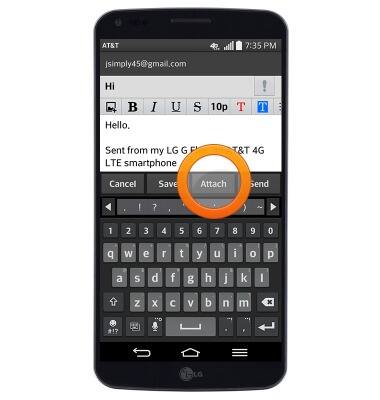
- To add an attachment, tap Attach, then follow the on-screen prompts.
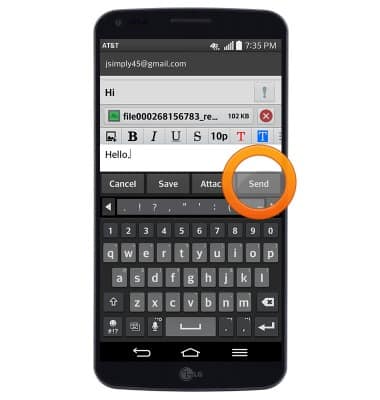
- Tap Send to send the email.
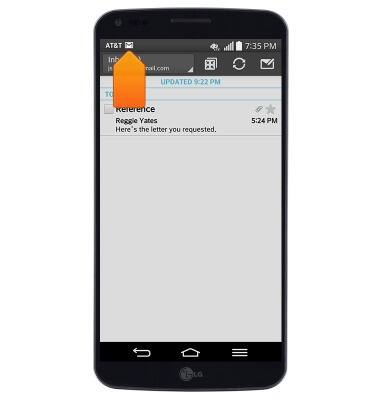
- When a new email is received, the New mail icon will display in the notifications bar.
Send & receive email
LG G Flex (D950)
Send & receive email
Add and download email attachments, respond to an email and more.
INSTRUCTIONS & INFO