
- Create a conference call:
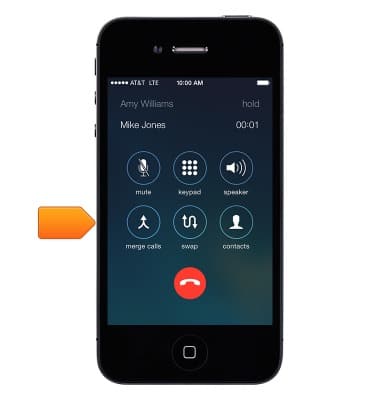
While on a call, tap add call, make another call, then tap merge calls.
Note: You can set up a conference call with up to five people. Repeat to add more people to the conference.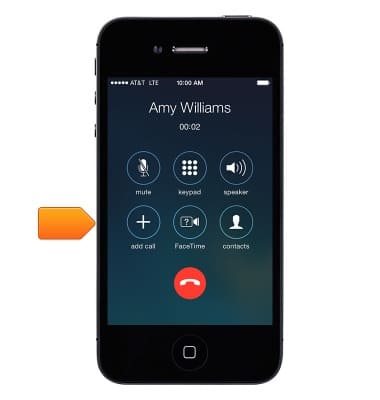
- Drop one person:
Tap the i icon next to a person, then tap End.
Note: You can set up a conference call with up to five people. Repeat to add more people to the conference.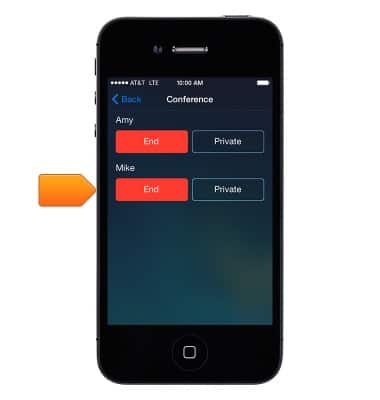
- Talk privately with one person:
Tap the i icon, then tap Private next to the person. Tap merge calls to resume the conference.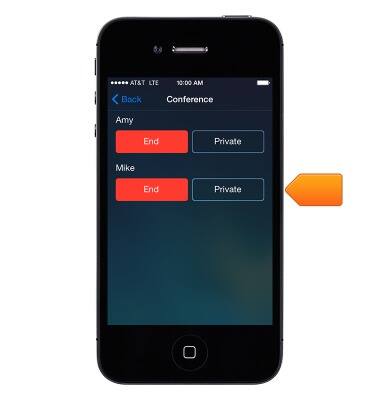
- Add an incoming caller:
Tap Hold & Accept, then tap merge calls.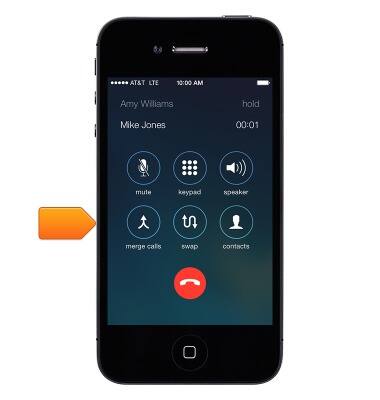
- Respond to a second call (Call Waiting):
* Ignore the call and send it to voicemail: Send to Voicemail.
Note: When receiving a second call, the party you are speaking with may hear the call waiting tone.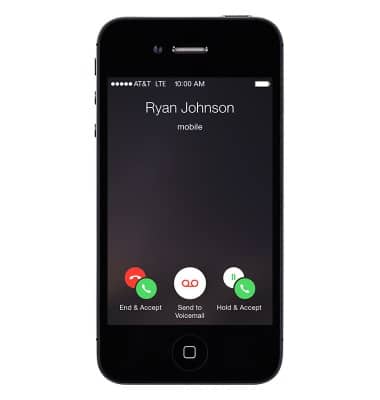
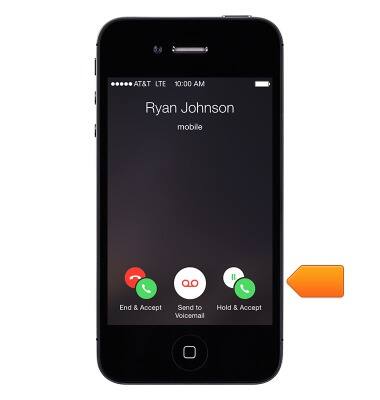
- * Put the first call on hold and answer the new one: Hold & Accept.
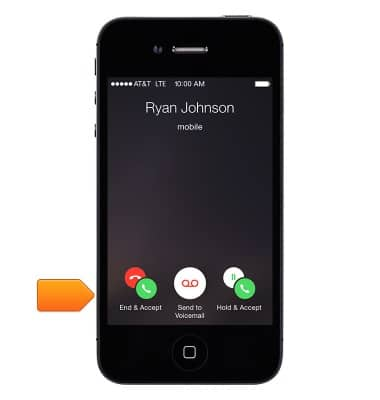
- * End the first call and answer the new one: End & Accept.
- With a call on hold, tap swap to switch between calls or tap merge calls to talk with both parties at once.
Conference calling
Apple iPhone 4
Conference calling
Add another person to your call, merge calls, place someone on hold and more.
INSTRUCTIONS & INFO