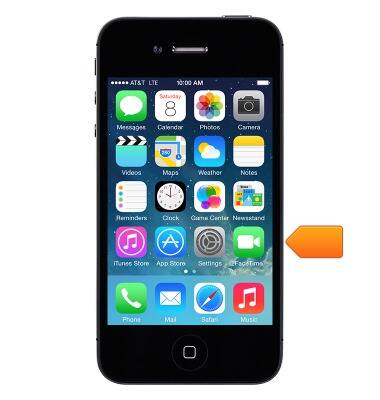
- From the Home screen, tap Settings.
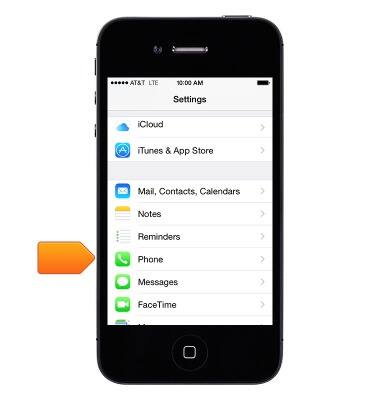
- Tap Phone.
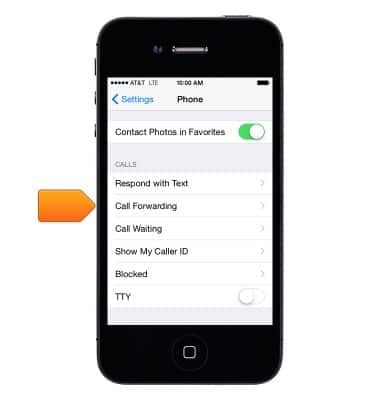
- Tap Call Forwarding.
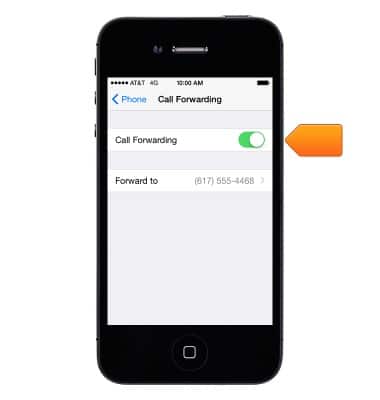
- To turn on Call Forwarding, tap the Call Forwarding button.
Note: You must be in range of the cellular network when you set iPhone to forward calls, or calls won't be forwarded.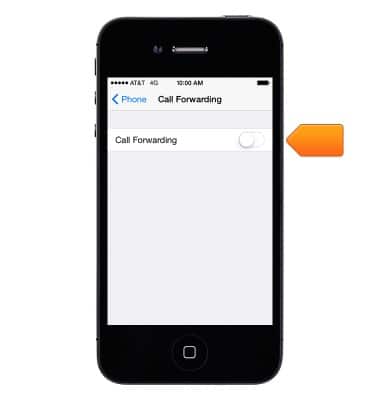
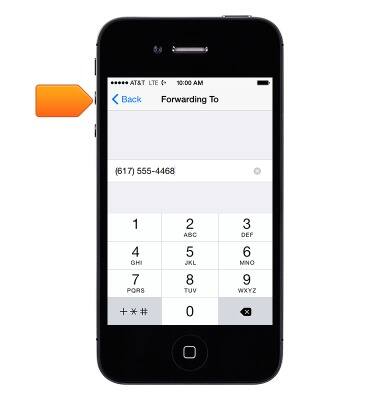
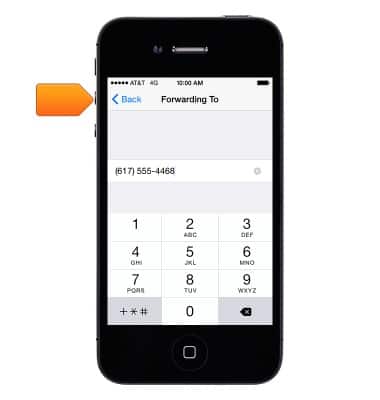
- Enter the desired forwarding number, then tap Back.
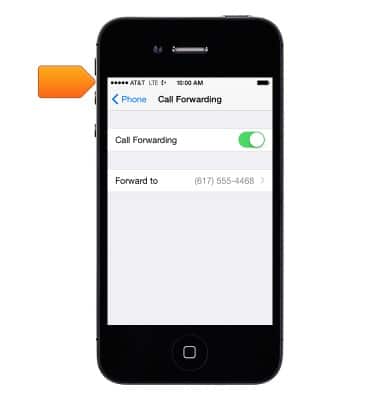
- The Call Forwarding icon appears in the status bar when call forwarding is on.
- To change the Call Forwarding number, tap Forward to.
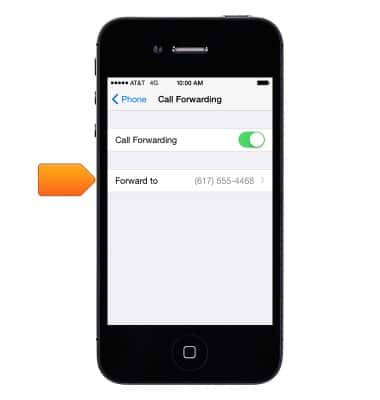
- Enter the desired forwarding number, then tap Back.
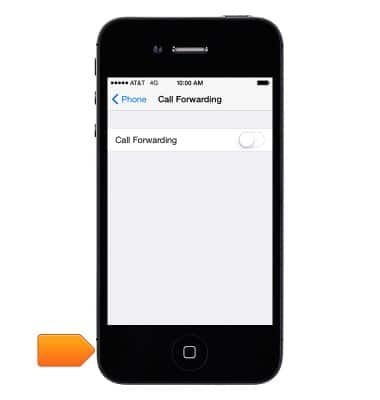
- To turn off Call Forwarding, turn off the "Call Forwarding" toggle.Your settings will automatically be saved.
- Press the Home button to return to the Home screen.
Call forwarding
Apple iPhone 4
Call forwarding
Learn how to manage call forwarding from your device.
INSTRUCTIONS & INFO