- From the home screen, tap Settings.
Note: Updating Cellular Data settings does not affect Wi-Fi access or options.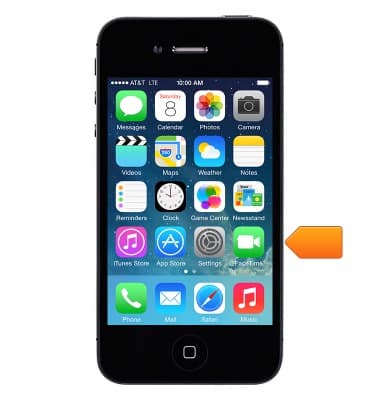
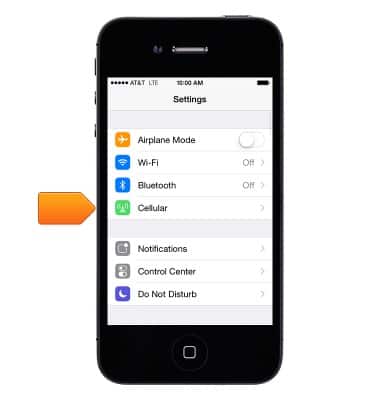
- Tap Cellular.
- Cellular Data:
Tap the "Cellular Data" toggle to turn the access to cellular data networks on or off.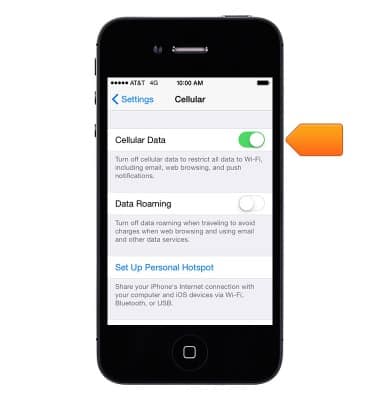
- Data Roaming:
Tap "Data Roaming" toggle to turn Data Roaming on or off.
Note: Leaving data roaming off will reduce unexpected usage and charges while roaming internationally. For more information on international roaming provisioning and rates.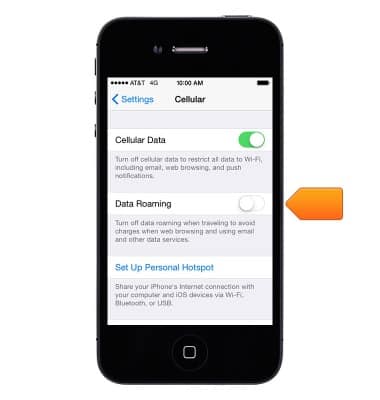
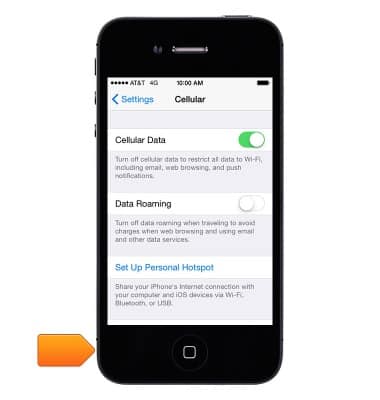
- To return to the Home screen, press the Home button.
Mobile network status
Apple iPhone 4
Mobile network status
View signal strength, network connection status, and enable/disable mobile network and international roaming.
INSTRUCTIONS & INFO