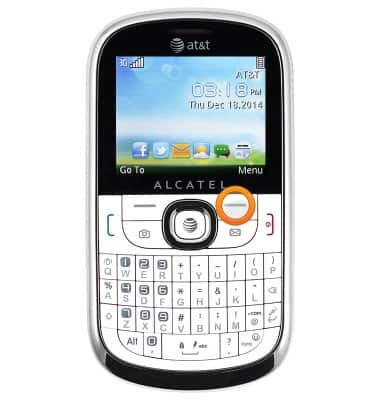
- From the home screen, press the Right soft key.
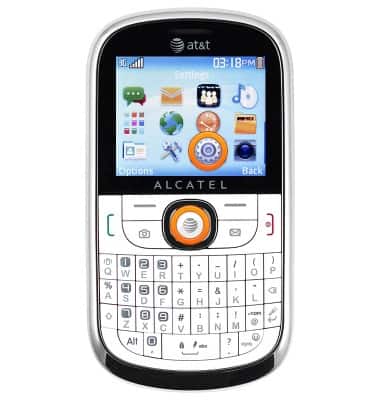
- Scroll to the 'Settings' icon, then press the Center nav key.
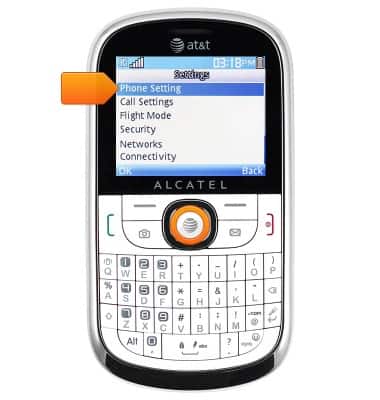
- Select 'Phone settings', then press the Center nav key.
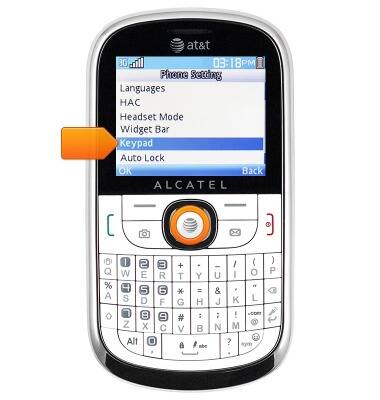
- Scroll to 'Keypad', then press the Center nav key.
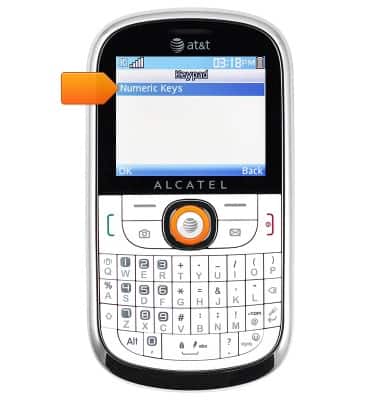
- Select 'Numeric Keys', then press the Center nav key.
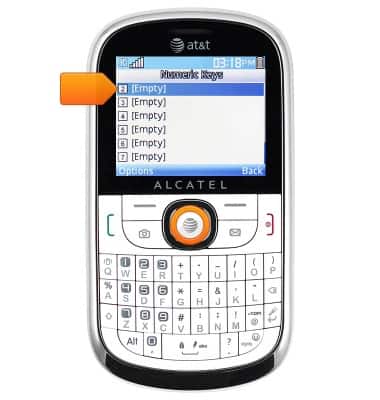
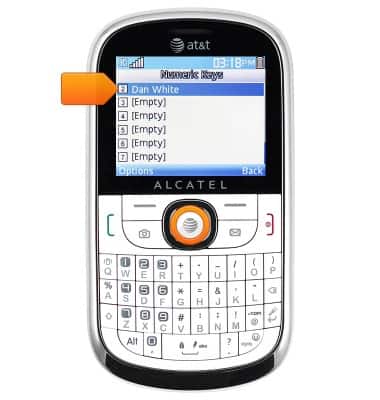
- To add a new speed dial contact, scroll to the desired unassigned number, then press the Center nav key.
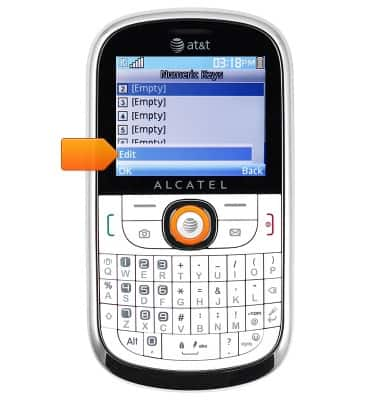
- Select 'Edit', then press the Center nav key.
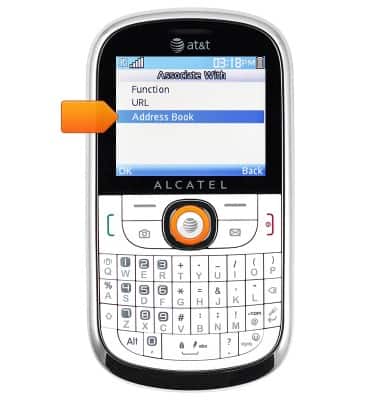
- Scroll to 'Address Book', then press the Center nav key.
- Scroll to the desired contact, then press the Center nav key.
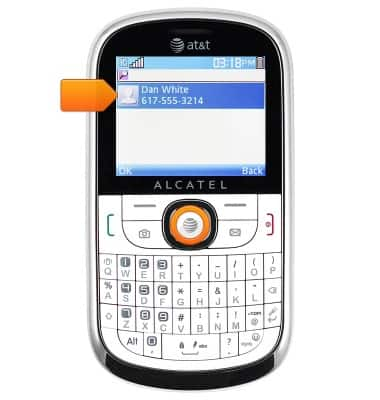
- Press the Center nav key.

- To edit or delete a speed dial contact, scroll to the desired contact, then press the Center nav key.
- To edit, select 'Edit', then press the Center nav key.
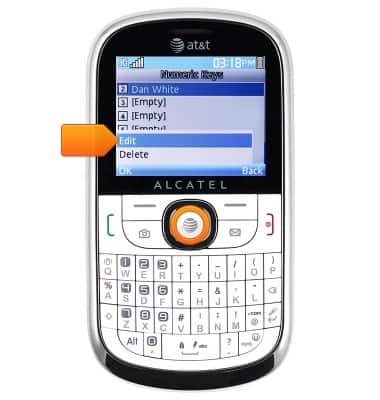
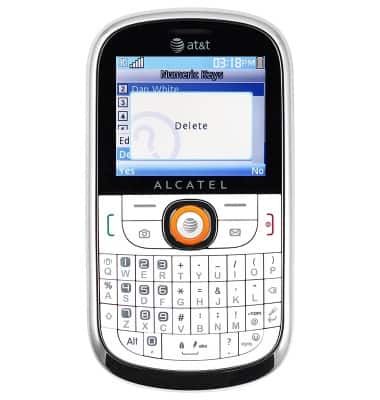
- To delete, scroll to 'Delete', then press the Center nav key.
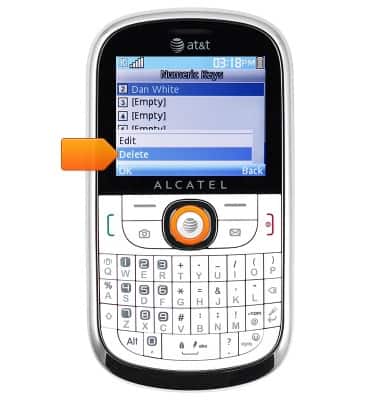
- Press the Center nav key.
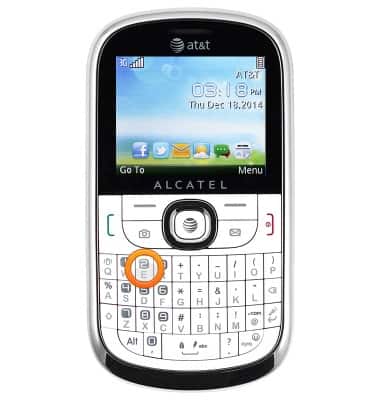
- To call a speed dial contact, from the home screen, press and hold the assigned Number key.
Speed dial
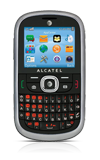
Alcatel 871A
Speed dial
Learn how to use speed dial and manage speed dial contacts.
INSTRUCTIONS & INFO