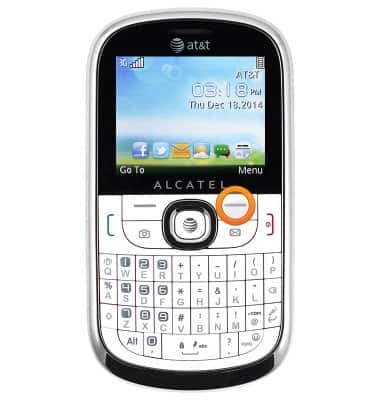
- From the home screen, press the Right soft key.
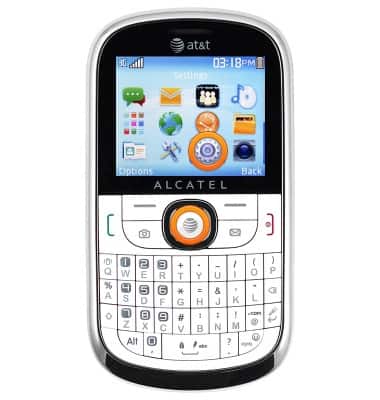
- Scroll to the 'Settings' icon, then press the Center nav key.
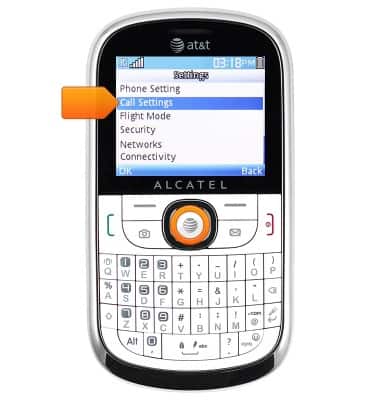
- Scroll to 'Call Settings', then press the Center nav key.
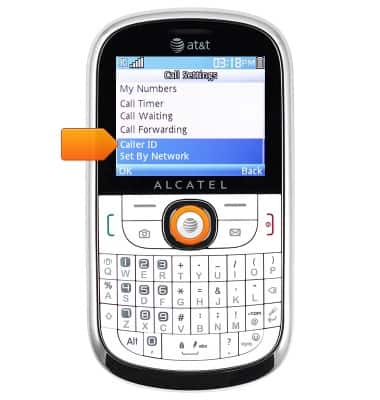
- Scroll to 'Caller ID', then press the Center nav key.
- To hide your phone number, scroll to 'Hide Number', then press the Center nav key.
Note: To block your Caller ID on a per-call basis, dial *67 before the 10-digit phone number.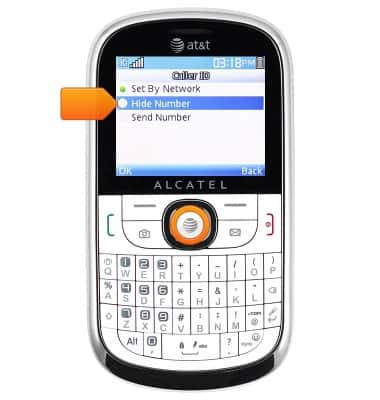
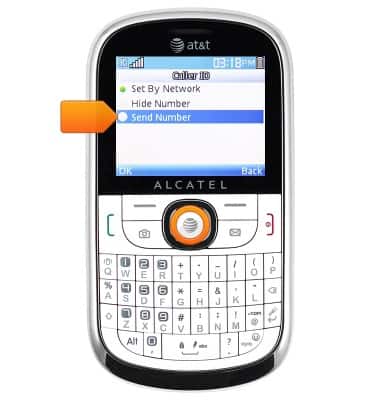
- To show your phone number, scroll to 'Send Number', then press the Center nav key.
Caller ID
Alcatel 871A
Caller ID
Learn how to show or hide your caller ID when making calls.
INSTRUCTIONS & INFO