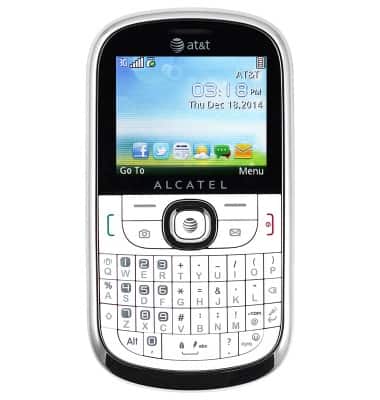
- Inserting a memory card into your device allows you to transfer and store contacts, music, pictures, and videos.
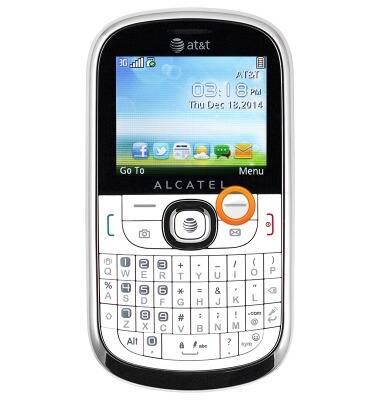
- From the home screen, press the Right soft key.
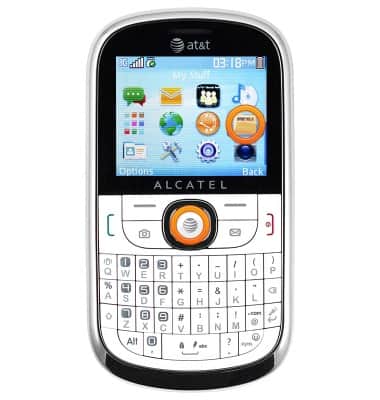
- Scroll to the 'My Stuff' icon, then press the Center nav key.
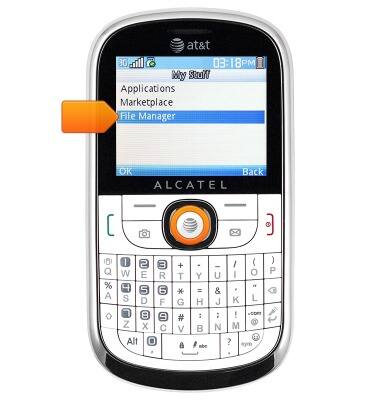
- Scroll to 'File Manager', then press the Center nav key.
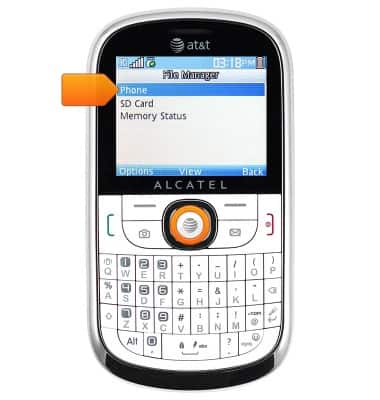
- Select 'Phone', then press the Center nav key.
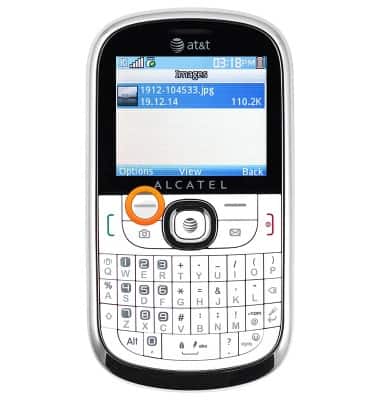
- Navigate to within the desired folder, then press the Left soft key.
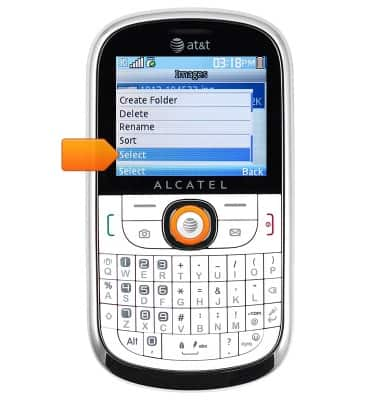
- Scroll to 'Select', then press the Center nav key.
- Scroll to the desired files, then press the Center nav key to select.
Note: Alternatively, press the Left soft key to select all displayed files.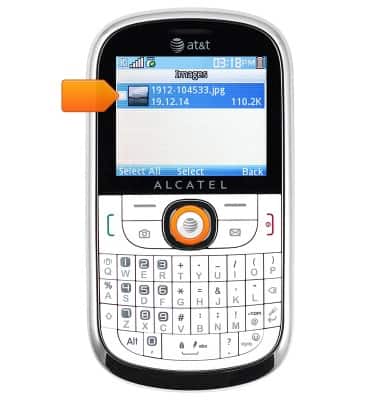
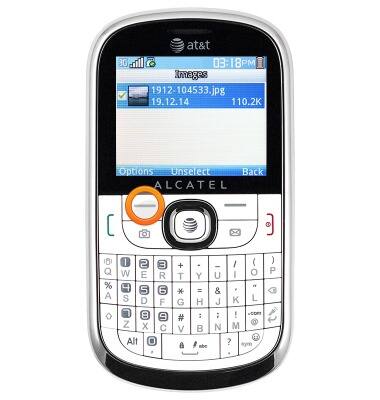
- Press the Left soft key.
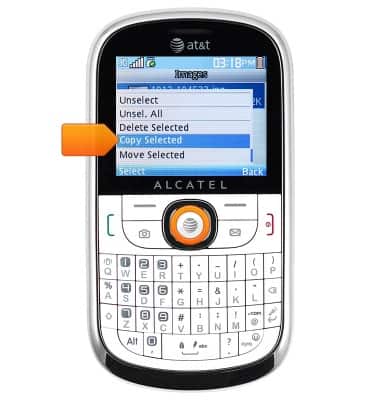
- Scroll to 'Copy Selected', then press the Center nav key.
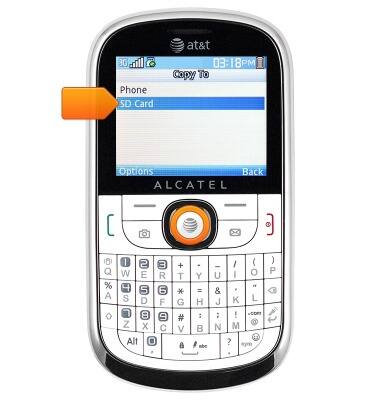
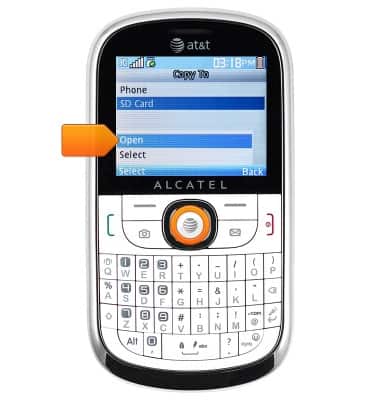
- Scroll to 'SD Card', then press the Center nav key.
- Select 'Open', then press the Center nav key.
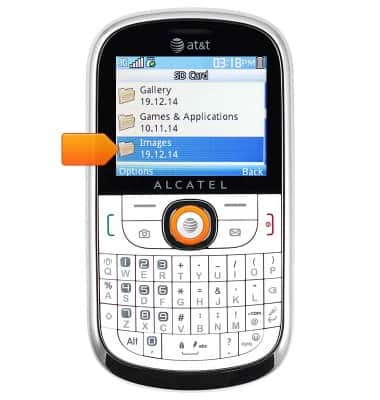
- Navigate to, then select the desired folder, then press the Center nav key.
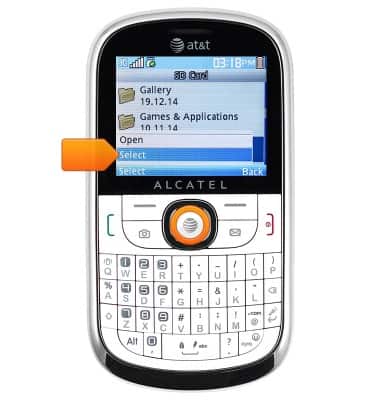
- Scroll to 'Select', then press the Center nav key.
Backup & restore with memory card
Alcatel 871A
Backup & restore with memory card
Backup and restore contacts, photos, & files using a memory card.
INSTRUCTIONS & INFO