- Use your AT&T device as a mobile Wi-Fi hotspot to share your data connection with Wi-Fi-capable devices such as: other smartphones, tablets, netbooks, MP3 players, and more.
Note: Eligible data plan required, learn more.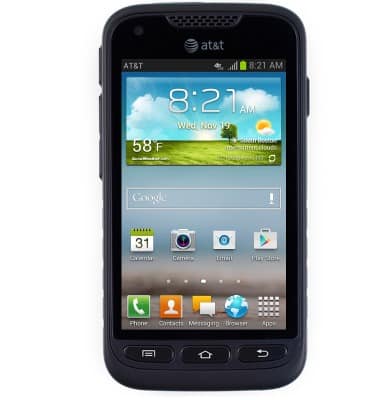
- From the home screen, press the Menu key.
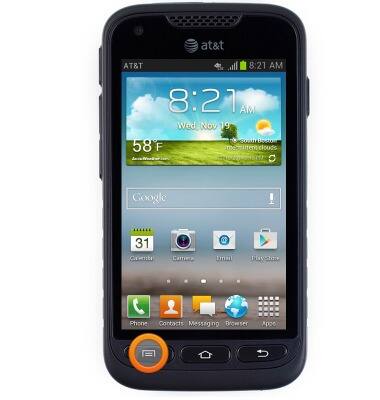
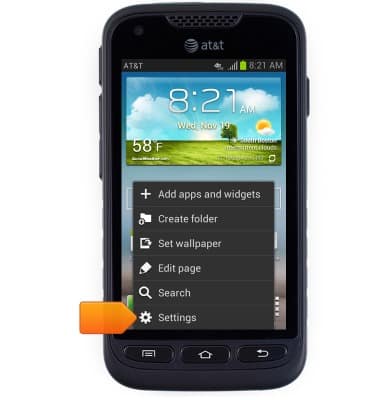
- Tap Settings.
- Tap More settings.
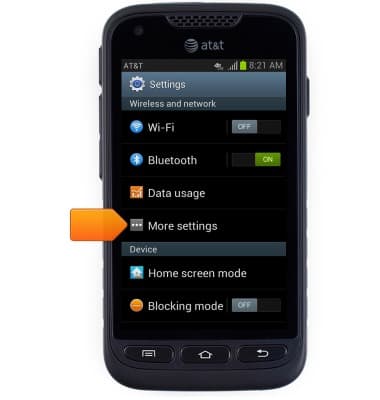
- Tap Tethering and portable hotspot.
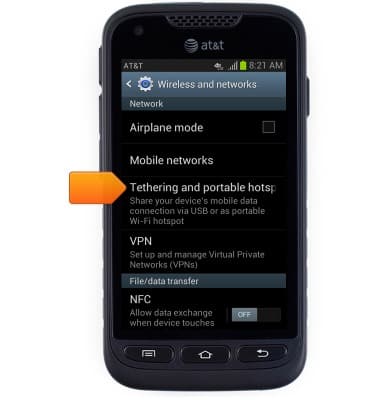
- Tap Mobile Hotspot.
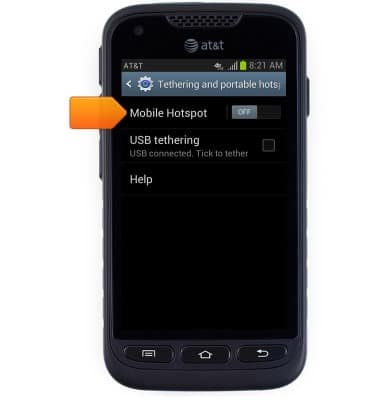
- Tap Configure to edit hotspot settings.
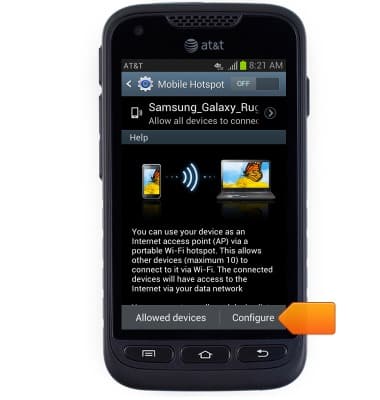
- Tap the Network SSID field to edit the hotspot display name.
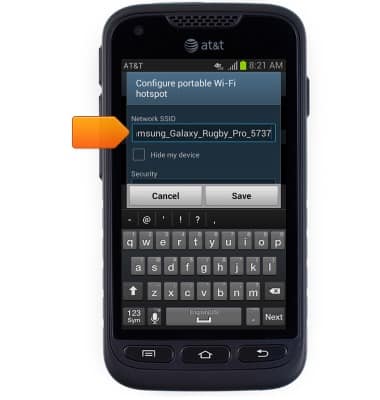
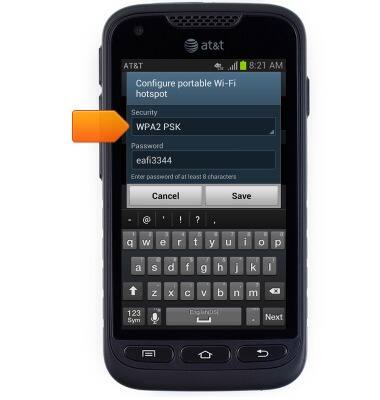
- Scroll to, then tap the Security field to edit the hotspot security type.
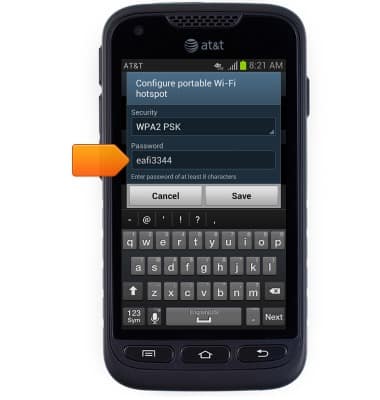
- Tap the Password field to edit the hotspot password.
- Tap the Mobile Hotspot switch to toggle on / off.
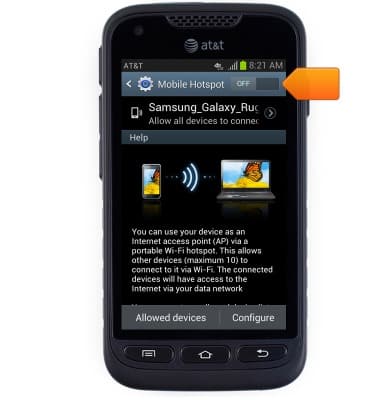
- While mobile hotspot is toggled on, the Mobile Hotspot icon will appear in the Notifications bar.
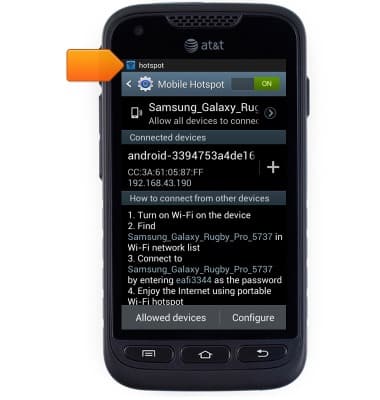
Mobile hotspot
Samsung Galaxy Rugby Pro (I547) OS 4.0-4.1
Mobile hotspot
How to set up your device as a mobile hotspot to share your data connection with Wi-Fi-capable devices.
How to Set Up a Personal Mobile Hotspot
Learn what you need to use your smartphone as a personal mobile hotspot and how to set it up.
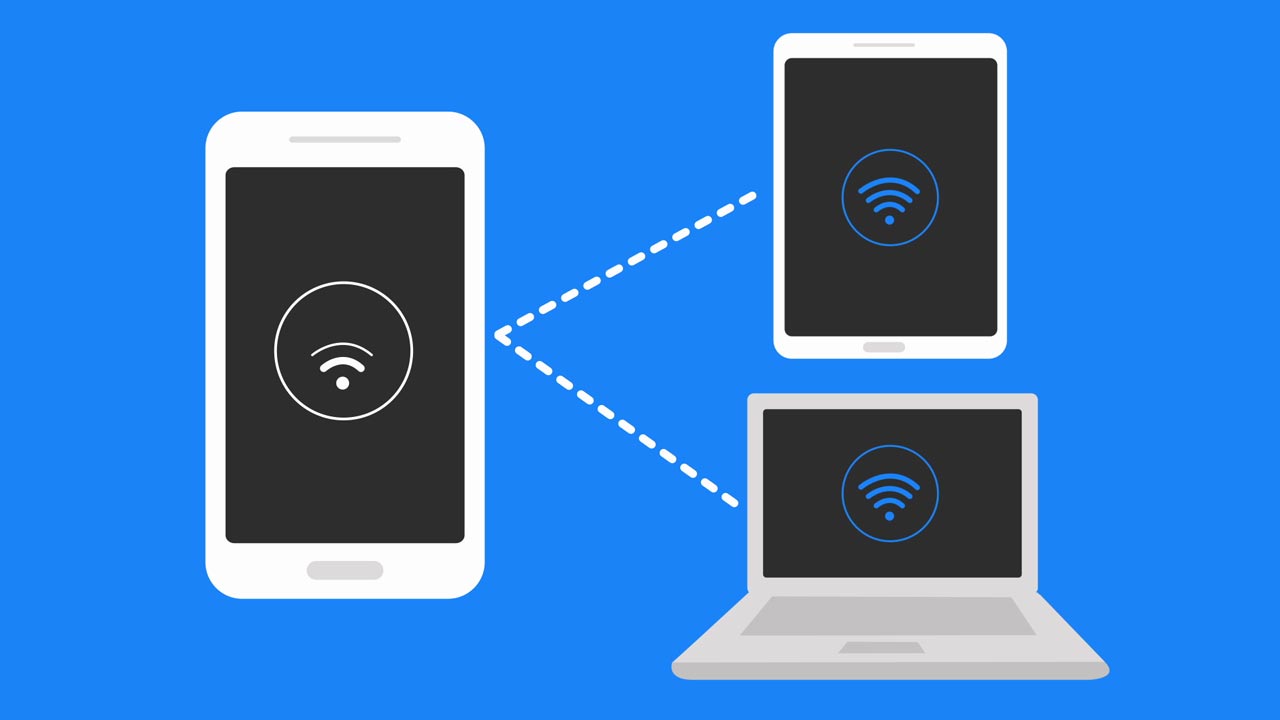
How to Set Up a Personal Mobile Hotspot
2:03
INSTRUCTIONS & INFO