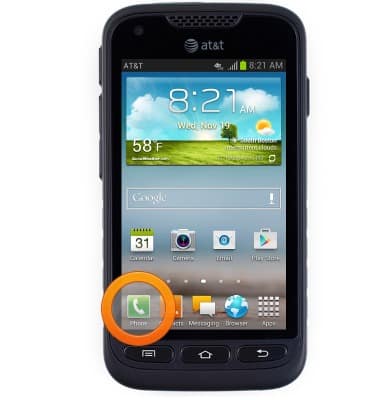
- From the home screen, tap Phone.
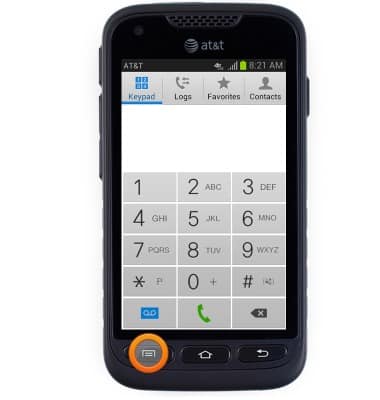
- Press the Menu key.
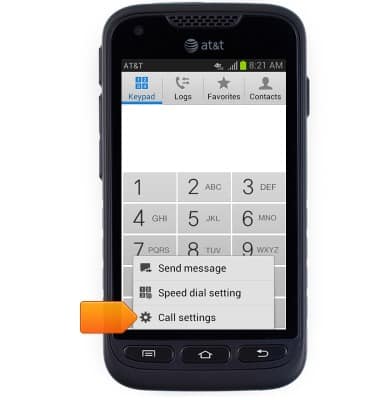
- Tap Call settings.
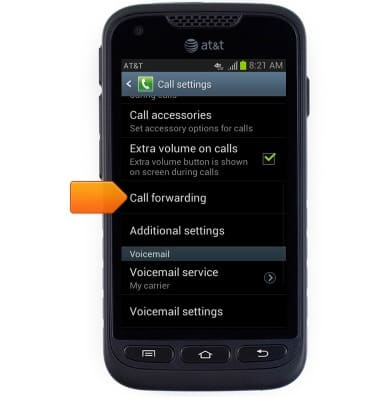
- Scroll to, then tap Call forwarding.
- Tap the desired option.
Note: This tutorial selects 'Always forward'.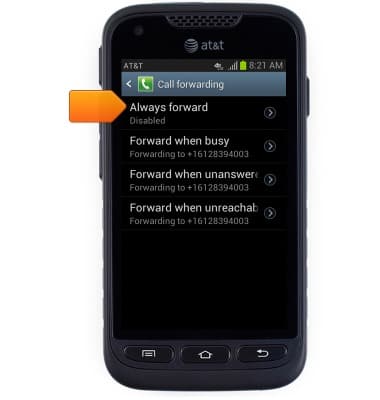
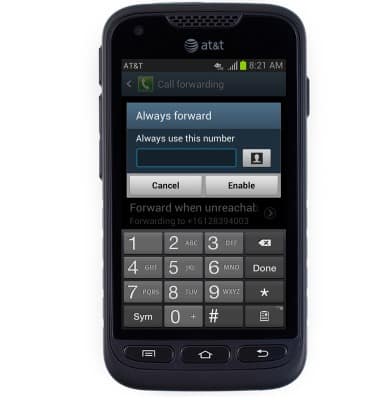
- Enter the desired call forwarding number.
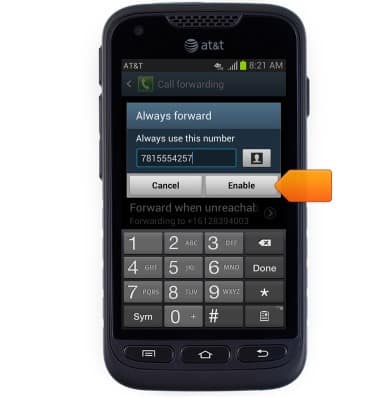
- Tap Enable.
- To toggle call forwarding off, first tap the desired call forwarding number.
Note: When call forwarding is turned on, the Call forwarding icon will be displayed in the notification bar.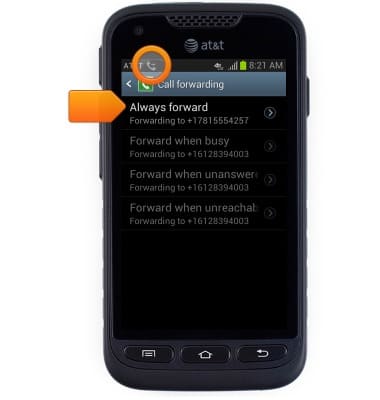
- Tap Disable.
Note: To change the call forwarding number, tap Update.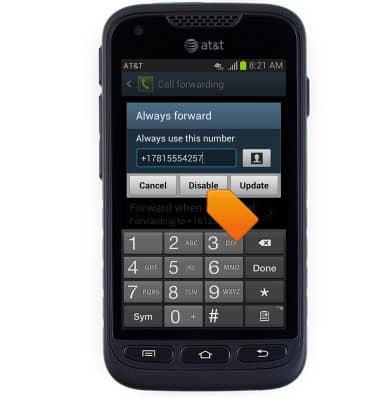
Call forwarding
Samsung Galaxy Rugby Pro (I547) OS 4.0-4.1
Call forwarding
Learn how to manage call forwarding from your device.
INSTRUCTIONS & INFO