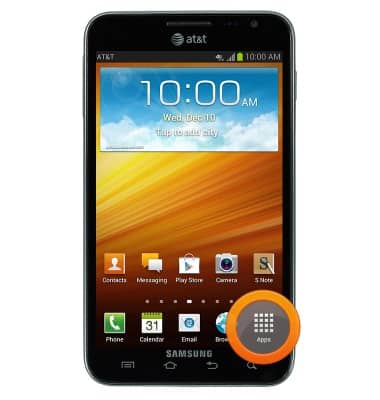
- From the home screen, tap Apps.
- Swipe to, then tap Settings.

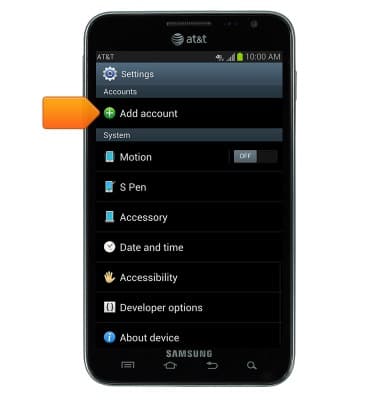
- Scroll to "Accounts", then tap Add account.
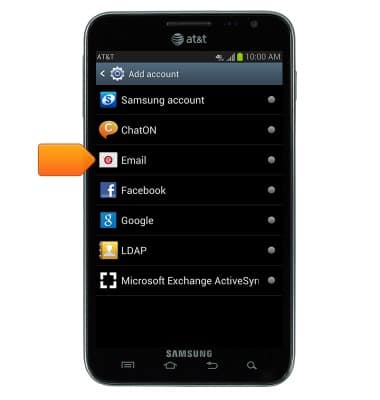
- Tap Email.
- Enter your account information, then tap Next.

- Tap to adjust the desired options, then tap Next.
Note: If multiple accounts are configured, tap to check 'Send email from this account by default' if desired.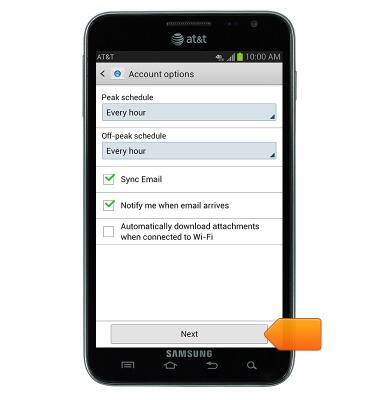
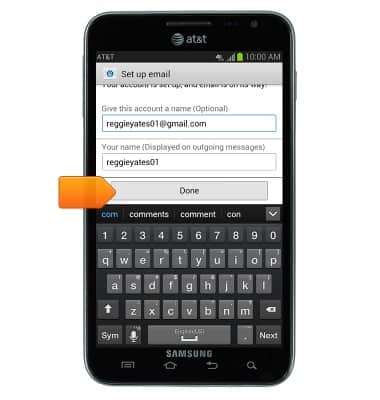
- If desired, give the account a name and enter the desired name to display on outgoing messages, then tap Done.
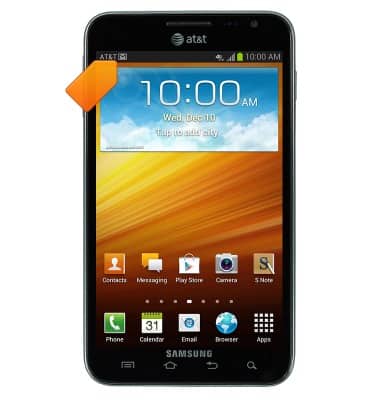
- When an Email is received, the Email icon will be displayed in the notifications bar.

- When an Email is received on your Gmail account, the Gmail icon will be displayed in the notifications bar.
Set up personal email
Samsung Galaxy Note (I717)
Set up personal email
Add your personal email accounts so you can read and send email on your device.
INSTRUCTIONS & INFO