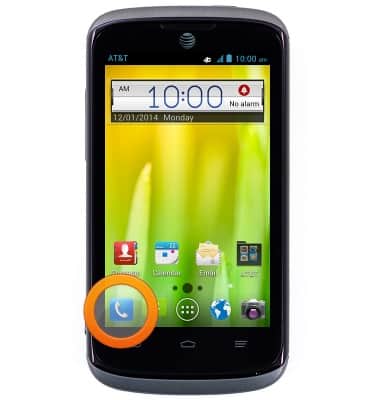
- From the home screen, tap Phone.
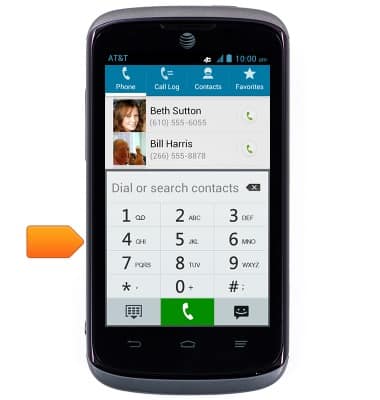
- Dial the desired number using the Keypad.
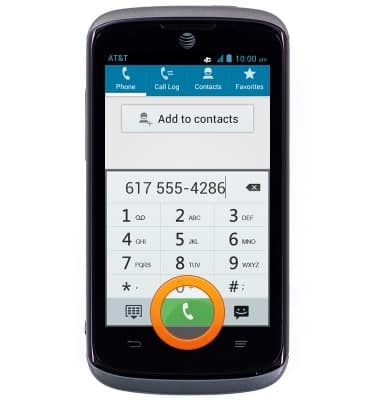
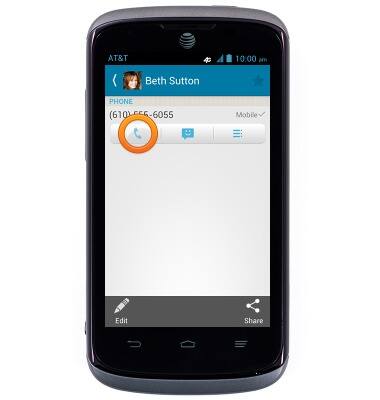
- Tap the Call icon to complete the call.
- To call a stored contact, from the home screen, tap Contacts.
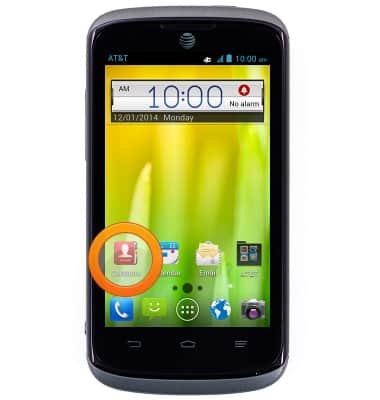
- Tap the desired contact.
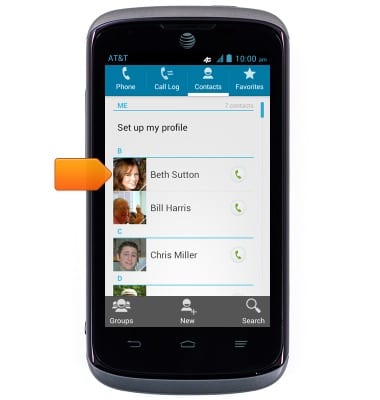
- Tap the Call icon to call the selected contact.
- When receiving a call, swipe the Answer icon to the right to answer.
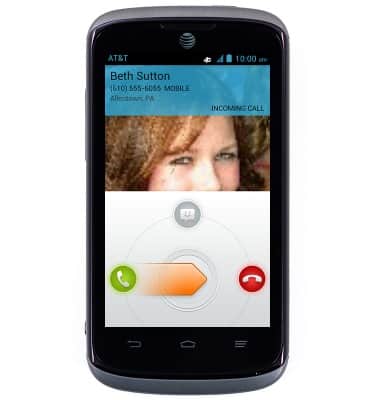
- While receiving a call, swipe the Reject icon to the left to reject the incoming call.
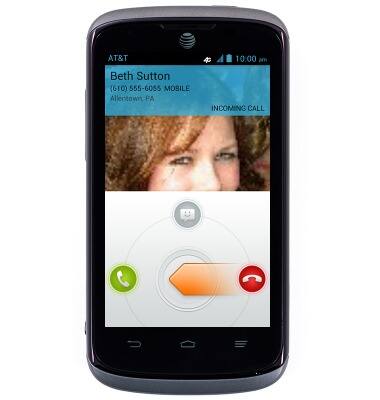
- To reject a call with a message, swipe down from the Message icon to access the rejection messages.
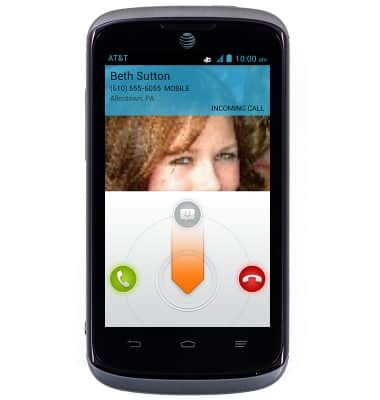
- Tap the desired message.
Note: To create or edit text message replies from the home screen tap Phone > Menu key > Settings > Quick responses > tap the desired message, then make the desired changes.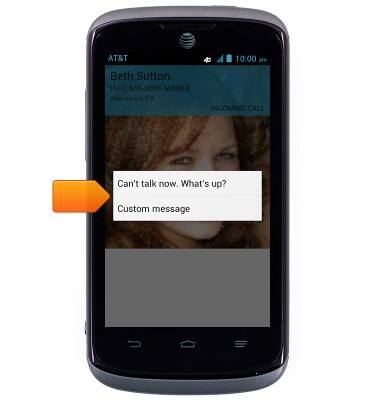
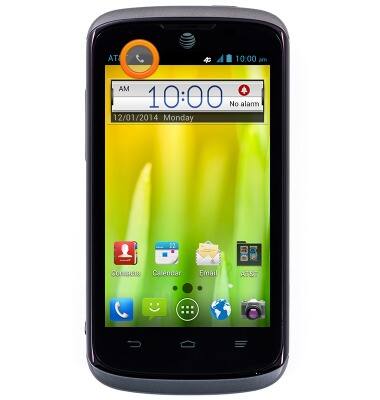
- While on a call, the In Call icon will be displayed in the notifications bar.
- To learn about calling or using your device in other countries, visit the AT&T International Calling website.
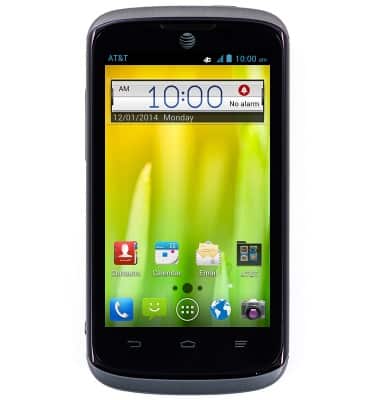
Make & receive a call
AT&T Radiant (Z740)
Make & receive a call
Place, receive, & reject a call.
Resolve Call and Text Issues with Device Settings
Learn how to resolve issues with making and receiving calls and texts by checking device settings, such as airplane mode, call forwarding, blocked calls, functions such as Emergency Calls Only, and operating software versions.
Resolve Call and Text Issues with Device Settings
2:37
INSTRUCTIONS & INFO