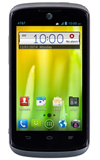
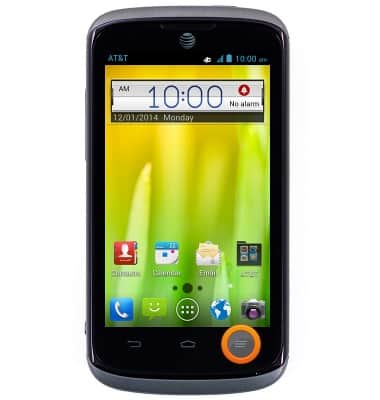
- From the home screen, press the Menu key.
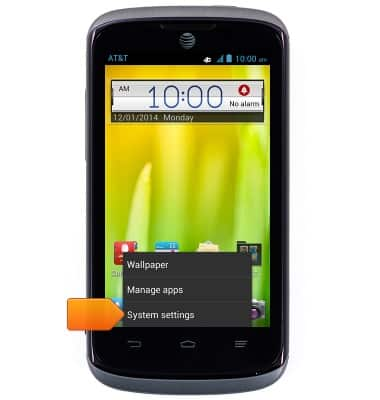
- Tap System settings.
- Tap the Wi-Fi switch to turn it on or off.
Note: To optimize battery life, turn Wi-Fi off when not in use.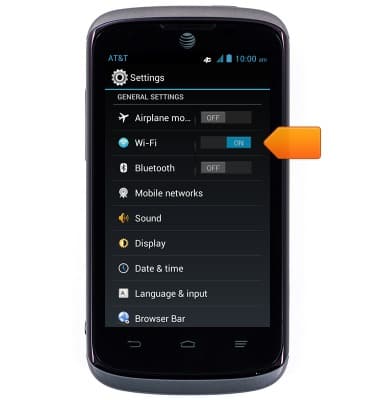
- Tap the desired wireless network.
Note: Tap Add Wi-Fi network to connect to a hidden or unbroadcasted Wi-Fi network. You will need to enter the network SSID, security type, and a password (if necessary) to continue.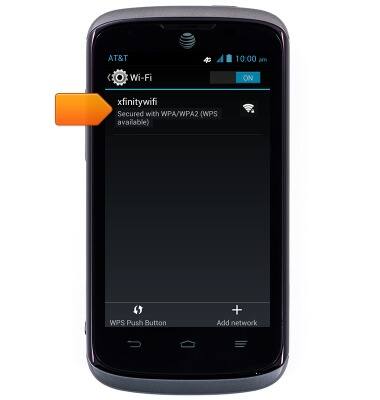
- Tap the Password field, then enter the network password.
Note: Secure networks will display with a Lock icon.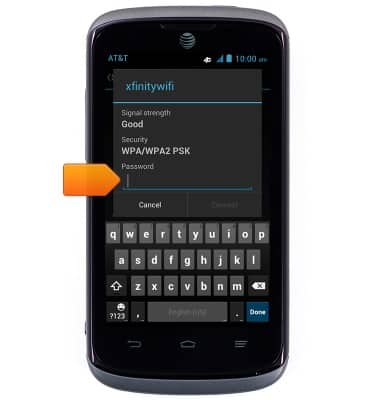
- Tap Connect.
Note: Data transmitted over a Wi-Fi network does not count toward your AT&T data plan, and will not be billed.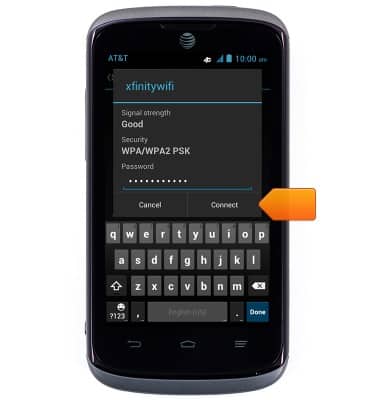
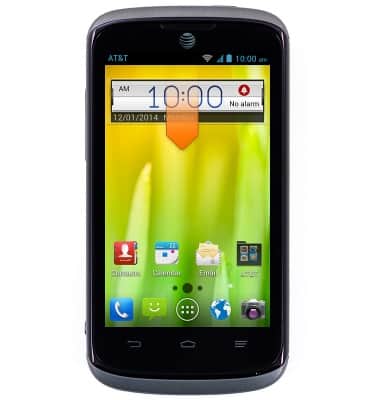
- When Wi-Fi is on and connected, the Wi-Fi connected icon will be displayed in the notifications bar.
Note: Data transmitted over a Wi-Fi network does not count toward your AT&T data plan, and will not be billed.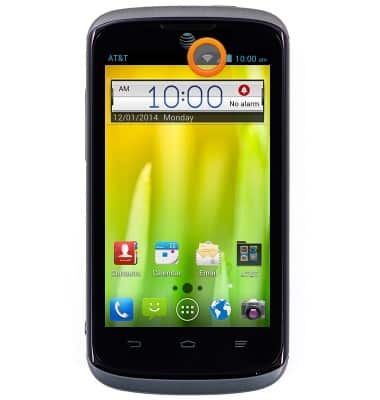
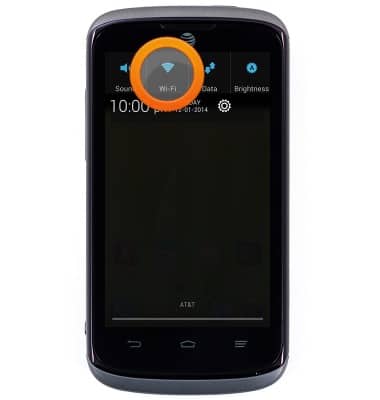
- To quickly turn Wi-Fi on or off, swipe down from any screen to reveal the Notifications menu.
- Swipe to, then tap Wi-Fi to toggle on or off.
Wi-Fi
AT&T Radiant (Z740)
Wi-Fi
How to connect your device to a Wi-Fi network.
INSTRUCTIONS & INFO