
- From the home screen, press the Call key.

- Swipe down from the Notifications bar.

- Tap Settings.

- Tap Call Forwarding.
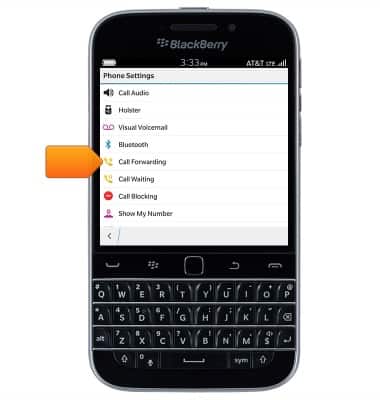
- To enable call forwarding, tap the desired switch.
Note: For this demonstration, 'Forward All Calls' was selected.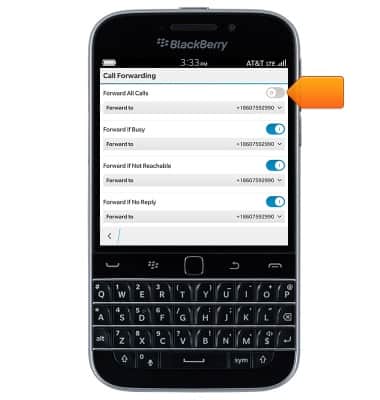
- Tap the Forward to field.
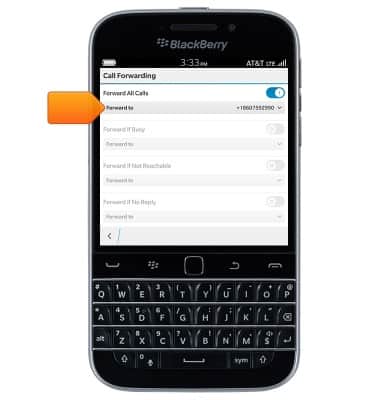
- Tap the desired number, or tap Add number.
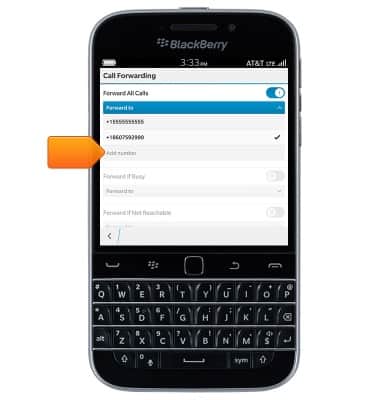
- Enter the desired number.

- Tap Save.

- When call forwarding is turned on, the Call forwarding icon will be displayed in the notification bar.

- To turn off, tap the Forward All Calls switch.
Note: To update the call forward number, tap the Forward to drop-down.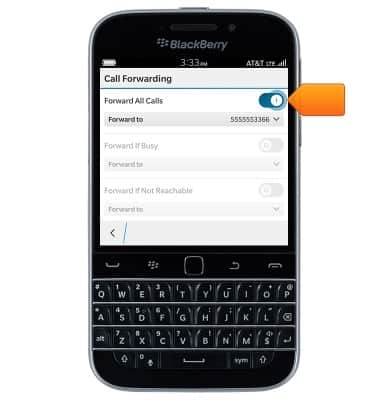
Call forwarding
BlackBerry Classic (SQC100-2)
Call forwarding
Learn how to manage call forwarding from your device.
INSTRUCTIONS & INFO