
- From the home screen, tap the Settings icon.
Note: The device will automatically attempt to set the date and time from the network. This tutorial demonstrates how to manually set the date and time on your device.
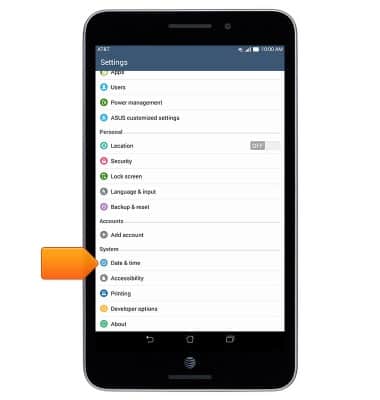
- Scroll to, then tap Date & time.
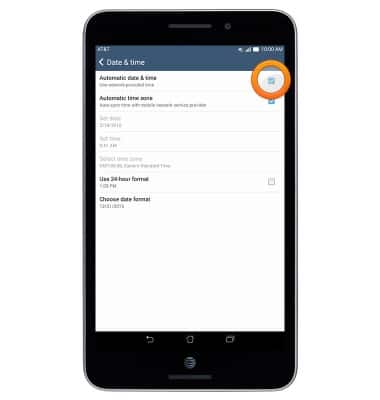
- To manually change the date and time, tap the Automatic date and time checkbox to turn it off.
- Tap Set date.
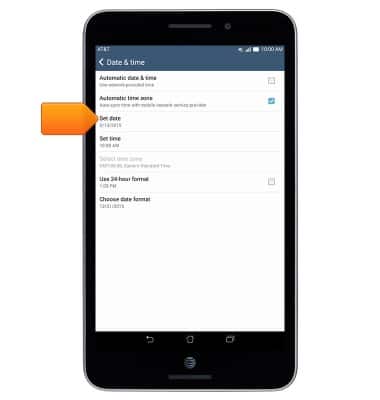
- Select the desired date, then tap Done.

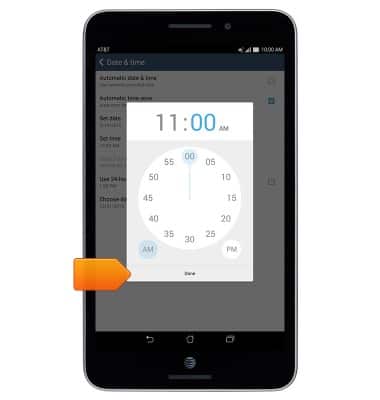
- Tap Set time.
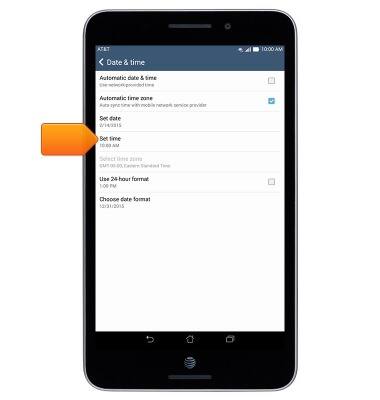
- Select the desired time, then tap Done.
Date & time
ASUS MeMO Pad 7 LTE (ME375CL)
Date & time
This article describes how to manually edit the time and date.
INSTRUCTIONS & INFO