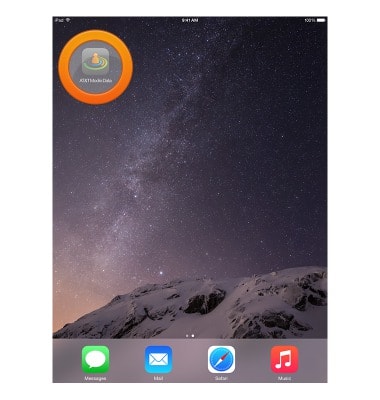
- From the home screen, swipe to then tap AT&T Modio Data.
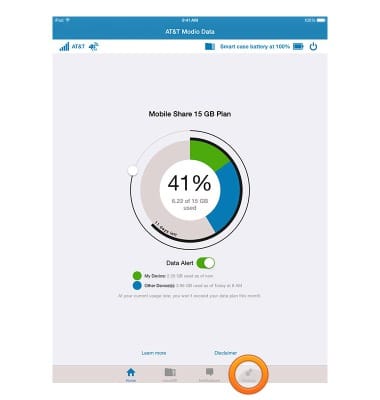
- Tap Settings.
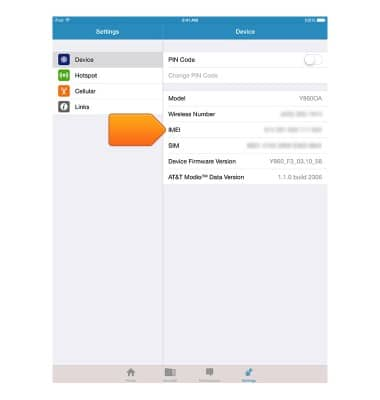
- The device IMEI number will be displayed.
- The IMEI, Serial number, Device ID, and SSID can be found on a sticker on the inside right panel of the AT&T Modio LTE case.
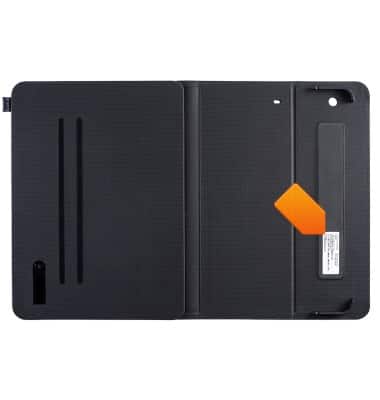
IMEI, SSID, & device ID
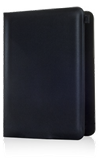
AT&T Modio LTE case for iPad mini (Y860OA)
IMEI, SSID, & device ID
This tutorial shows the steps to access the IMEI, phone, & serial number.
INSTRUCTIONS & INFO