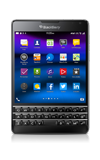
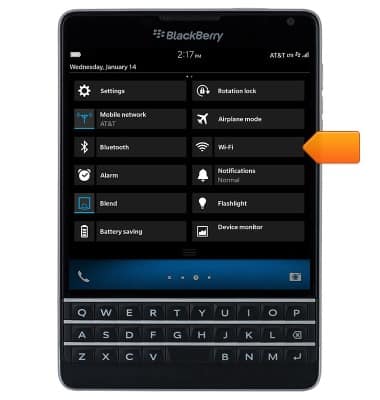
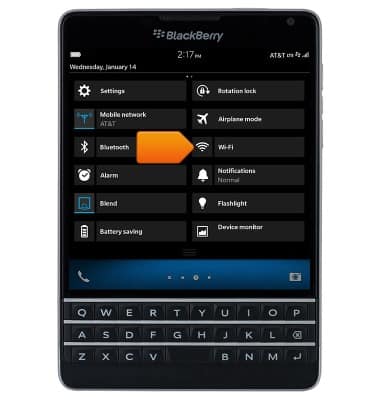
- From the home screen, swipe down from the top of the display to access Quick Settings.

- Tap Wi-Fi.
- Tap the Wi-Fi switch to toggle on/off.
Note: To optimize battery life, turn Wi-Fi off when not in use.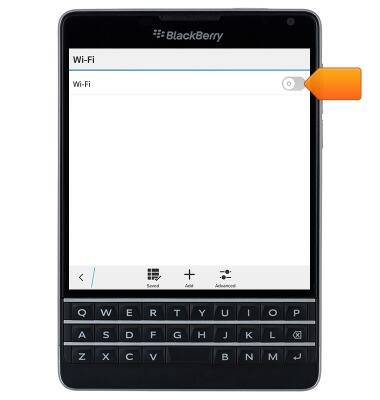
- The device will automatically scan for Wi-Fi networks.
Note: Tap 'Add' to connect to a hidden or unbroadcasted Wi-Fi network. You will need to enter the network SSID, security type, and a password (if necessary) to continue.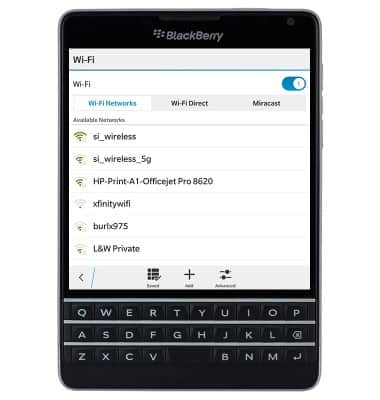
- Tap the desired network to connect.
Note: Data transmitted over a Wi-Fi network does not count toward your AT&T data plan, and will not be billed.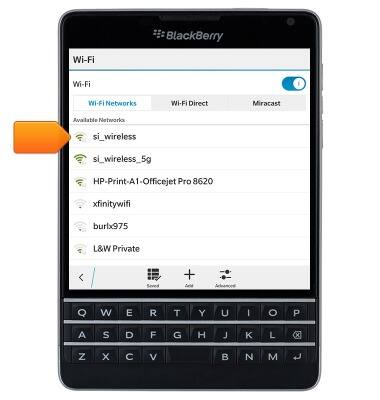
- If prompted, enter the required password, then tap Connect.
Note: Secure networks will display with a Lock icon.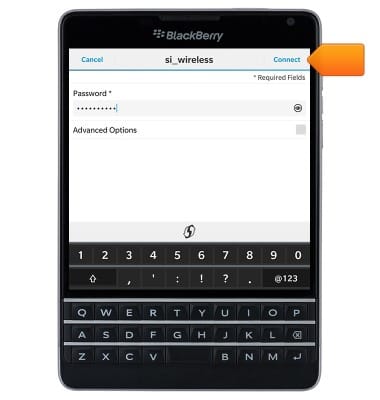
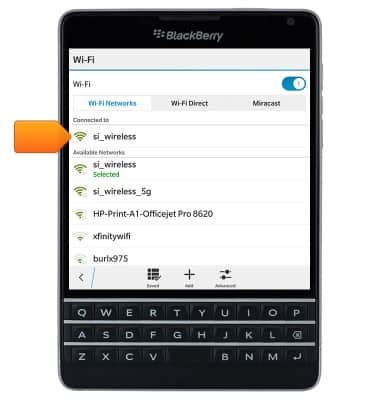
- To remove a saved network, touch and hold the desired network.
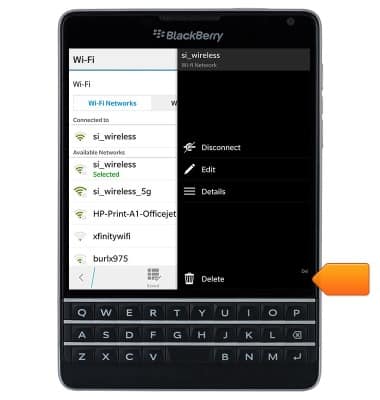
- Tap Delete.
- When connected to a Wi-Fi network, the Wi-Fi icon will display in the status bar.
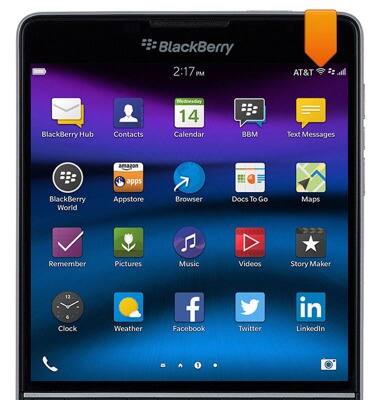
- To quickly toggle Wi-Fi on/off, swipe down from the top of the display to access Quick Settings.

- Tap the Wi-Fi icon to toggle Wi-Fi on/off.
Wi-Fi
BlackBerry Passport (SQW100-3)
Wi-Fi
How to connect your device to a Wi-Fi network.
Wi-Fi
This video explains how to turn on and manage WiFi.
Wi-Fi
1:25
INSTRUCTIONS & INFO