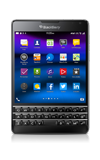
- Enable Battery Saving Mode.
Note: Swipe down from the top of the screen > Tap Settings > Scroll to then tap Battery Saving Mode > Tap the Battery Saving Mode switch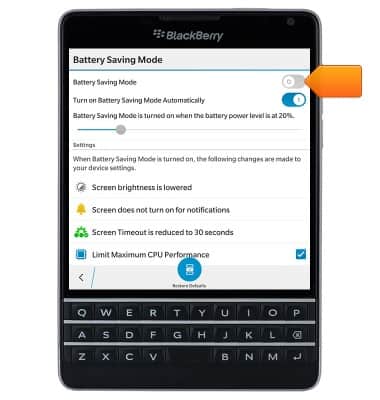
- Reduce the Brightness to prolong battery life.
Note: Swipe down from the top of the screen > Tap Settings > Tap Display > Drag the brightness slider to the desired level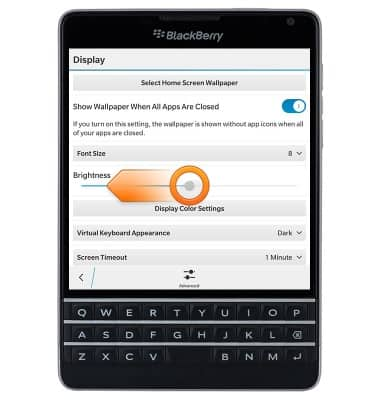
- Set the Screen Timeout to a low duration.
Note: Swipe down from the top of the screen > Tap Settings > Tap Display > Scroll to then tap Screen Timeout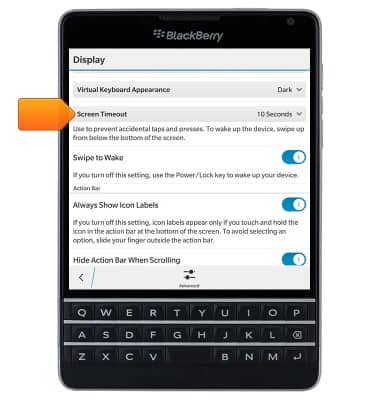
- Turn off Bluetooth, Wi-Fi and NFC when not in use.
Note: Swipe down from the top of the display > Tap the appropriate icon(s)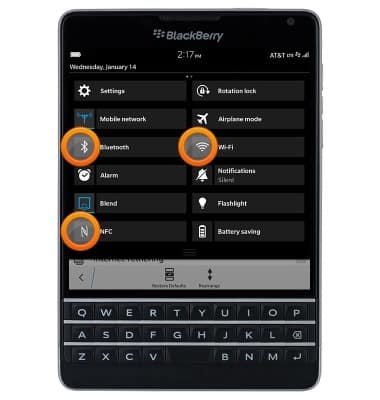
- Turn off Location Services.
Note: Swipe down from the top of the screen > Tap Settings > Scroll to then tap Location Services > Tap the Location Services switch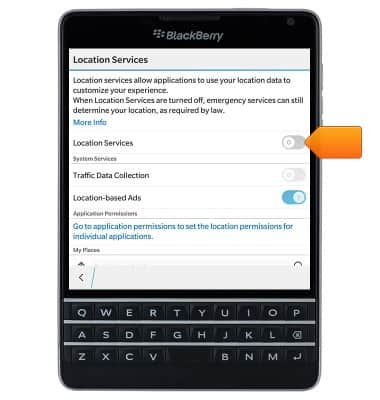
- Set accounts to Manual sync to prevent applications from downloading content in the background.
Note: Swipe down from the top of the screen > Tap Settings > Tap Accounts > Tap the desired account > Tap Sync Interval > Tap Manual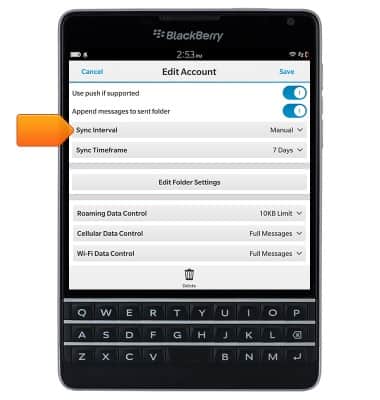
- If you are travelling and do not have access to mobile or Wi-Fi networks, switch to Airplane mode.
Note: Swipe down from the top of the screen > Tap Airplane Mode.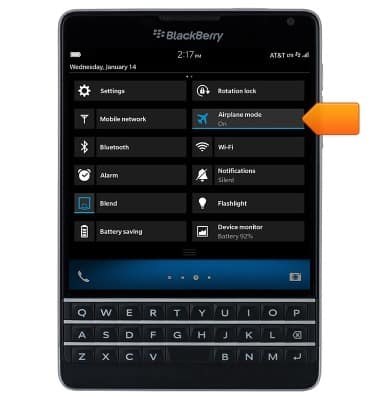
- Enable Flip to Save Power. If this feature is turned on, when you place your device facedown on a flat surface, your device goes into standby mode to extend battery life. You still receive notifications for incoming calls, messages, and alarms.
Note: Swipe down from the top of the screen > Tap Settings > Tap Advanced Interaction > Tap the Flip to Save Power switch to on.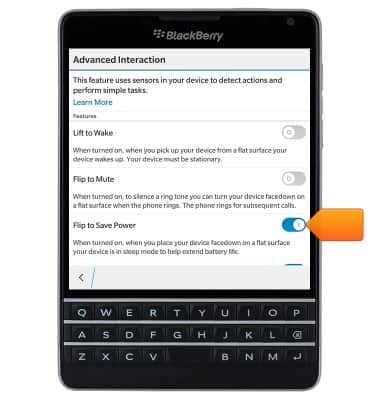
Battery life
BlackBerry Passport (SQW100-3)
Battery life
Tips & tricks to extend your battery performance.
INSTRUCTIONS & INFO