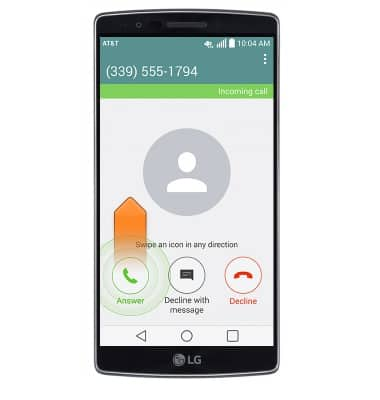
- While on a call, swipe the Answer icon in any direction to pick up the incoming call and place the current call on hold.
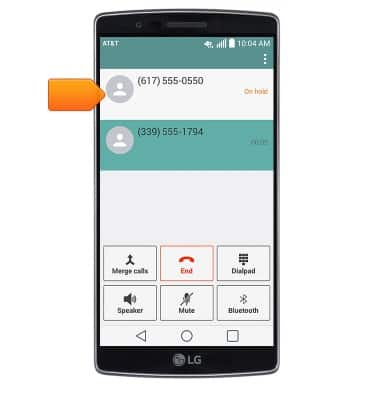
- Tap the desired call to unmute and continue your conversation.
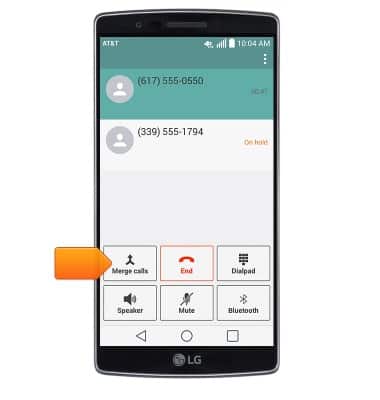
- Tap Merge calls to merge the calls.
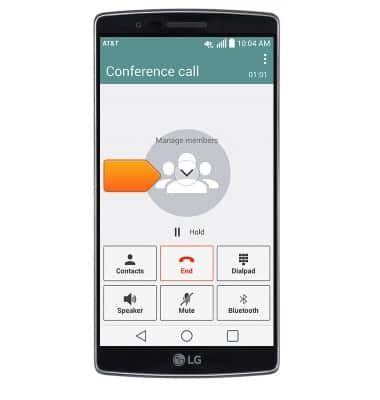
- Tap Manage members to disconnect one call.
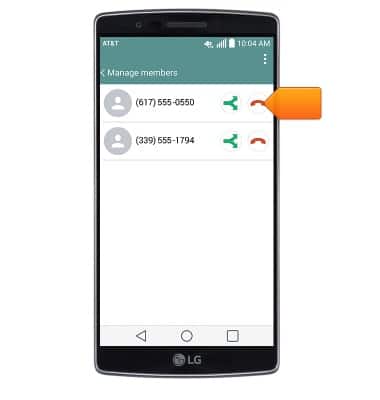
- Tap the Hang up icon to disconnect a caller.
Conference calling
LG G Flex 2 (H950)
Conference calling
Add another person to your call, merge calls, place someone on hold and more.
INSTRUCTIONS & INFO