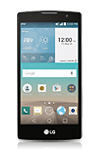
- From the home screen, tap Email.
Note: If an email account has already been added and you would like to add another, tap the Menu icon in the upper right > Settings > Add account.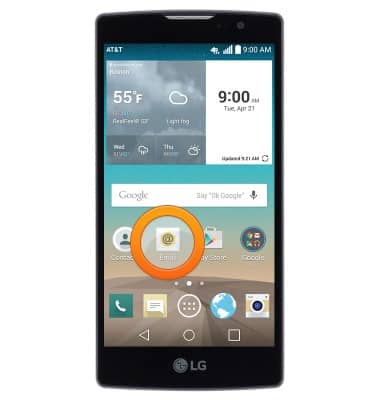
- Tap the desired option.
Note: For this demonstration, tap 'Gmail'.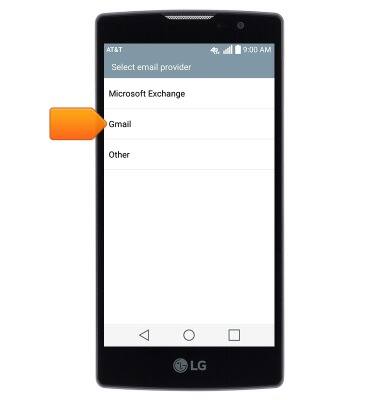
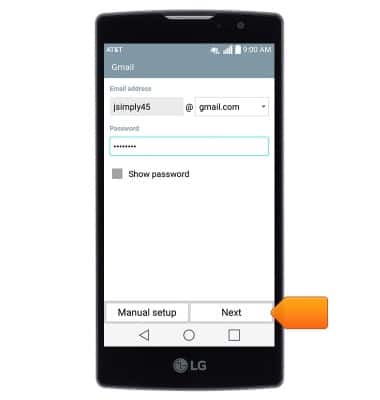
- Enter the desired email address and password, then tap Next.
- Edit the account and display names if desired, then tap Done.
Note: If multiple accounts are configured, tap to check 'Set as default account', if desired.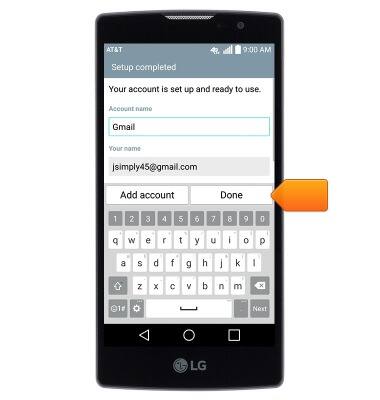
Set up personal email
LG Escape 2 (H443)
Set up personal email
Add your personal email account to sync email, contacts, calendar, and notes to your device.
INSTRUCTIONS & INFO