- From Settings, tap Display to adjust screen brightness, turn off automatic screen rotation, show status bar, change time to sleep, share your screen via Miracast, and configure low motion settings.
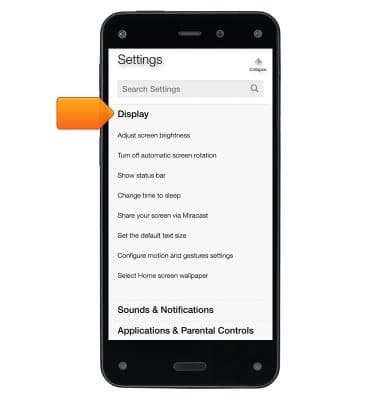
Display
Amazon Fire Phone
Display
Change the display time out, brightness and orientation.
INSTRUCTIONS & INFO