- From the home screen, swipe down from the Notification bar with two fingers.
Note: The device will automatically attempt to set the date and time from the network. This tutorial demonstrates how to manually set the date and time on your device.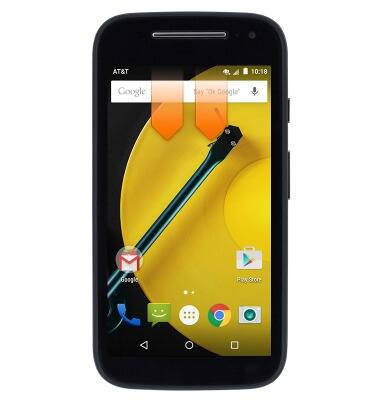
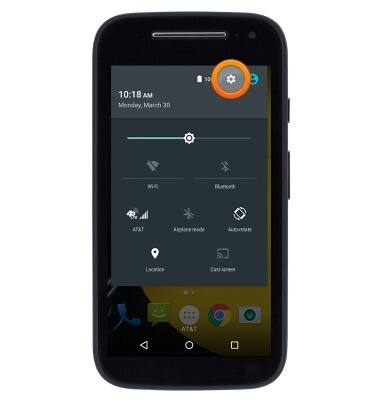
- Tap the Settings icon.
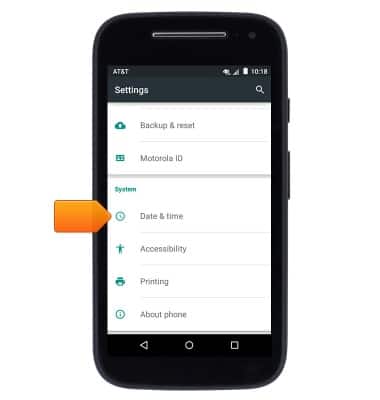
- Scroll to then tap Date & time.
- Tap Automatic date & time to toggle on/off.
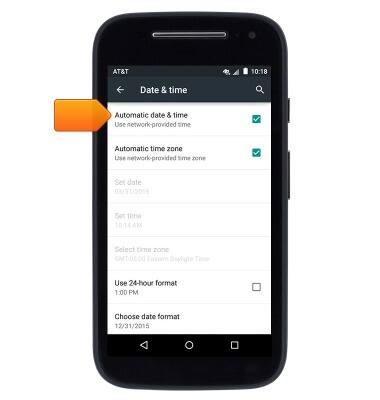
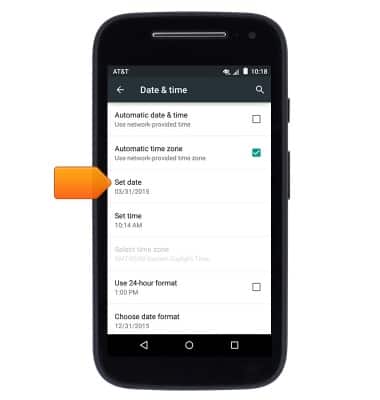
- With Automatic date & time disabled, tap Set date.
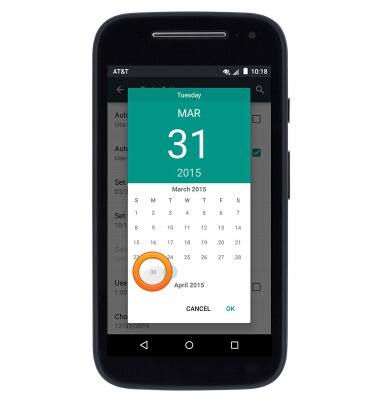
- Scroll to then tap the desired date.
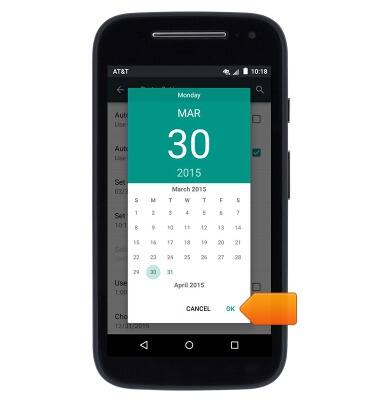
- Tap OK.
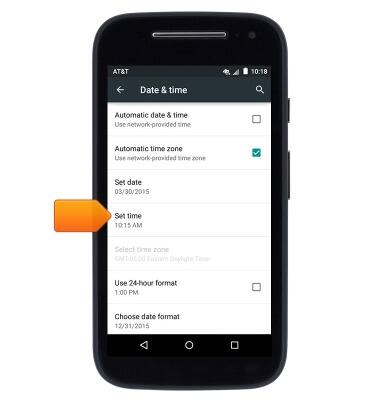
- Tap Set time.
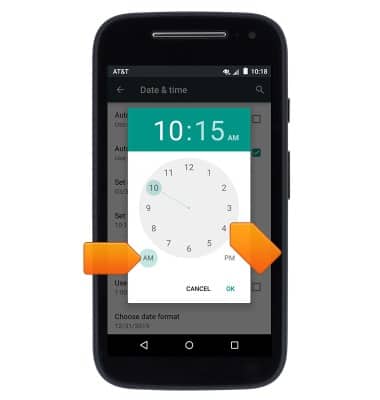
- Tap or drag around the clock's circumference to set the time. Tap to set the time as AM or PM.
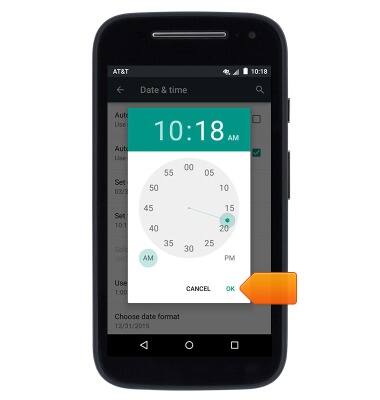
- Tap OK.
Date & time
Motorola Moto e (XT1527)
Date & time
Set the date & time.
INSTRUCTIONS & INFO