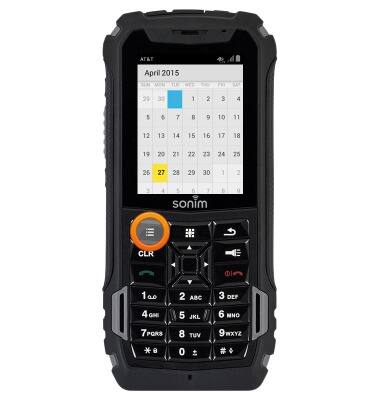
- From the home screen, press the Menu key.

- Select Calendar, then press the Center Nav key.

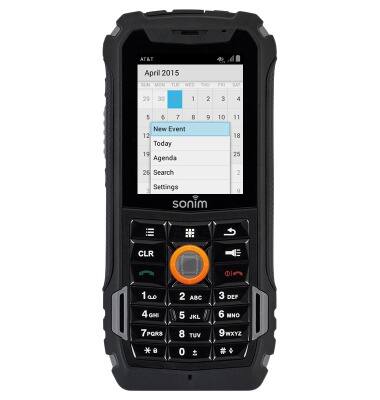
- To add an event, press the Options key.
- Select New Event, then press the Center Nav key.
- Enter the desired event name.
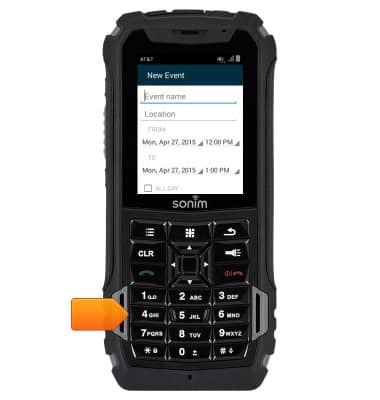
- Select the From Date field, then press the Center Nav key.
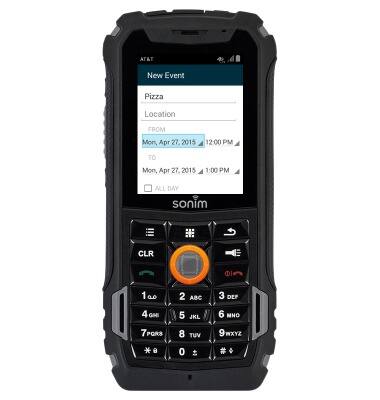
- Use the Nav keys to select the desired date, then press the Center Nav key.
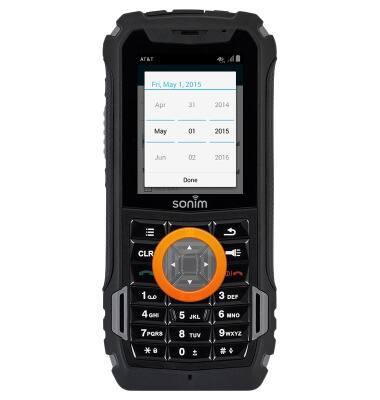
- Press the Center Nav key.

- Select the From Time field, then press the Center Nav key.
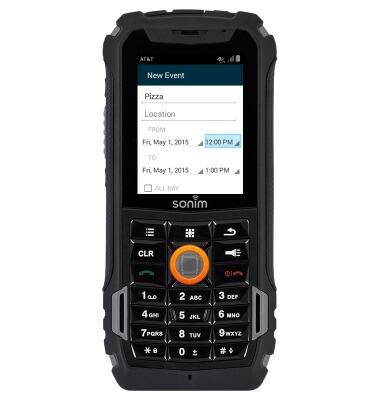
- Use the Nav keys to select the desired time, then press the Center Nav key.
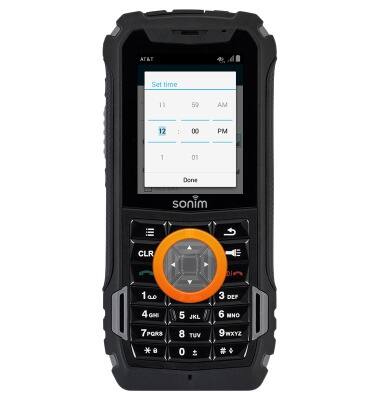
- Press the Center Nav key.
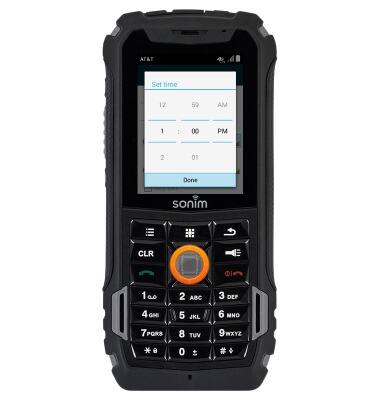
- Repeat steps 6-11 for the To Date and To Time fields.
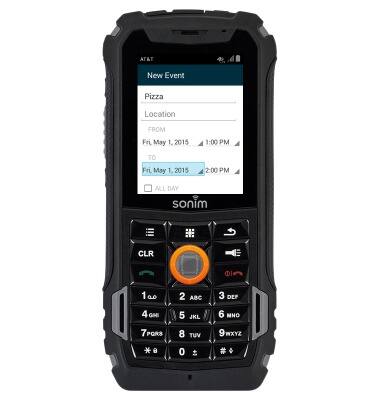
- Add any additional event information, then press the Options key.
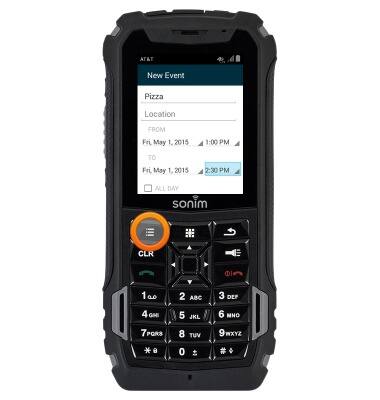
- Select Save, then press the Center Nav key.
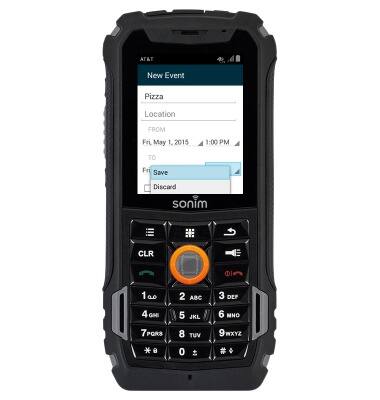
- To edit an event, select the event date, then press the Center Nav key.
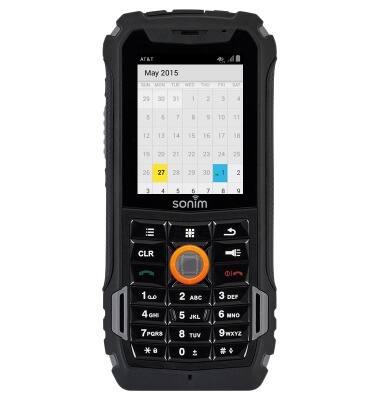
- Select the desired event, then press the Center Nav key.

- Press the Options key.
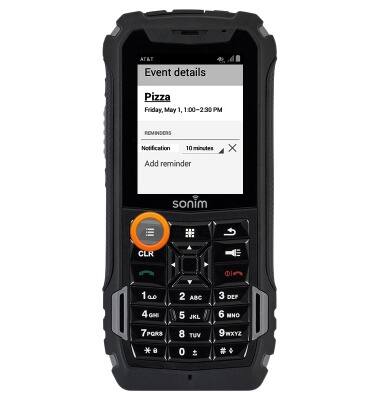
- Select Edit, then press the Center Nav key.

- Edit the event as desired, then press the Options key.
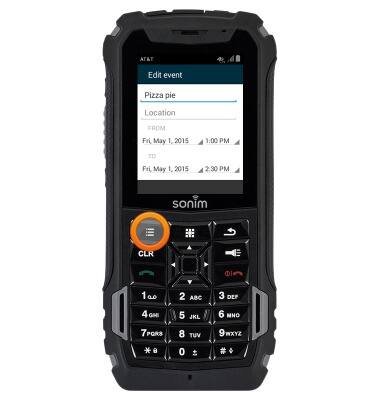
- Select Save, then press the Center Nav key.

- To delete an event, select the desired event, then press the Center Nav key.
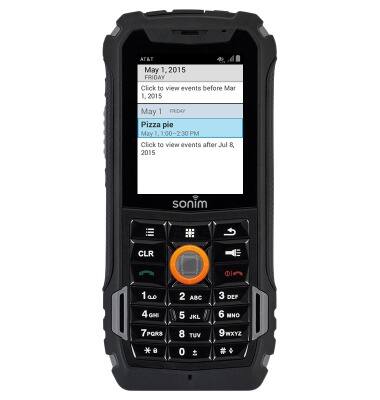
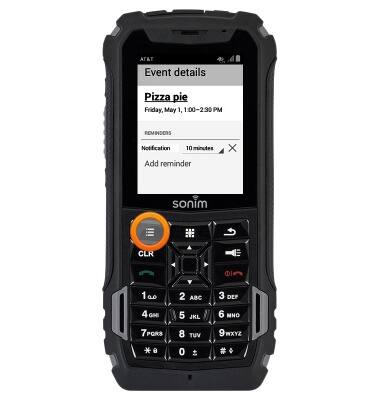
- Press the Options key.
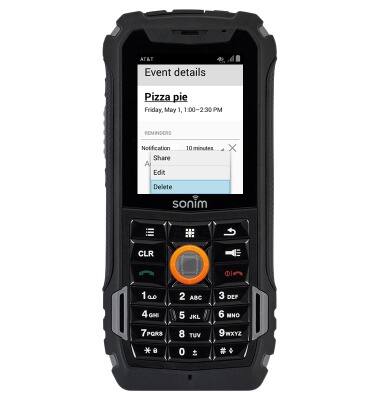
- Select Delete, then press the Center Nav key.
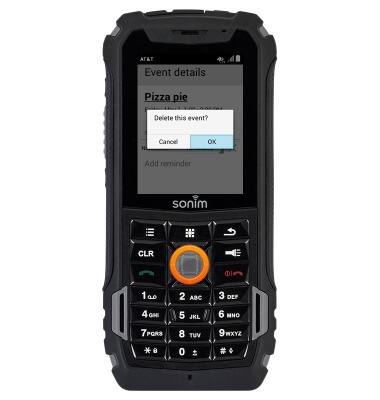
- Select OK, then press the Center Nav key.
Calendar
Sonim XP5 (XP5700)
Calendar
Learn how to access the calendar and manage events.
INSTRUCTIONS & INFO