- From the home screen, press the Menu key.

- Select Phone, then press the Center Nav key.

- Press the Options key.

- Select Call settings, then press the Center Nav key.

- Select Call forwarding, then press the Center Nav key.
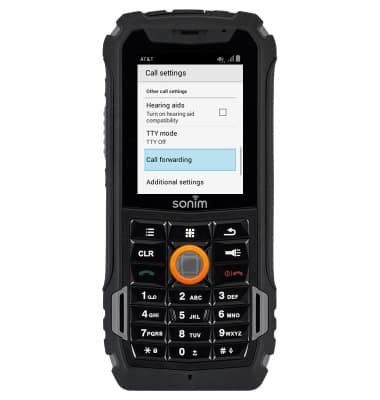
- Select the desired option, then press the Center Nav key.
Note: For this demonstration, select 'Always forward'.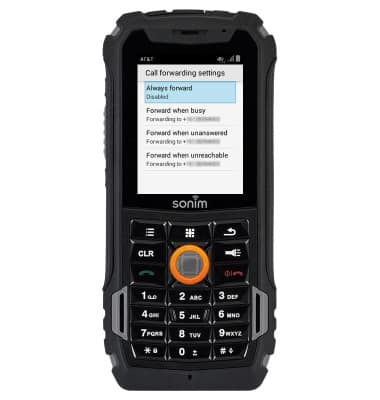
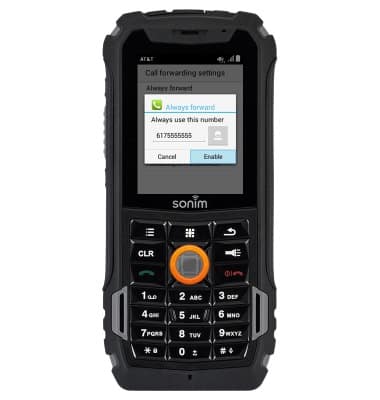
- Enter the desired number, then select Enable and press the Center Nav key.
- When call forwarding is enabled, the Call Forwarding icon will display in the Notifications bar.

- To disable, select Always forward, then press the Center Nav key.

- Select Disable, then press the Center Nav key.
Note: To change the call forwarding number, enter the desired number, select 'Update', and press the Center Nav key.
Call forwarding
Sonim XP5 (XP5700)
Call forwarding
Learn how to manage call forwarding from your device.
INSTRUCTIONS & INFO