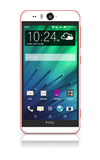
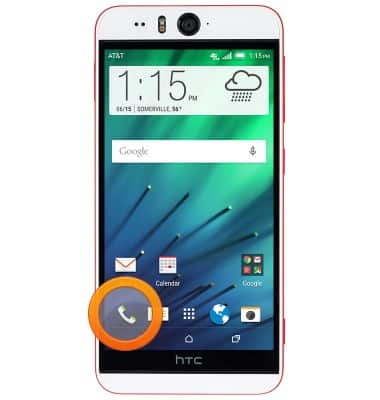
- To make a call, from the Home screen, tap the Phone icon.
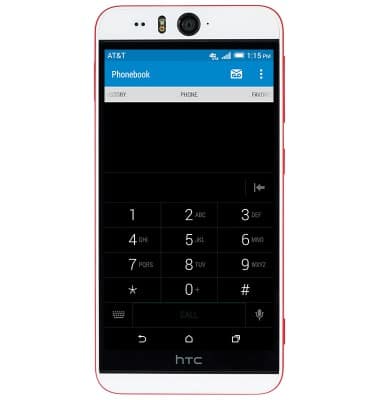
- Enter the desired phone number.
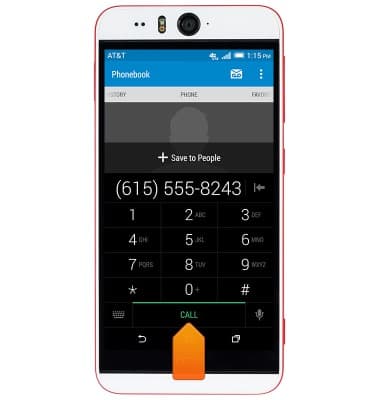
- Tap CALL.
- To receive an incoming call, tap ANSWER.
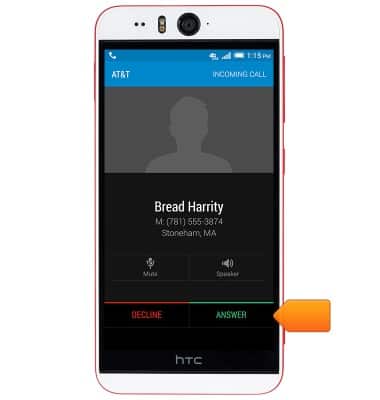
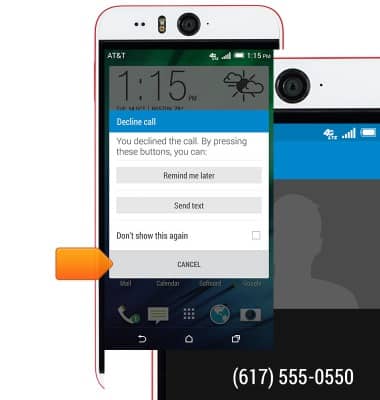
- To reject a call, tap DECLINE.

- To set a callback reminder, tap Remind me later.
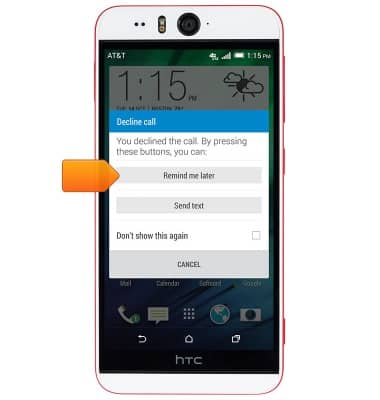
- To reply with a text message, tap Send text .
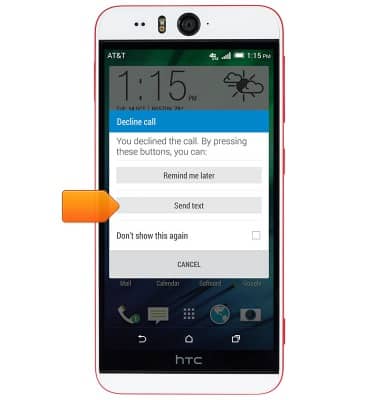
- Choose from a preset message, or type your own, then tap SEND.
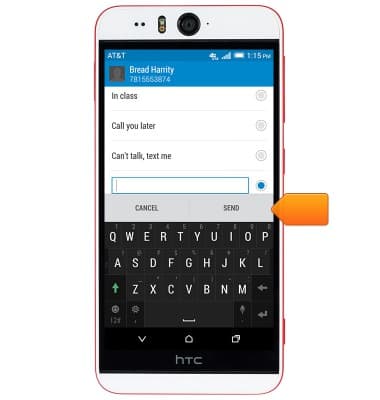
- Tap CANCEL to ignore the call with no reminder.
- While on a call, the Call icon will display in the Notifications bar.
Note: Visit the AT&T International Calling website for help making calls to or while roaming in another country.
Make & receive a call
HTC Desire EYE (0PFH100)
Make & receive a call
Place, receive, & reject a call.
Resolve Call and Text Issues with Device Settings
Learn how to resolve issues with making and receiving calls and texts by checking device settings, such as airplane mode, call forwarding, blocked calls, functions such as Emergency Calls Only, and operating software versions.
Resolve Call and Text Issues with Device Settings
2:37
INSTRUCTIONS & INFO