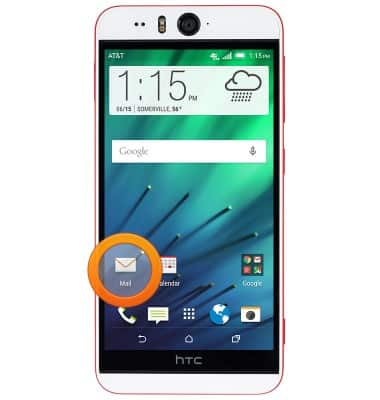
- From the Home screen, tap Mail.
- Tap the desired email provider.
Note: For this demonstration, tap 'Gmail'.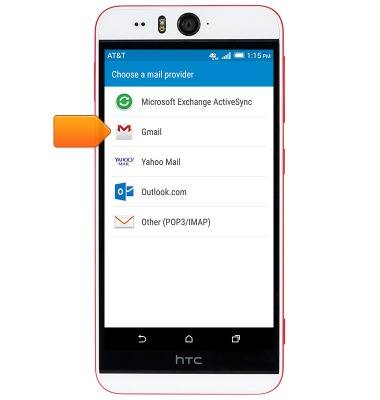
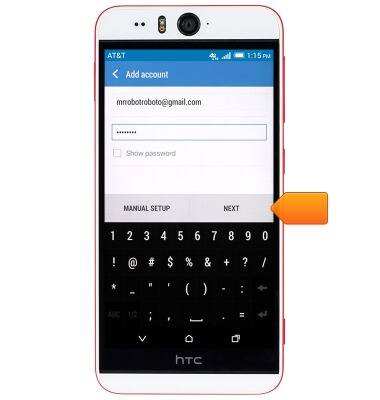
- Enter the desired email address and password.
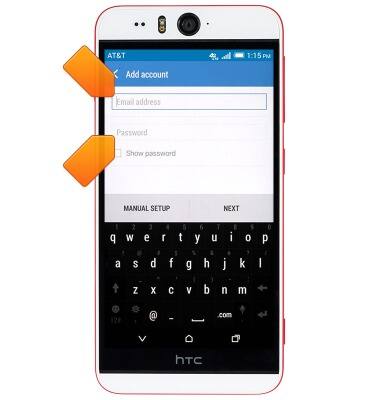
- Tap NEXT.
- Edit the account name and display name if desired, then tap FINISH SETUP.
Note: If multiple accounts are configured, tap to check 'Make this my default mail account' if desired.
Set up personal email
HTC Desire EYE (0PFH100)
Set up personal email
Add your personal email account to sync email, contacts, calendar, and notes to your device.
INSTRUCTIONS & INFO